Price Disclaimer and Key Notes

Please note that prices and availability of our products are subject to change without prior notice. Despite our best efforts to maintain accuracy, occasional errors may occur. In such cases, where a pricing discrepancy is identified, we will promptly notify you via chat, email, or phone. You will then have the option to accept the amended price or cancel your order.
We highly recommend verifying stock availability and prices before proceeding with your payment. For credit card payments, please allow approximately six to eight business days for processing and clearance. Your understanding and cooperation in these matters are greatly appreciated. Shipment will occur within two to five business days following the clearance of payment. Please be aware that our primary focus is on Dell, HP & Lenovo business computers and servers. Accessories are typically available for purchase as part of a bundle or may be offered in larger quantities.

We're sorry to convey that we do not participate in government bids and won't be providing quotation requests.
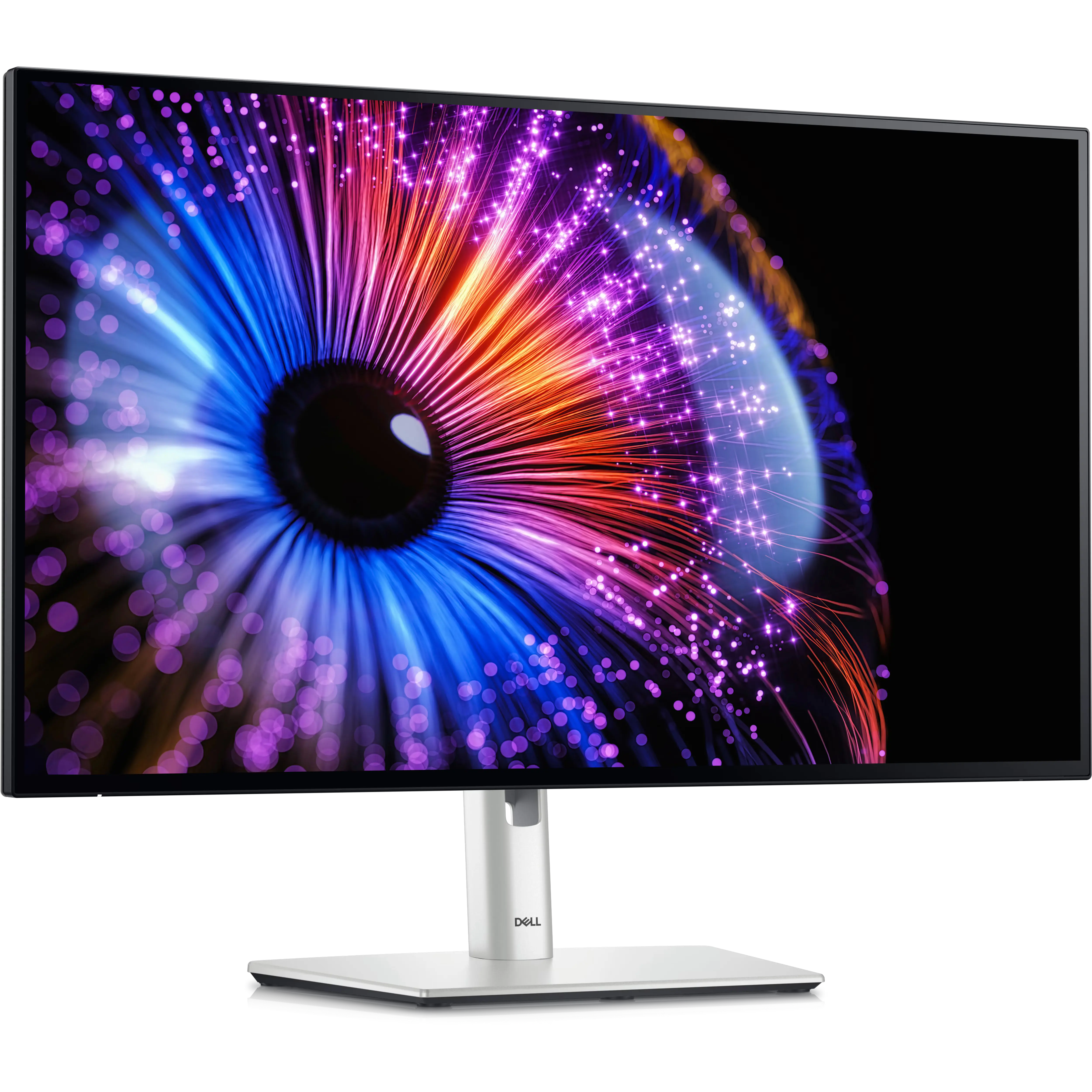
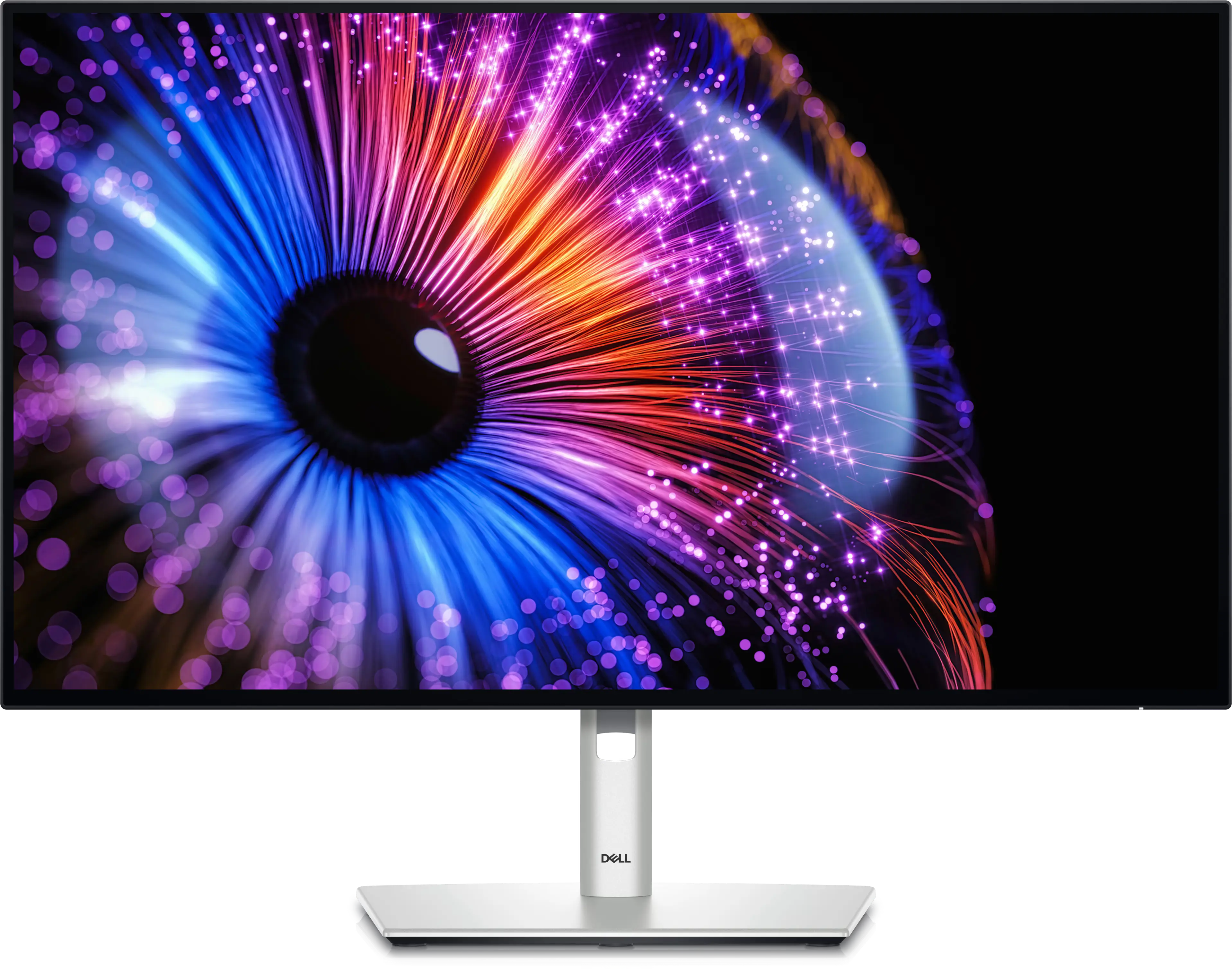
Dell UltraSharp 27 Thunderbolt™ Hub Monitor - U2724DE


Price:
Sale price₱37,000.00

Description

Technical Information
Diagonal Viewing Size
27"
Preset Display Area (H x V)
596.74 mm x 335.66 mm
23.49" x 13.22"
200,301.74 mm2 (310.47 inches2)
Panel Type
IPS Black Technology
Display Screen Coating
Anti-Glare with 3H hardness
Maximum Preset Resolution
QHD 2560 x 1440 at 120 Hz
Viewing Angle
178°vertical / 178°°horizontal
Pixel Pitch
0.2331 mm x 0.2331 mm
Pixel Per Inch (PPI)
108.97
Contrast Ratio
2000 to 1 (typical)
Aspect Ratio
16:9
Backlight Technology
LED Edgelight System
Brightness
350 cd/m2 (typical)
Response Time
8 ms (Normal)
5 ms (Fast)
HDR Ready
No
Ambient Light Sensor
Yes, auto brightness and color temperature adjustmemt
color support
1.07 billion colors
Color Gamut
100% sRGB, 100% BT.709, 98% Display P3, 98% DCI-P3, Delta E < 2 (average) (sRGB, BT.709, Display P3, DCI-P3)
Interfaces
  • 1 x DisplayPort 1.4 (DRR for Microsoft Windows) (Supports 2 x QHD 120Hz 8 bit)
  • 1 x DisplayPort 1.4 (Out)
  • 1 x HDMI (HDCP 1.4)(Supports up to QHD 2560 x 1440 120Hz TMDS, VRR as per specified in HDMI 2.1)
  • 1 x ThunderboltTM 4 downstream port (15W) for daisy chaining
  • 1 x ThunderboltTM 4 upstream port (Video + Data). Alternate mode with DisplayPort 1.4, power delivery up to 90W.
  • 1 x USB-Type C upstream port (data only) (SuperSpeed USB 10 Gbps, USB 3.2 Gen 2
  • 3 x USB Type-A downstream port (SuperSpeed USB 10 Gbps, USB 3.2 Gen 2)
  • 1 x Audio line out
  • 1 x RJ45 Ethernet port, 2.5GbE (2.5G)
  • 1 x USB Type-A downstream port (SuperSpeed USB 10 Gbps, USB 3.2 Gen 2) with BC1.2 power charging
  • 1 x USB Type-C downstream port (SuperSpeed USB 10 Gbps, USB 3.2 Gen 2) with power charging (15W)
Adjustability
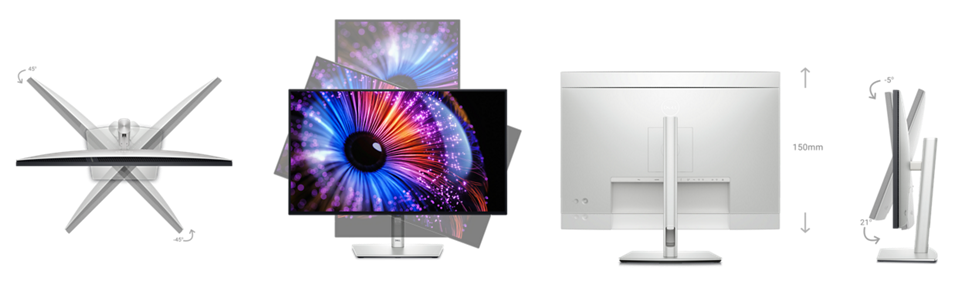
Height, Tilt, Swivel, Pivot
Height adjustable
150 mm
Tilt
-5°/+21°
Swivel
-45°/+45°
Pivot
-90°/+90°
PbP / PiP
Yes
Keyboard, Video and Mouse ( KVM)
Yes
Daisy Chain Availability
Yes
Audio Output
1 x Audio line-out
Built-in Speaker
No
Security
Security lock slot (cable lock sold separately)
Anti-theft stand lock slot (to lock stand to monitor using screw)
Compliant Standards
ENERGY STAR certified Monitor.
EPEAT registered where applicable.
EPEAT registration varies by country.
See https://www.epeat.net for registration status by country.
TCO Certified & TCO Certified Edge.
RoHS Compliant.
BFR/PVC Free monitor (excluding external cables).
Arsenic-Free glass and Mercury-Free for the panel only
Flat Panel Mount Interface
VESA mounting holes (100 mm x 100 mm - behind attached VESA Cover)
What's Included
Monitor, Stand Riser, Stand Base, Quick setup guide, Safety, Environmental and Regulatory Information, Factory calibration report
Cables Included
1 x Power cable
1 x DisplayPort 1.4 cable - 1.8 m
1 x USB Type-A to USB Type-C Gen 2 cable - 1 m
1 x ThunderboltTM 4 cable - 1 m
Voltage Required
100 VAC to 240 VAC / 50 Hz or 60 Hz ± 3 Hz / 2.65 A (typical)
Power Consumption (On mode)
24.4 W
Power Consumption (Max)
225 W
Power Consumption Stand by
0.5 W
Power Consumption (Off Mode)
0.3 W
Networked standby mode
1.5 W
Dell Display Manager Compatibility
Yes , Easy Arrange, Other key features
Temperature Range
Operating: 0°C to 40°C (32°F to 104°F)
Non-operating: –20°C to 60°C (–4°F to 140°F)
Humidity Range
Operating: 10% to 80% (non-condensing)
Non-Operating: 5% to 90% (non-condensing)
Altitude
Operating: 5000 m (16404 ft) max
Non-Operating: 12192 (40000 ft) max

Physical Characteristics
Height with stand (Compressed ~ Extended)
15.18" ~ 21.09
Width with stand
24.10"
Depth with stand
7.57"
Height without stand
13.88"
Width without stand
24.10"
Depth without stand
1.97"
Weight (panel only - for VESA mount)
11.53 lb
Weight (with stand assembly and cables)
16.25 lb
Weight (with packaging)
22.51 lb

Warranty
Specifications - Service / Support Details
3-Year Advanced Exchange Service and Premium Panel Exchange

World’s first 5-star certified monitor for eye comfort*

Experience a new level of comfort and productivity. 

*Based off TÜV Rheinland® Eye Comfort certification, August 2023.

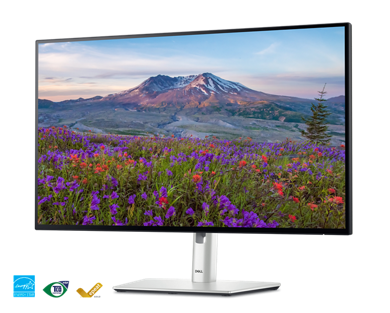
Dell U2724DE UltraSharp Monitor.

Unparalleled visual comfort

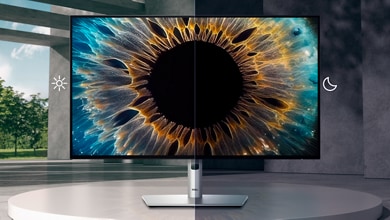
Ambient Light Sensor: A built-in Ambient Light Sensor intelligently optimizes brightness and color temperature based on your surroundings.

Improved ComfortView Plus: Reduces harmful blue light emissions to ≤35%, for all-day comfort without sacrificing color accuracy.

A smoother visual experience: A 120Hz refresh rate delivers less flicker, more seamless scrolling and smoother motion than 60Hz monitors.

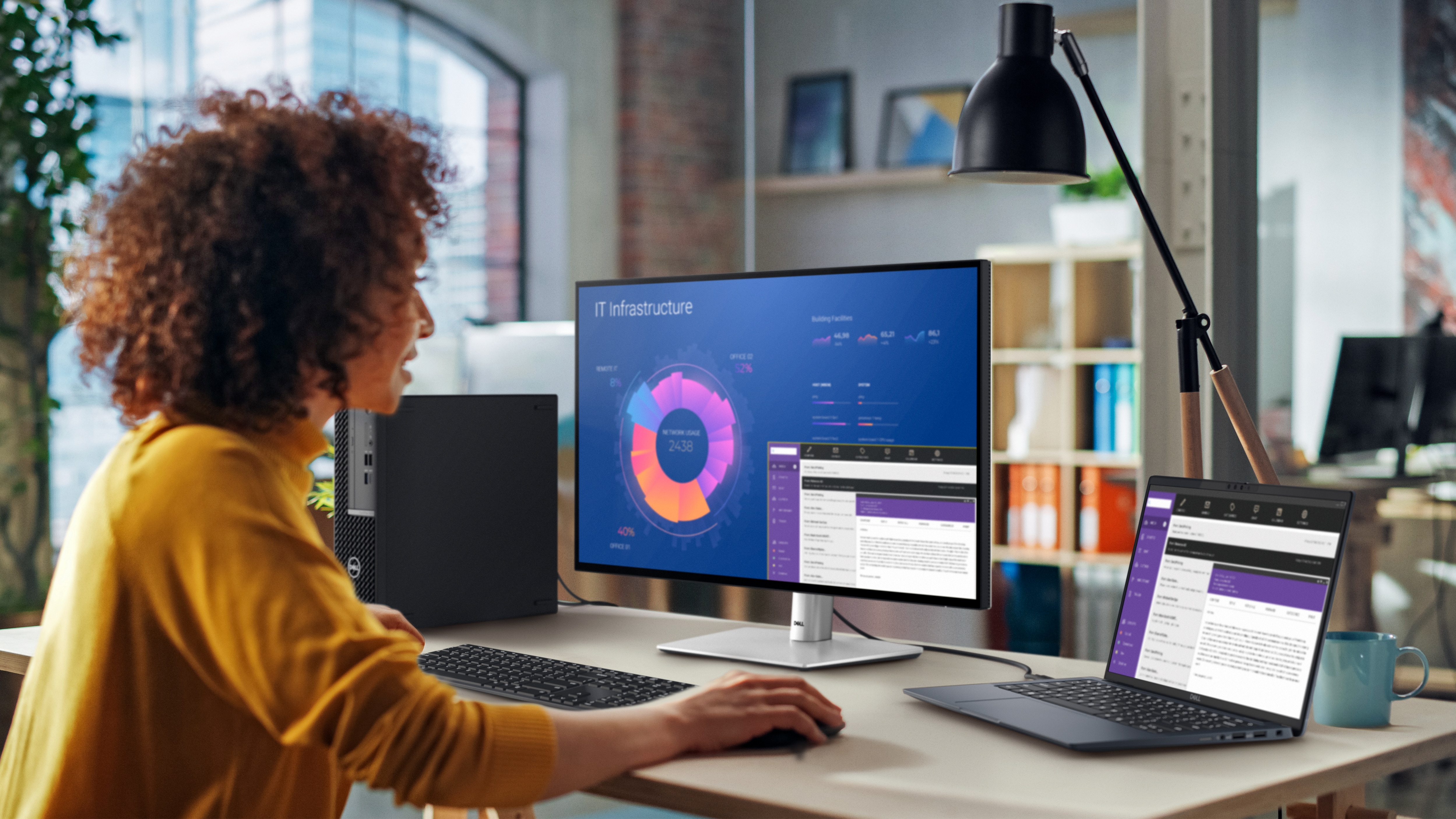
Woman leaning on a table using Dell products.

Work vibrantly

Superior image quality: This IPS Black panel technology monitor has deeper blacks and greater gray color level accuracy, delivering exceptional contrast (2000:1) across a wide viewing angle.

Vivid, lifelike color: Enjoy 1.07 billion colors and a wide color coverage across industry standards, including 98% DCI-P3, 98% Display P3, 100% sRGB and 100% BT.709. Get color calibration accuracy of Delta E < 2 (average) (sRGB, BT.709, Display P3, DCI-P3).

Connect to Productivity

Dell U2724DE UltraSharp Monitor.
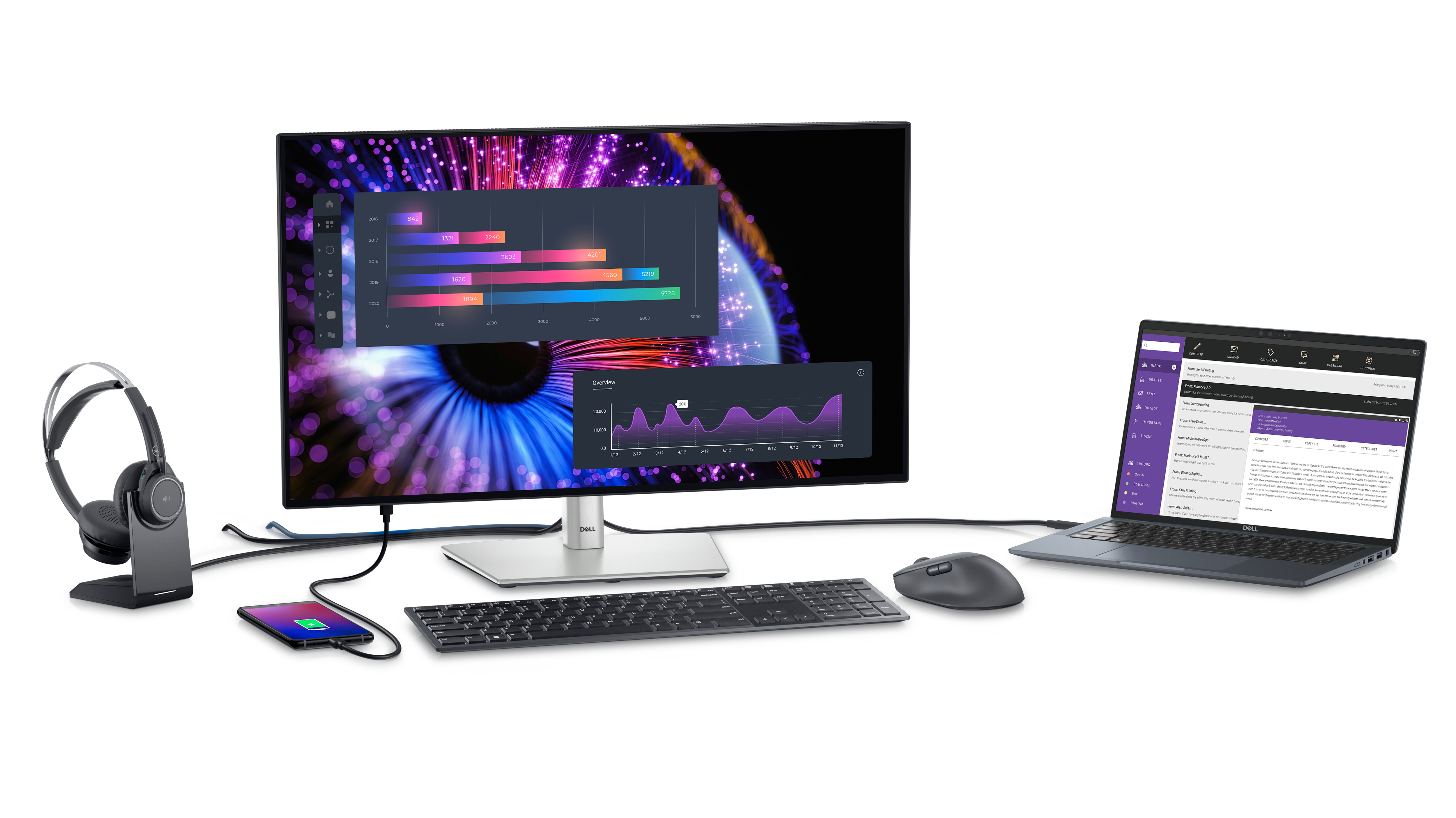
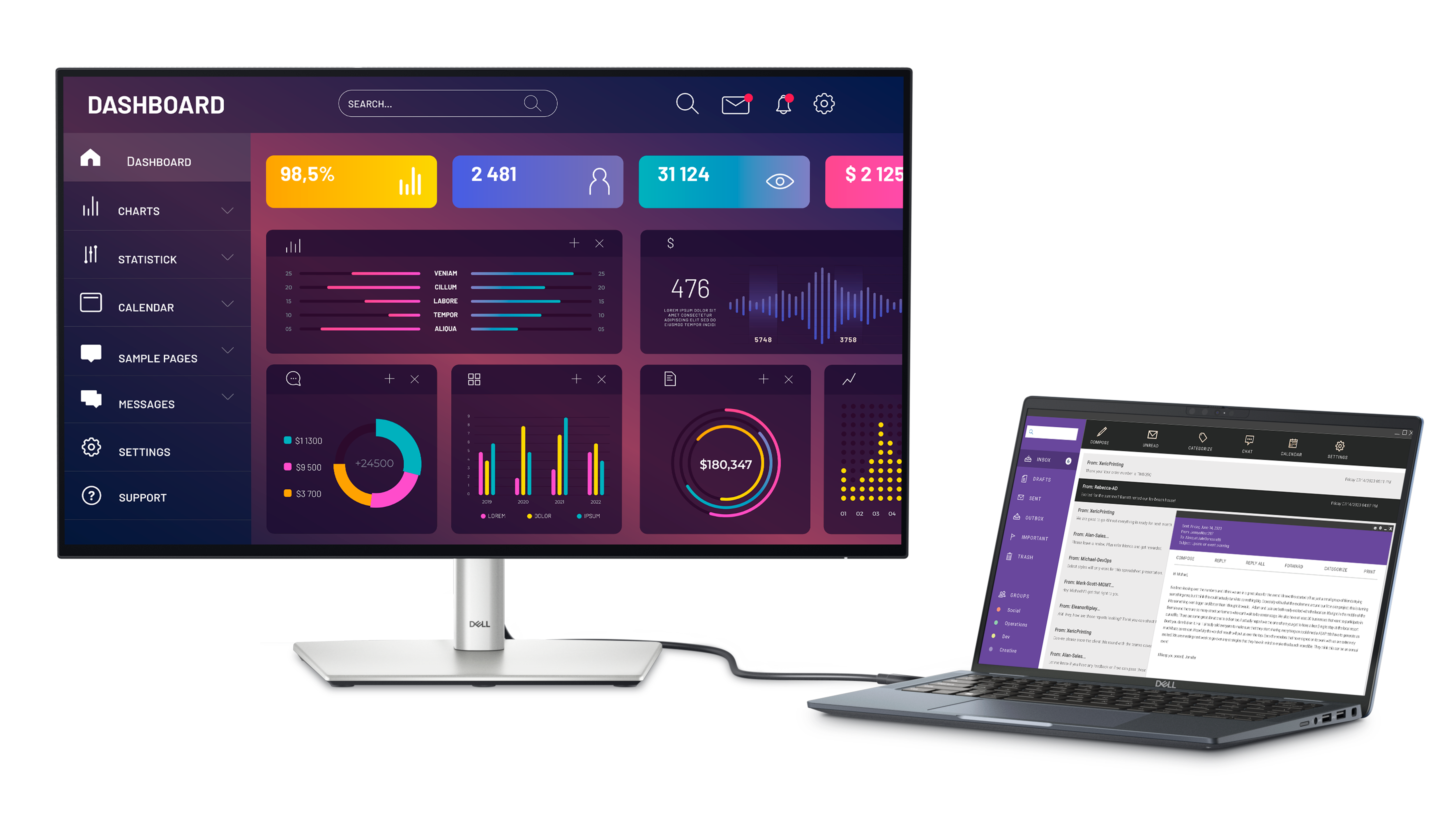
Single-cable convenience: Thunderbolt 4 transmits data and video signals at speeds of up to 40Gbps and delivers up to 90W of power to your PC.

Stable connection: Enable fast Ethernet with speeds of up to 2.5GbE.
Dell U2724DE UltraSharp Monitor.
Reach peak productivity: Connect to two PC sources and Auto KVM will seamlessly switch controls over to the second connected PC. Use KVM (keyboard, video and mouse) features to control both PCs with a single keyboard and mouse.

See more on one screen: View content from two PC sources with Picture-in-Picture (PiP) and Picture-by-Picture (PbP).
Dell U2724DE UltraSharp Monitor.
Extend your connectivity: Connect to more with DisplayPort 1.4, HDMI (HDCP 1.4)(supports up to QHD 2560 x 1440 120Hz TMDS, VRR as specified in HDMI 2.1), USB-A and USB-C ports that provide speeds of up to 10Gbps.
Dell U2724DE UltraSharp Monitor.
Connect with ease: Simply plug in accessories and devices with a quick access USB-A port and a USB-C port that delivers up to 15W of power.

Expand your perspective

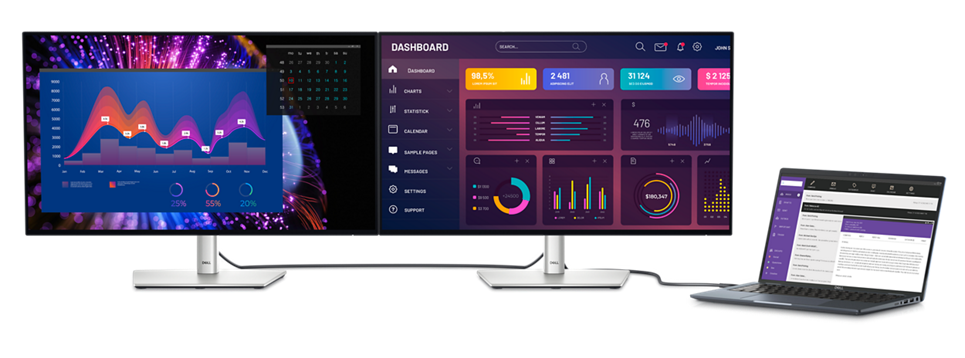
Experience uncompromised picture quality by daisy chaining two monitors.
Dell U2724DE UltraSharp Monitor.

Designed for comfort

Fit your work style: Tilt, swivel, pivot and adjust the height of your monitor to work your way.

Stay focused on your work: Our InfinityEdge screen provides a virtually borderless experience.

Work beautifully: A premium platinum silver finish enhances any workspace.
Dell U2724DE UltraSharp Monitors.
Dell U2724DE UltraSharp Monitor.

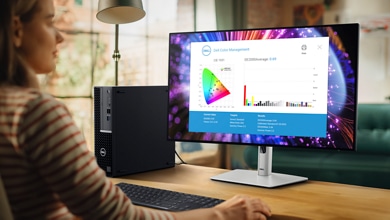
Dell Color Management

Customizable colors: Easily calibrate your monitor’s colors with the new Dell Color Management software, with Calman Verified certification.

Tailored to you: Create, store, and manage ICC profiles on your computer dynamically through the software dashboard.

Wide compatibility: Dell Color Management software is compatible with multiple operating systems including Windows and macOS®.
Dell U2724DE UltraSharp Monitor.

Green thinking for today and tomorrow

Environmental standards: This monitor uses 85% PCR (post-consumer recyclable) plastic and 90% recycled aluminum in the design. It meets the latest environmental standards such as EnergyStar® and TCO Certified Edge and is EPEAT® Gold registered.

Eco-conscious packaging: 
Dell monitors ship in boxes made with 100% renewable content that is also 100% recyclable.

Energy conservation: 
Save energy with PowerNap, a feature that dims or puts your monitor to sleep when not in use.

Works seamlessly with devices on macOS®*

Tested with devices on macOS, this Thunderbolt monitor with Display P3 color is your ideal Mac® devices companion for superb color coverage and accuracy. Daisy chaining multiple displays via a single cable requires Thunderbolt connectivity. Please check your device for compatibility, as select M-series chips may not support some features. Install Dell Display and Peripheral Manager application to customize advance settings. 

*Based on internal testing of Dell monitors connected to devices on macOS via Thunderbolt, June 2024. Some features may not be supported.

Dell Display and Peripheral Manager

Experience Dell’s singular, innovative application to optimize the performance of your entire Dell PC workspace.
Maximize productivity
Easy Arrange tiles apps across screens with pre-set partitions and customizes up to five windows, enhancing multitasking. Easy Arrange Memory saves and restores app profiles manually, on schedule, or at start-up.

Easy navigation
Control and work across multiple network or USB connected PCs and monitors with a single keyboard and mouse, seamlessly transferring files between them.

More manageable
Save time and boost IT efficiency with the Dell Device Management Console to manage your Dell peripheral fleet at scale, from a single cloud-based console. Discover expanded Command Line Interface features from Dell Display and Peripheral Manager.

Learn more about Dell Display and Peripheral Manager

Disclaimer: Screen image simulated for illustrative purposes only. Monitor model may vary.

Connectivity Options

Ports and slots

Bottom and rear view

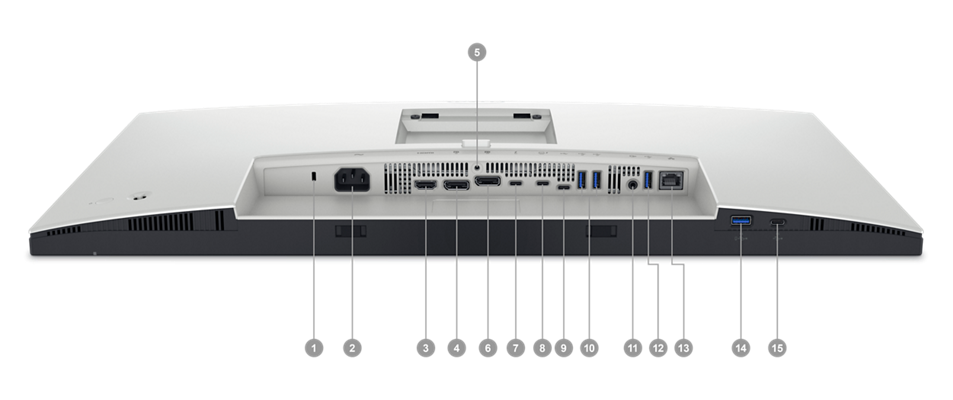
1. Security lock slot (based on Kensington Security Slot™)
2. Power connector
3. HDMI (HDCP 1.4)(supports up to QHD 2560 x 1440 120Hz TMDS, VRR as specified in HDMI 2.1)
4. DisplayPort 1.4
5. Stand lock
6. DisplayPort 1.4 (out)
7. Thunderbolt™ 4 downstream port (15W) for daisy chaining
8. Thunderbolt™ 4 upstream port (Video + Data). Alternate mode with DisplayPort 1.4, power delivery up to 90W.
9. USB Type-C upstream port (data only) (SuperSpeed USB 10 Gbps, USB 3.2 Gen 2)
10. 2x USB Type-A downstream port (SuperSpeed USB 10 Gbps, USB 3.2 Gen 2)
11. Audio line out
12. USB Type-A downstream port (SuperSpeed USB 10 Gbps, USB 3.2 Gen 2)
13. RJ45 Ethernet port, 2.5GbE
14. USB Type-A downstream port (SuperSpeed USB 10 Gbps, USB 3.2 Gen 2) with BC1.2 power charging
15. USB Type-C downstream port (SuperSpeed USB 10 Gbps, USB 3.2 Gen 2) with power charging (15W)
Cables Included
1. Power cable
2. DisplayPort 1.4 cable - 1.8 m
3. USB Type-A to USB Type-C Gen 2 cable - 1.0 m
4. Thunderbolt™ 4 cable - 1.0 m

Peace of mind, guaranteed

Peace of mind, guaranteed

Dell Service Illustration - Reliable Brand - Trophy
A brand you can rely on
As the No. 1 monitor company worldwide, we take pride in our unyielding commitment to quality and the utmost customer satisfaction.
Premium Panel Exchange
Dell's Premium Panel Exchange (PPE) allows panel replacement on monitors during the Dell Limited Hardware Warranty period even if only one bright pixel is found. PPE is not a standard or up-sell Support Service.
Dell Service Illustration - Advanced Exchange - Arrows
Advanced Exchange Support
Your monitor comes with Advanced Exchange Service. If, after remote diagnosis, a monitor replacement becomes necessary, it will be shipped to you the next business day.
upgrade your support.
Upgrade your support
Get a higher level of support with ProSupport for Monitors. You'll get 24x7 support for set-up, configuration, troubleshooting and more from highly trained ProSupport engineers.

Reviews

Reviews

Ratings & Reviews are provided by verified users through email, My Account, or at events.
Review Snapshot
4.6
322 Star Ratings
93%
of respondents would recommend this to a friend

First time using Dell monitors.

2 months ago

GrandJunction

From Global

Verified

The product is easy to set up and provides a clean picture.

Response from Dell

Dear Valued Customer, Thank you for sharing your review of the Dell UltraSharp 27 Thunderbolt Hub Monitor. We are delighted to hear that your first experience with Dell monitors has been smooth and that the setup process and picture quality met your expectations. This model is designed to simplify your workspace with Thunderbolt connectivity, vibrant color accuracy, and a clean visual experience for daily use. Its hub functionality helps reduce cable clutter while keeping all your essential devices connected. If you ever need assistance or want to explore more display features, our Dell US Technical support team is always here to help: https://url.dell.com/9b5810. Thank you for choosing Dell for your display needs. -Surabhi

Would you recommend this product to a friend? Yes

Excellent home office monitor hub

2 months ago

SK

From Raleigh, NC

Verified

Love this monitor! Using it in a daisy with a 2nd monitor and it works perfectly. Really nice clear view and easy to use for everyday at work!

Response from Dell

Dear Valued Customer, Thank you for reviewing the Dell UltraSharp 27 Thunderbolt Hub Monitor U2724DE. We are glad to hear that you love the clarity, daisy-chain functionality, and everyday ease of use with your dual‑monitor setup. This UltraSharp model is designed for exceptional color accuracy, comfort, and seamless connectivity. If you ever need assistance or want to explore more display features, our Dell US Technical support team is always here to help: https://url.dell.com/9b5810. Thank you for choosing Dell to enhance your home office environment. -Surabhi

Would you recommend this product to a friend? Yes

the perfect screen

2 months ago

Jackson

From Atlanta

Verified

Dell Promotion

Aesthetically pleasing, easy set up and a big change from a MAC!

Response from Dell

Dear Valued Customer, Thank you for your review of the Dell UltraSharp 27 Thunderbolt Monitor! We’re thrilled that its design and easy setup impressed you. This monitor delivers stunning visuals and seamless connectivity for professional and creative tasks. If you ever need assistance or want to explore more display features, our Dell US Technical support team is always here to help: https://url.dell.com/9b5810. We appreciate your confidence in Dell and look forward to supporting your success. –Surabhi

Would you recommend this product to a friend? Yes

Great item !!

2 months ago

Raul

From el paso

Verified

Dell Promotion

great item, great price.

Response from Dell

Dear Valued Customer, Thank you for sharing your thoughts on the Dell UltraSharp 27 Thunderbolt Hub Monitor U2724DE. We’re pleased to hear you’re enjoying both the product quality and the value. Designed with exceptional clarity and Thunderbolt connectivity, this monitor helps create a clean, efficient workspace with fewer cables and more productivity. If you ever need assistance or want to explore more display features, our Dell US Technical Support team is always here to help: https://url.dell.com/9b5810. Thank you for upgrading your workspace with Dell UltraSharp. -Surabhi

Would you recommend this product to a friend? Yes

Docking works smoothly

3 months ago

GS

From Ithaca, NY

Verified

Dell Promotion

Monitor works great, though I am not qualified to comment on the image quality aspects. Looks good to me. I am really happy with the docking feature. Before this, I was using a Plugable docking station. That used to be very fiddly, and I had to turn the monitor on first, docking station next, laptop last to get everything to recognize each other correctly. With this new monitor with integrated dock, I can plug things in any order, turn things on in any order, and it all sets itself up super-smoothly every time. It probably helps that I am connecting a dell laptop directly to a dell monitor. #sweepstakes

Response from Dell

Dear Valued Customer, Thank you for your feedback on the Dell UltraSharp 27 Thunderbolt™ Hub Monitor! We’re delighted that its integrated docking feature is simplifying your setup compared to previous solutions. This monitor is designed to deliver seamless connectivity and convenience for modern workspaces. If you ever need assistance or want to explore more display features, our Dell US Technical support team is always here to help: https://url.dell.com/9b5810. We appreciate your trust in Dell and look forward to continuing to support your success. -Surabhi

Would you recommend this product to a friend? Yes

Home office

5 months ago

Sailor

From TX

Verified

Thunderbolt and display port connection to secondary monitor

Response from Dell

Dear Valued Customer, Thank you for your review of the Dell UltraSharp 27 Thunderbolt Hub Monitor U2724DE. We’re glad to hear it’s working perfectly for your home office setup and secondary monitor connection. At Dell, we’re committed to delivering premium monitors that offer versatility and exceptional clarity for professional and personal use. For future reference, if you ever need assistance, our Dell USA Technical Support team is here to help: https://url.dell.com/9b5810. We truly appreciate your trust in Dell and look forward to continuing to support your success. -Saurav

Would you recommend this product to a friend? Yes

Perfect choice for my home office

5 months ago

Jersey Contractor

From Barnegat, NJ

Verified

Great monitor. Was easy to install. Has a crisp clean picture with beautiful colors. I have to print construction earthwork takeoff diagrams and material takeoff. The diagrams for the construction earthwork takeoff print in beautiful and distinct colors.

Response from Dell

Dear Valued Customer, Thank you for your wonderful review on the Dell UltraSharp 27 Thunderbolt™ Hub Monitor. We’re glad to hear it was the perfect choice for your home office and that the vibrant display is enhancing your construction earthwork takeoff diagrams. It’s great to know the monitor was easy to install and delivers crisp, clean visuals with beautiful color accuracy—just what you need for detailed print work and productivity. If you ever need assistance or want to explore more display features, our Dell US Technical support team is always here to help: https://url.dell.com/9b5810. Thank you for choosing Dell to bring clarity and precision to your workspace—we truly appreciate your feedback. –Surabhi

Would you recommend this product to a friend? Yes

Excellent monitor

6 months ago

Sancho

Verified

Use it for normal, everyday workload. Email, teams, sysadmin duties. Crisp, clear display. USB hub is an added bonus for peripherals.

Response from Dell

Dear Valued Customer, Thank you for your excellent review of the Dell Ultrasharp 27 Thunderbolt Hub Monitor. We're glad to hear it's supporting your everyday workload with a crisp, clear display and that the integrated USB hub is helping streamline your setup for peripherals. This monitor is built to deliver professional-grade visuals and efficient connectivity, making it a reliable choice for productivity-focused environments. If you ever need assistance or want to explore more display features, our Dell US Technical support team is always here to help: https://url.dell.com/9b5810. Thank you for choosing Dell to keep your workspace sharp, connected, and efficient. -Surabhi

Would you recommend this product to a friend? Yes

NICE!

6 months ago

Chuck

Verified

Great monitor!

Response from Dell

Dear Valued Customer, Thank you for your great review of the Dell Ultrasharp 27 Thunderbolt Hub Monitor. We're glad to hear you're enjoying it, this monitor is designed to deliver stunning visuals and seamless connectivity, and it’s wonderful to know it’s living up to your expectations. At Dell, we’re committed to creating display solutions that enhance productivity and simplify your workspace, and your feedback helps us continue to deliver on that promise. If you ever need assistance or want to explore more display features, our Dell US Technical support team is always here to help: https://url.dell.com/9b5810. Thanks again for choosing Dell, we’re proud to be part of your setup. –Surabhi

Would you recommend this product to a friend? Yes

Monitor Accommodates two Desktops

6 months ago

Yola

From Myrtle Beach, SC

Verified

I didn't want two monitors when lack of support for Win 10 required a new Dell desktop. 3 decades of MS Publisher files I created necessitated retention of my old Dell Desktop bc MS is discontinuing the software. This monitor solved the two Desktop issue by accommodating both.

Response from Dell

Dear Valued Customer, Thank you for your insightful review of the Dell Ultrasharp 27 Thunderbolt Hub Monitor – U2724DE. We're so glad to hear that it’s effectively accommodating both your new and legacy Dell desktops, especially given your need to retain access to decades of MS Publisher files. It’s great to know the monitor helped solve a unique challenge with elegance and efficiency. At Dell, we design our display solutions to be flexible, high-performing, and user-centric and your experience is a perfect example of how thoughtful technology can simplify complex setups. If you ever need assistance or want to explore more display features, our Dell US Technical support team is always here to help: https://url.dell.com/9b5810. Thank you for choosing Dell to support both your past and present computing needs, we’re honored to be part of your continued journey. –Surabhi
User submitted media 1 of 2
User submitted media 2 of 2

Would you recommend this product to a friend? Yes

Drivers, Manuals & Support

Drivers, Manuals & Support

Dell Support

From drivers and manuals to diagnostic tools and replacement parts, Dell Product Support has you covered!



You may also like

Recently viewed