Skip to content

Ship direct to your remote teams in the Philippines. UK, EU, USA, Canada, NZ & Australia—we’ve got you. Overseas companies are our top priority. Get started today.

Price Disclaimer and Key Notes

Please note that prices and availability of our products are subject to change without prior notice. Despite our best efforts to maintain accuracy, occasional errors may occur. In such cases, where a pricing discrepancy is identified, we will promptly notify you via chat, email, or phone. You will then have the option to accept the amended price or cancel your order.
We highly recommend verifying stock availability and prices before proceeding with your payment. For credit card payments, please allow approximately six to eight business days for processing and clearance. Your understanding and cooperation in these matters are greatly appreciated. Shipment will occur within two to five business days following the clearance of payment. Please be aware that our primary focus is on Dell, HP & Lenovo business computers and servers. Accessories are typically available for purchase as part of a bundle or may be offered in larger quantities.

We're sorry to convey that we do not participate in government bids and won't be providing quotation requests.
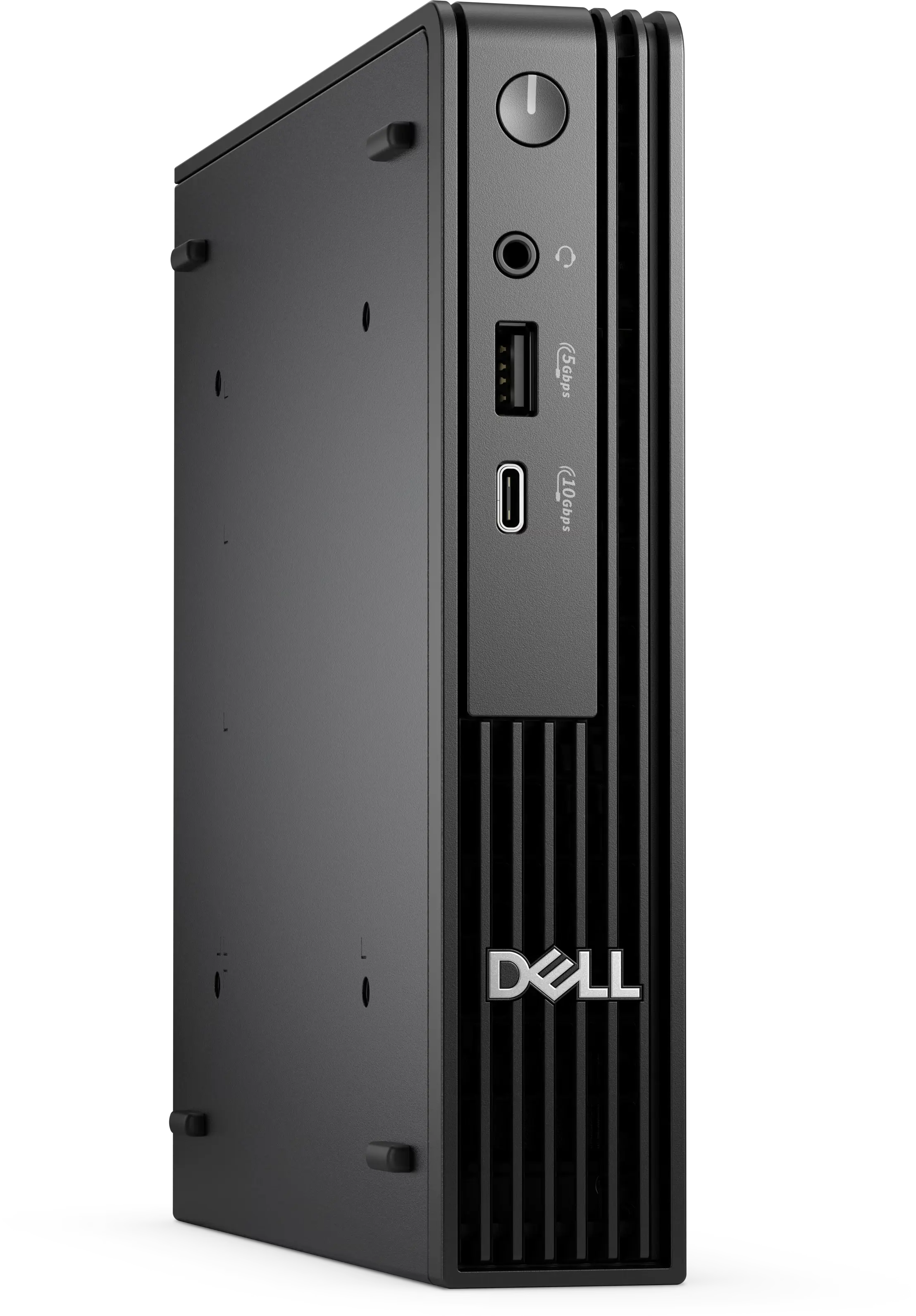
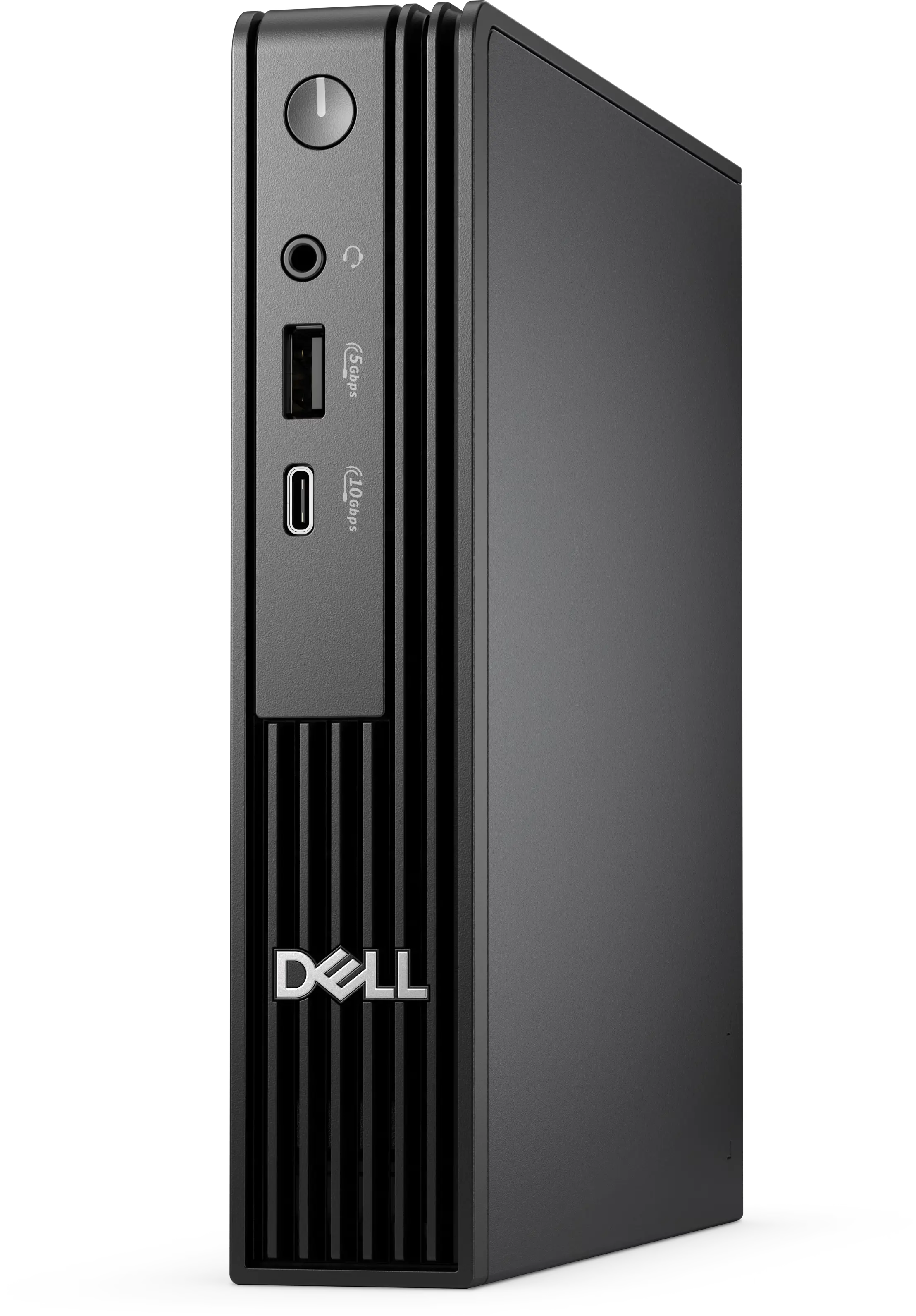
Dell Pro Micro QCM1250


Processor: Intel® Core™ Ultra 5
Price:
Sale price₱93,000.00

Description


Dell Pro Micro QCM1250
Intel(R) Core(TM) Ultra 5 235T (R) (13 TOPS NPU, 14 cores, up to 5.0GHz)
Windows 11 Pro 
English 
16 GB: 1 x 16 GB, DDR5, up to 5600 MT/s, non-ECC
Dell Pro Micro QCM1250 with Core Ultra 35W CPU 
512GB SSD
No Additional Hard Drive 
Dell Wired Keyboard - KB216 - US English - Black 
Dell USB Optical Mouse-MS116 (EPEAT) - Black 
Internal WiFi Antenna 
Intel(R) Wi-Fi 6E AX211, 2x2, 802.11ax, Bluetooth(R) wireless card 
Wireless Driver, Intel(R) Wi-Fi 6E AX211, 2x2, 802.11ax, Bluetooth(R) wireless card 
No PCIe add-in card 
No Additional Video Ports 
US Power Cord 
1st M.2 2230 SSD Extend Bracket & Screw 
ENERGY STAR Qualified
No vPro(R) support 
90 Watt A/C Adapter 
Regulatory Label for 90W Adapter, APCC 
Trusted Platform Module (Discrete TPM Enabled) 
No Internal Speaker 
No AutoPilot 
Activate Your Microsoft 365 For A 30 Day Trial 
No Anti-Virus Software 
OS-Windows Media Not Included 
 3 Years Pro Support next business day onsite service

25268    "Dell Pro Micro QCM1250 
14th Gen Intel® Core™ i7-14700T Processor / Intel® Integrated Graphics / 16GB DDR5 Memory / 512GB SSD / No Optical Drive / (24146) OptiPlex Micro E-Series Monitor Mount / Win 11 Pro / 3 Years Pro Support Warranty Service
Dell Pro Micro
Wich configuration is right for you?
With versatile mounting options, Dell Pro Micro, available with AI PC options, offers maximum productivity in an ultra-compact desktop. Flexible “All-in-One” solutions with the Dell Pro Micro All-in-One Stand and custom mounts keep your desk clutter-free without impacting performance. See which option is best for you:
Open plan office space with workstations, computers, and chairs. Modern design, neutral tones, and large windows. Corporate workspace.
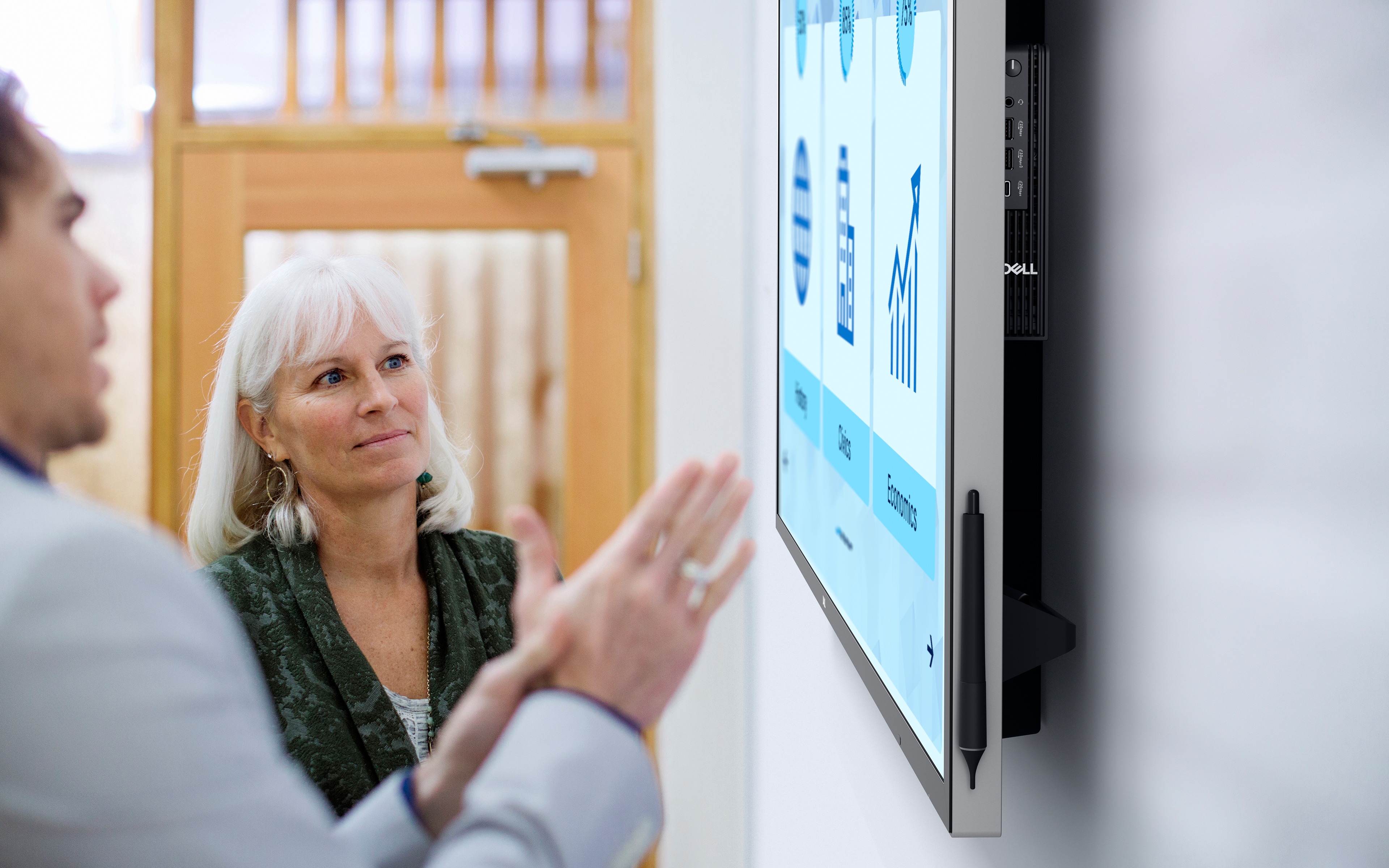
Coworkers discussing items shown on large Dell display.

Next-level AI

The Dell Pro Micro delivers power-efficient performance for demanding workloads with AI PC options featuring Intel® Core Ultra desktop processors (Series 2) and three-tier multi-processing architecture combining CPU, GPU and dedicated NPU. This setup ensures AI-driven apps run faster and smoother across any project.

Purposeful design

The Dell Pro Micro seamlessly blends style and functionality, offering a versatile design that's efficient in enhancing performance during long workdays. Built for durability, all Dell Pro desktops undergo rigorous military-grade testing[5] to deliver reliable performance you can count on.
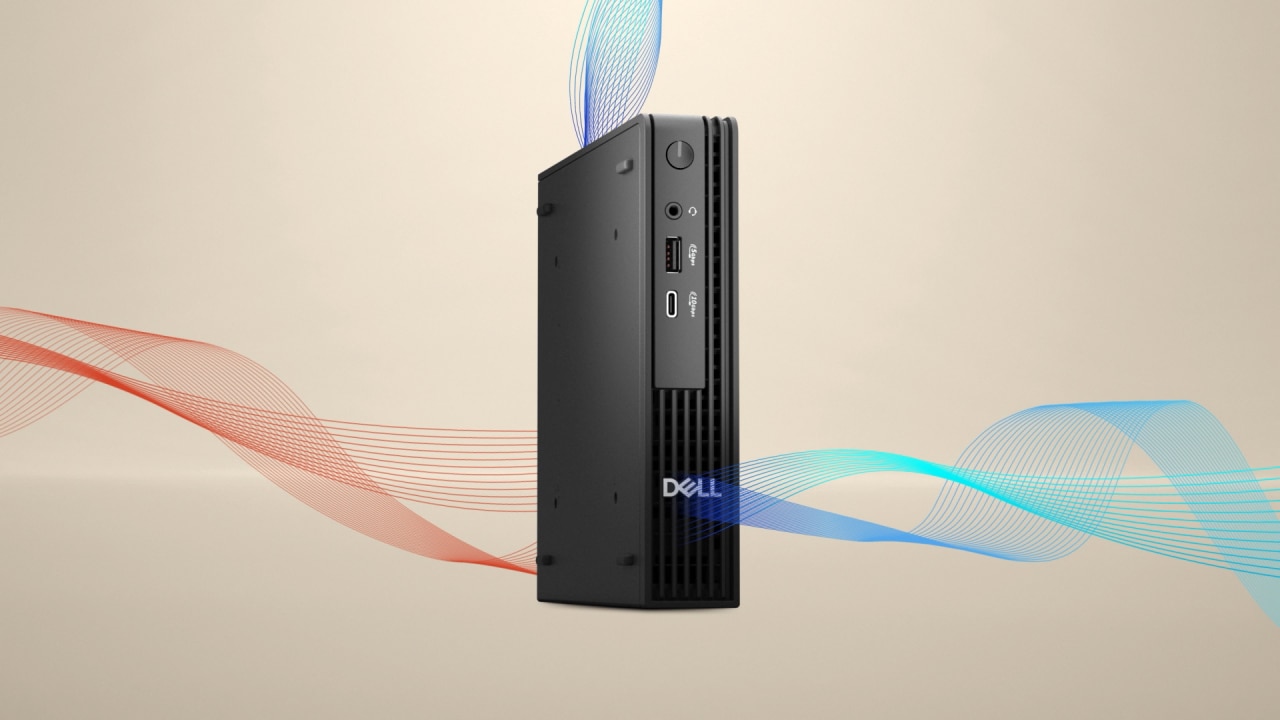
Dell Pro Micro thermals

Dynamic content showing the thermal design airflow for the Dell Pro Micro page.

Cooler and quieter

Reengineered with an enhanced thermal design and additional venting on the chassis, it delivers up to 8% cooler and up to 32% quieter operation[6].
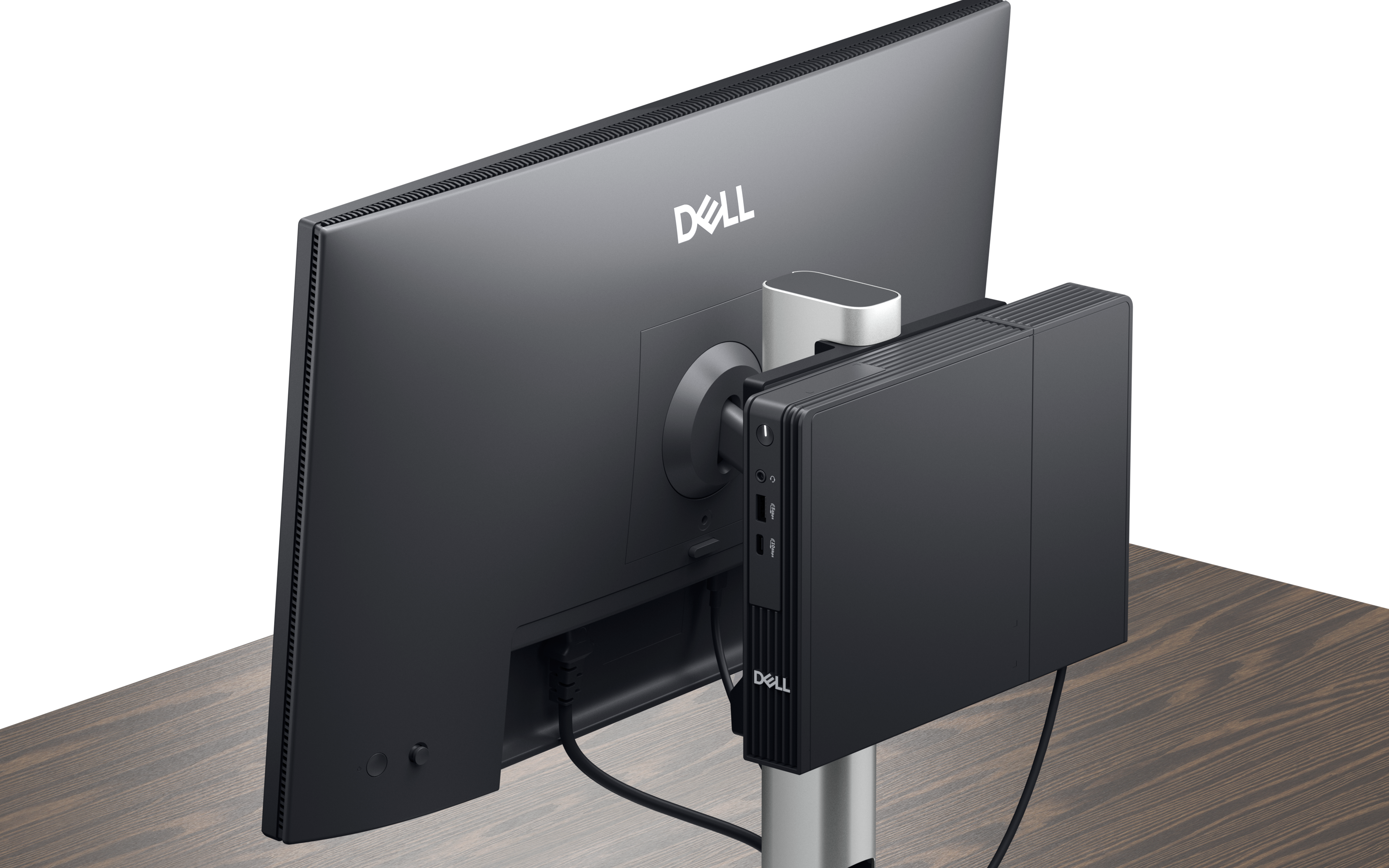
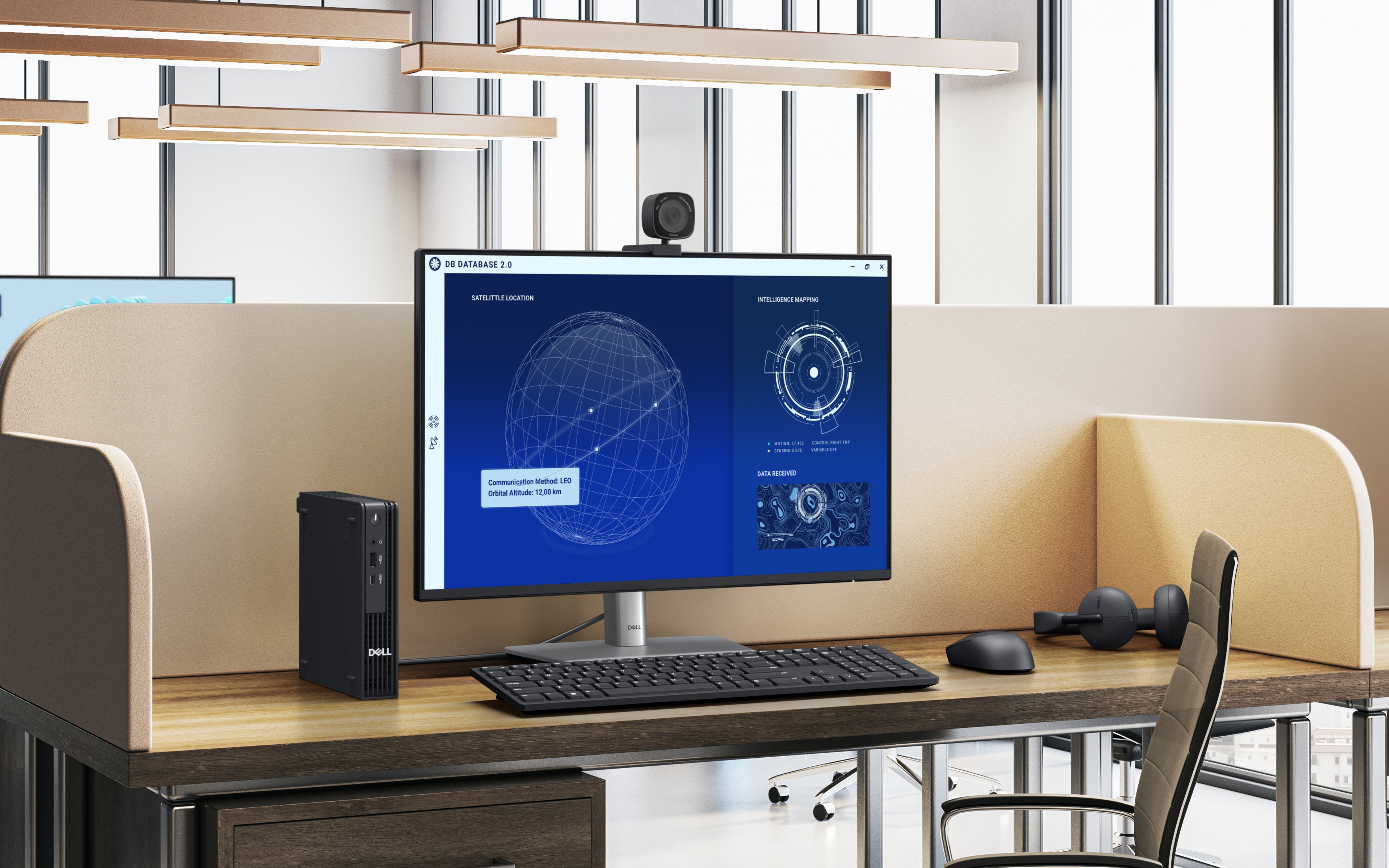
Dell Pro Micro image of Micro mounted on the back of monitor stand.

Fits into any workspace

Keep your workspace clutter free with a range of optional mounts and stands. You can set up a complete all-in-one system by attaching a Dell USB-C Hub monitor to the Dell Pro Micro All-in-One stand, or use it as part of a Dell video conferencing setup.

With the optional Type-C module, you can power your PC (up to 100W) using just a single USB-C cable connected to a compatible Dell USB-C Hub monitor.

Power that drives your workflow
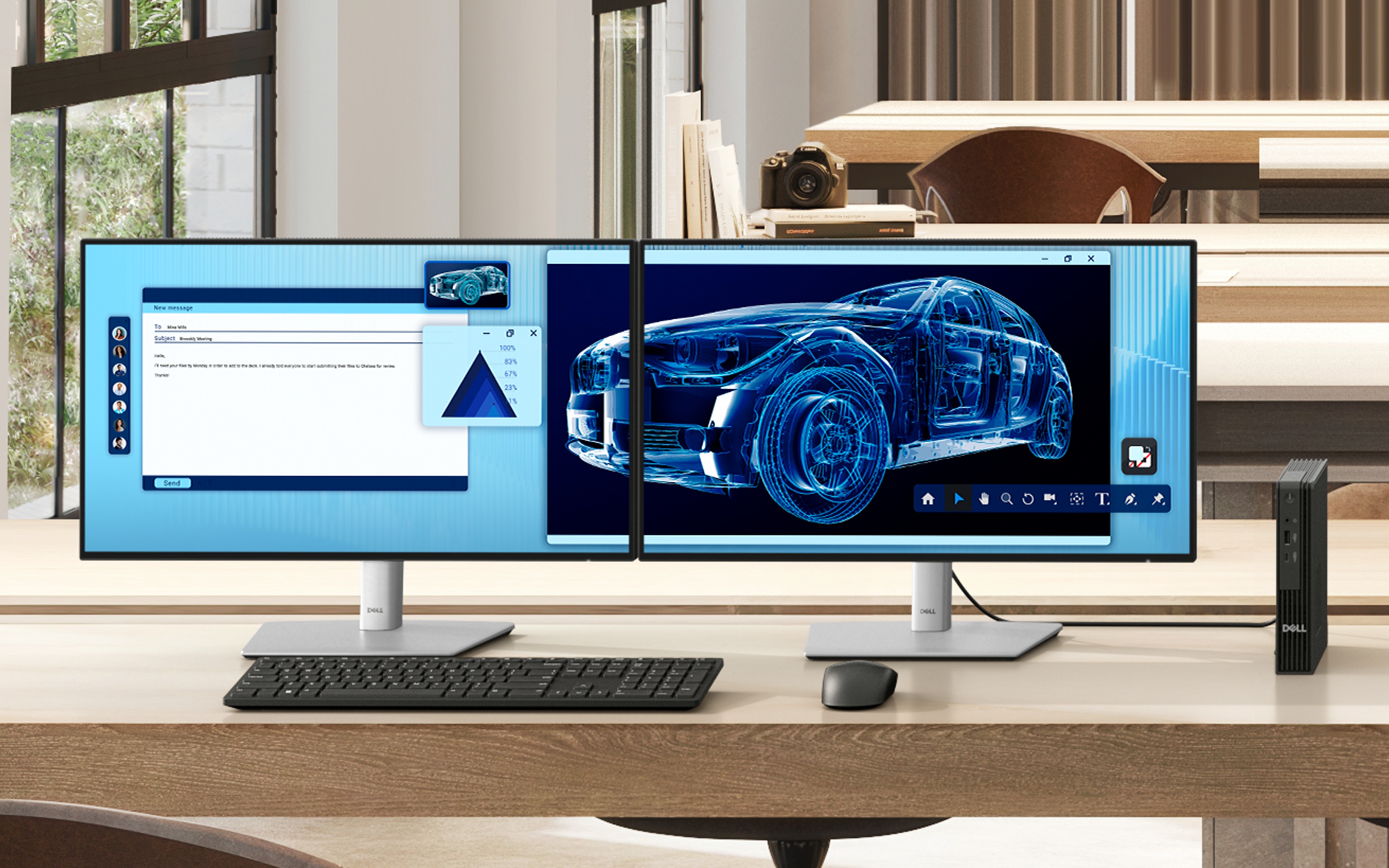
Fast, seamless and future-proof, the Dell Pro Micro is built to meet your needs today and for years to come.
This digitally created image showcases a contemporary office enriched by natural light and warm wooden elements. Two monitor set up.

Modern device management

Open plan office space with workstations, computers, and chairs. Modern design, neutral tones, and large windows. Corporate workspace.

Single BIOS strategy

Streamline PC deployment and simplify fleet management with one unified BIOS across Dell Pro Micro, Slim and Tower with Intel® processors.

Built to perform

Dell Pro desktops are built for reliability and durability, with less than 1% requiring service in their first year.[12]

Dell Trusted Update Experience

We package the latest BIOS, drivers and firmware versions for our customers – with Dell-exclusive capabilities to simplify PC management.
Open plan office space with workstations, computers, and chairs. Modern design, neutral tones, and large windows. Corporate workspace.

Simplify IT

We offer the most secure[13] and manageable[14] commercial PCs, along with modern lifecycle services and solutions to make IT management a breeze. Begin your PC refresh with ProDeploy for systems that are ready to use on day one, and ensure they continue working without interruption with our ProSupport solutions.

Dell Security

Reduce the attack surface and improve cyber resilience with Dell Trusted Workspace. Supply chain security and BIOS-level tamper detections help maintain device trust while partner software provides advanced threat protection for endpoints, network and the cloud.

Dell Management

Manage your PCs over the cloud, in conjunction with Microsoft Intune, via the Dell Management Portal.

Dell APEX

APEX PC-as-a-Service[15] unlocks capital so you can invest in AI-ready PCs with no upfront investment. Seamlessly deploy, secure, manage, support and responsibly retire devices as part of your subscription.
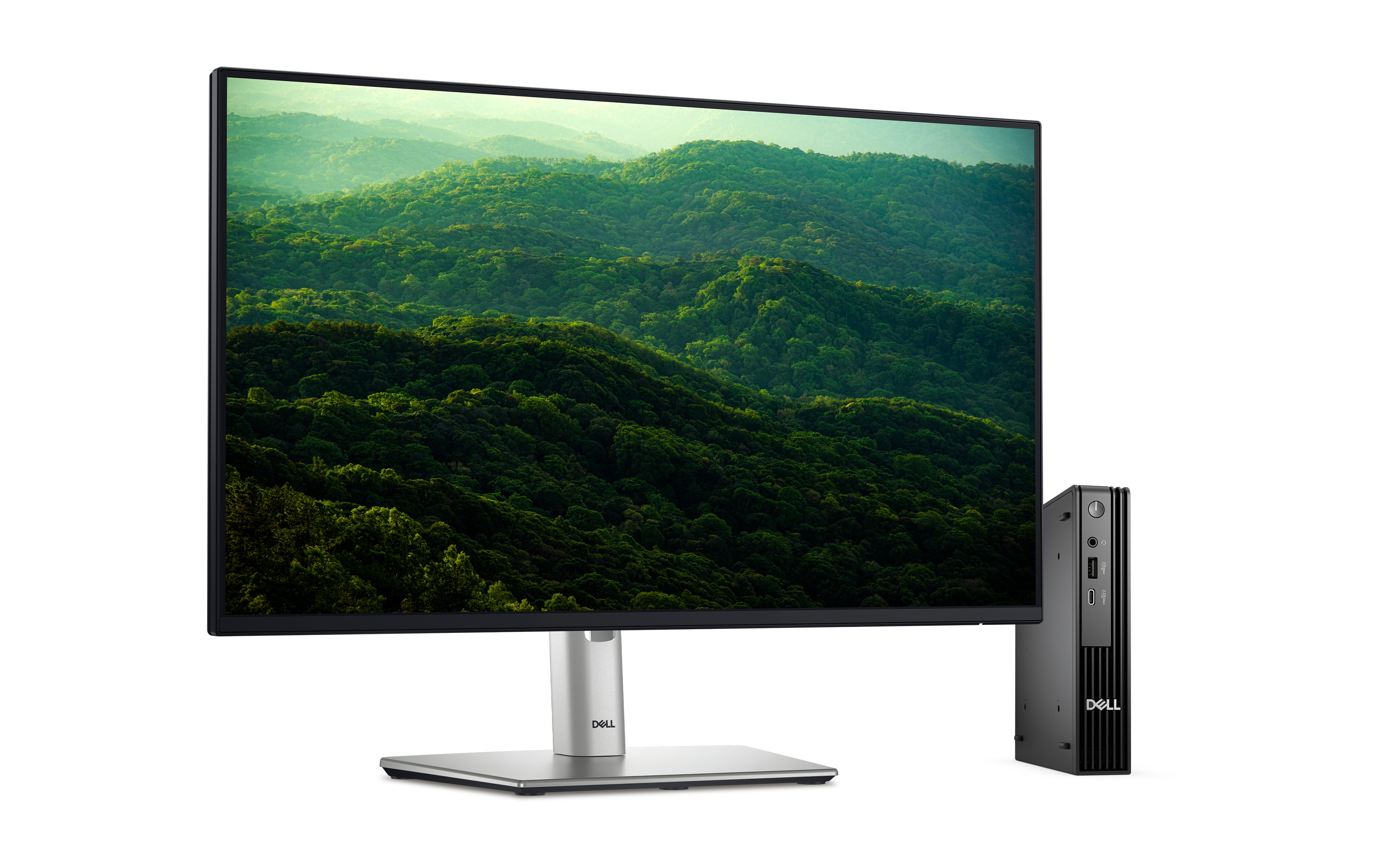
Dell Pro Micro next to Dell Monitor p2425h on white background. Screenfill of rolling hills filled with green trees.

Advancing sustainability

Compact in size, big on sustainability. This small but powerful desktop is designed with sustainability in mind, featuring recycled materials while meeting key environmental standards.

Innovative materials
The Dell Pro Micro is crafted with up to 63%  post-consumer recycled plastic, closed loop plastic and 13% recycled ocean-bound plastic[16].

Dell continues to lead the industry in the use of 50% recycled steel in the chassis of this desktop[17]. Plus, it ships in packaging made with up to 100% [18] recycled content or renewable content[19].

Reduce e-waste when modernizing your tech
We can help you responsibly and securely retire your legacy IT equipment, regardless of brand, while addressing your sustainability goals.

Explore the Options

Raising environmental standards
This product is certified ENERGY STAR® and registered EPEAT Gold with Climate+. Meaning it meets key sustainability criteria for energy efficiency and climate impact[20].

ENERGY STAR logo
EPEAT logo

Accelerate business success with Copilot and Windows 11 Pro

Industry-leading AI. Powerful cybersecurity. Designed for business.
AI-powered multi-tasking mastery for a new way of working with Windows 11 Pro. With features like Copilot in Windows[21], get better answers, grow your skills, and effortlessly optimize workflows. Windows 11 Pro on Dell PCs come with the latest advances in security and AI delivered conveniently to your PCs. Benefit from AI-enhanced efficiency, performance, and security today, and innovate to take on new challenges tomorrow.

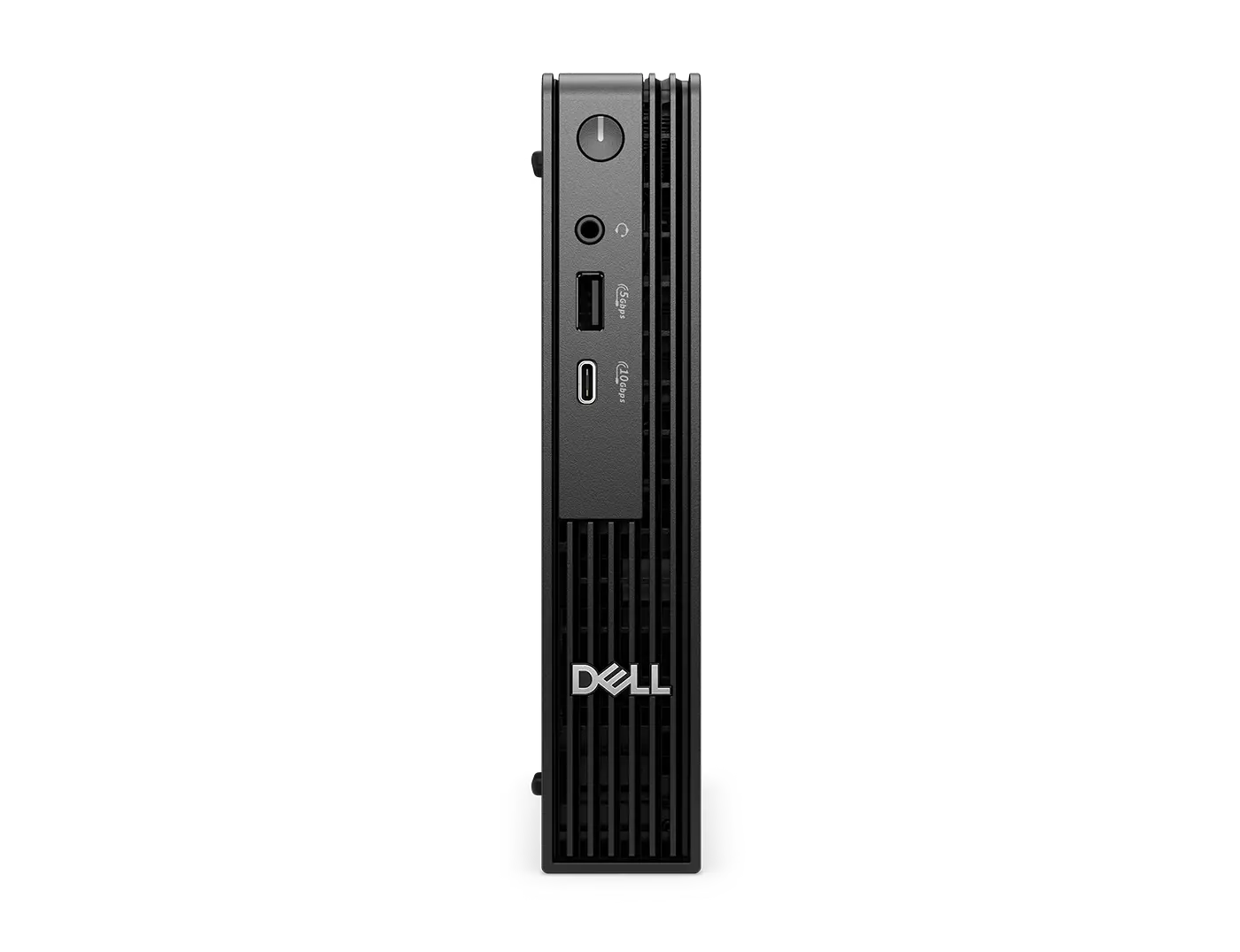
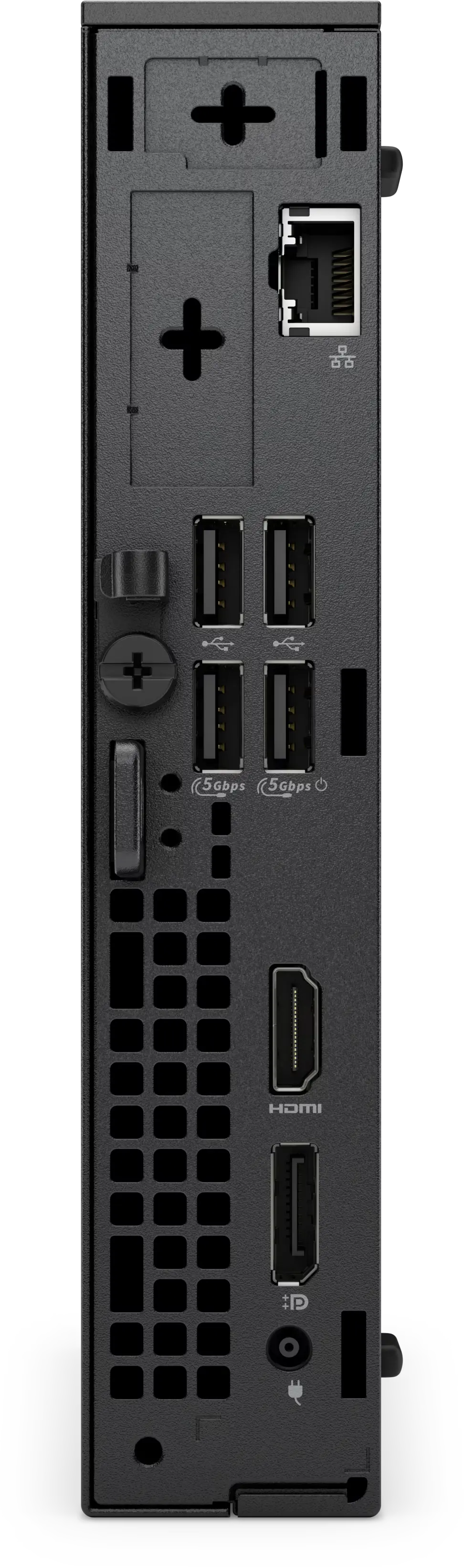
Ports and slots

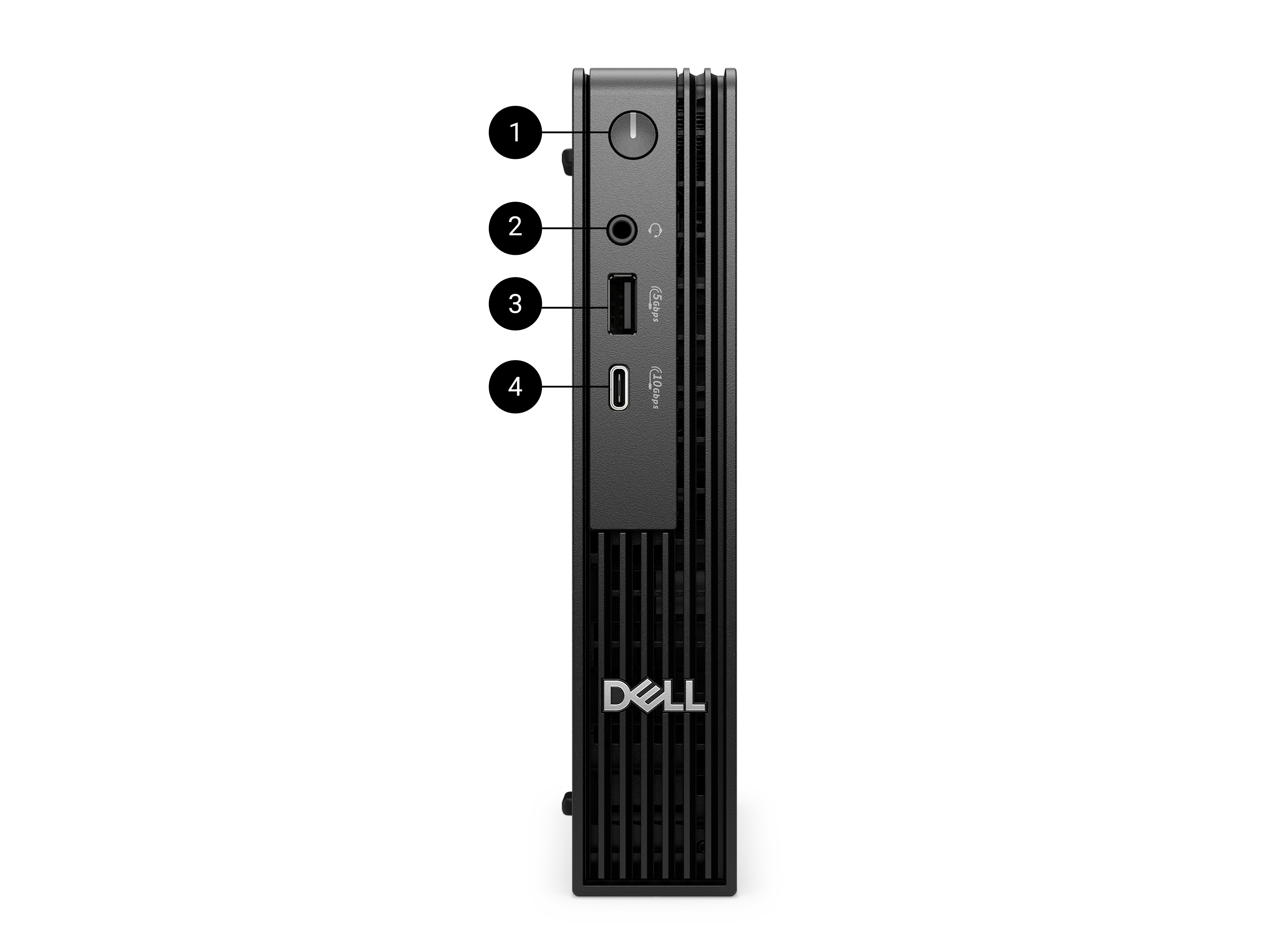
Front side


  1. Power Button
  2. Global Headset Jack
  3. USB 3.2 Gen 1 (5 Gbps) Type-A Port
  4. USB 3.2 Gen 2 (10 Gbps) Type-C Port
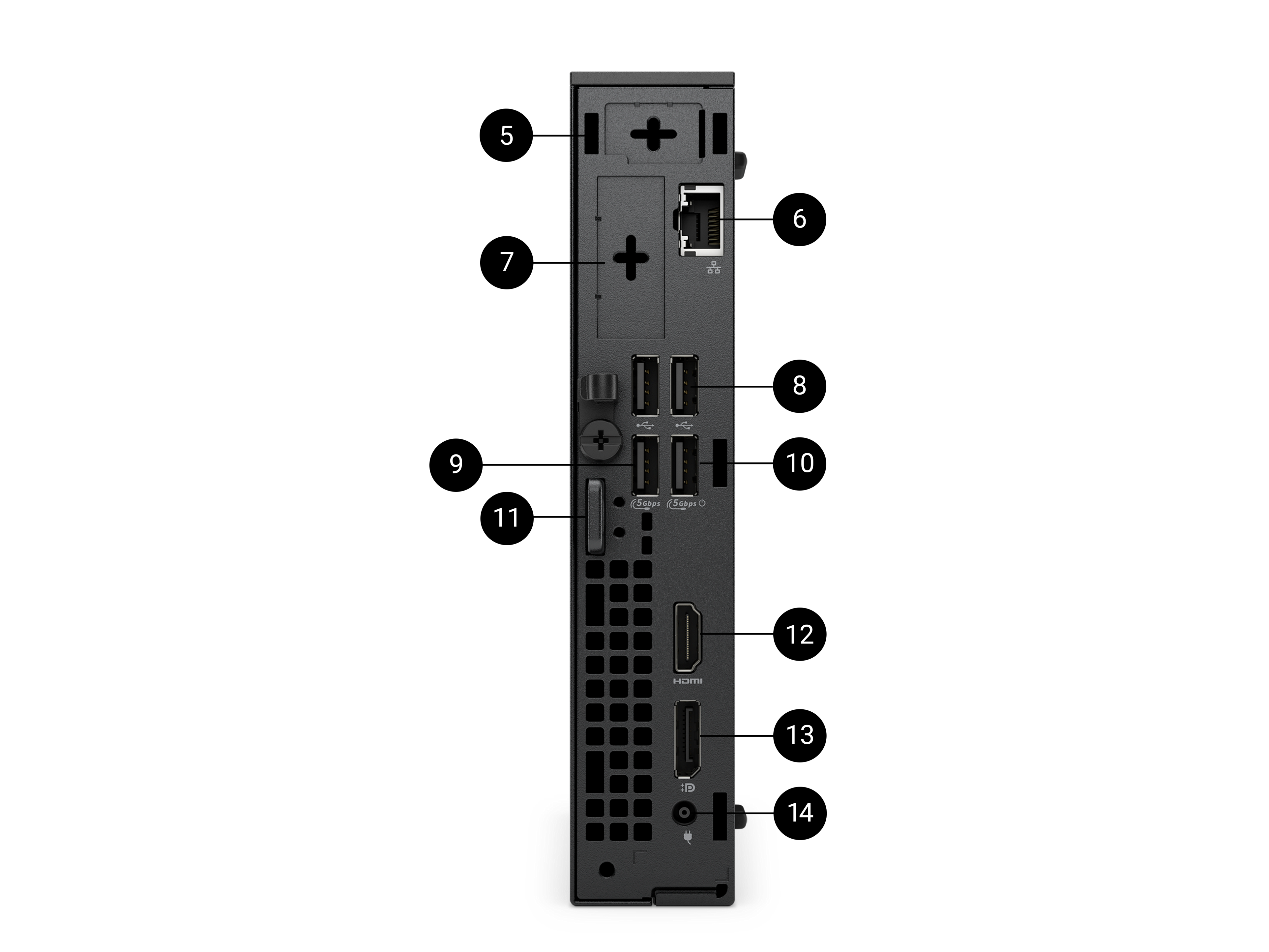
Rear side


  1. Optional Wireless Antenna
  2. RJ-45 Ethernet Port (1 Gbps)
  3. Optional Module (choose 1):
    - HDMI 2.1, up to 5120 x 3200 @60Hz with Intel® Core™ Ultra Processors (Series 2); up to 4096 x 2160 @ 60 Hz with Intel® Core™   Processors (14th Gen)
    - DisplayPort 2.1, up to 7680 x 4320 @60Hz with Intel® Core™ Ultra Processors (Series 2); 1.4a, up to 5120 x 3200 @ 60 Hz with Intel® Core™ Processors (14th Gen) 
    - VGA, up to 1920 x 1200 @ 60 Hz
    - USB Type-C with DisplayPort Alt mode, up to 5120 x 3200 @ 60 Hz & power delivery in up to 100W
    - PS/2 Serial Port
    - Serial Port
    - 2 x USB 3.2 Gen 2 (10 Gbps) Type-A Ports
    - 5GbE Optical Fiber (Peer-to-Peer)[22]
  4. 2x USB 2.0 Type-A Ports (480 Mbps)
  5. USB 3.2 Gen1 (5 Gbps) Type-A Port
  6. USB 3.2 Gen1 (5 Gbps) Type-A Port with SmartPower On
  7. Kensington Security Cable Slot and Padlock Ring
  8. HDMI 2.1, up to 4096 x 2160 @60Hz
  9. DisplayPort 1.4a, up to 5120 x 3200 @60Hz with Intel® Core Ultra Processors (Series 2), up to 4096 x 2304 @60Hz with Intel® Core Processors (14th Gen)
  10. Power-cord Connector Port

Dimensions and weight

  1. Width: 1.42 in. (36.00 mm)
  2. Depth: 7.01 in. (178.00 mm)
  3. Height: 7.17 in. (182.00 mm)

Starting weight: 2.56 lb (1.16 kg) [23] 

Reviews

Ratings & Reviews are provided by verified users through email, My Account, or at events.
Review Snapshot
4.6
471 Star Ratings
89%
of respondents would recommend this to a friend

 What customers are saying
Customers describe the Dell Pro Micro Desktop as a compact, fast, and reliable machine that fits easily on desks and performs well for both home and office tasks, often highlighting quick installations and ample ports. A smaller group mentions problems such as software glitches, noisy fans, missing accessories, or disappointing customer service that required multiple contacts or refunds. Overall, most reviews praise its small footprint and speed—examples include users noting “amazing speed,” “perfect for small offices,” and “easy setup”—while a minority report technical or support frustrations.
This AI-generated summary reflects customer review from the past two years and is updated weekly.
Was this helpful?  


Perfect for our conference room

11 days ago

Mattygugs

From New York, NY

Verified

Great size for the space it occupies. Good product, enough memory. Fast processor and perfect for multiple users.

Response from Dell

Dear Valued Customer, Thank you for your great review on the Dell Pro Micro Desktop! We’re glad to hear its compact size and strong performance suit your conference room needs. Engineered for efficiency in small spaces, the Micro Desktop delivers reliable processing power while maintaining a minimal footprint, ideal for shared environments. If you ever need assistance or want to explore more features, our Dell US Technical support team is always here to help: https://url.dell.com/9b5810. Thank you for being a part of the Dell community. -Surabhi

Would you recommend this product to a friend? Yes

Meets our "Kiosk" need

15 days ago

Arctic Lady

From Anchorage, AK

Verified

Looking for a simple solution for shared station and this fits the purpose. Fits nicely behind the monitor between the stand. Note: I had to order a mount stand separate.

Response from Dell

Dear Valued Customer, Thank you for your feedback on the Dell Pro Micro Desktop! Designed for compact efficiency, we’re happy it fits your kiosk setup perfectly. We also appreciate your note about the mount stand. If you ever need assistance or want to explore more features, our Dell US Technical support team is always here to help: https://url.dell.com/9b5810. Thank you for being a part of the Dell community -Surabhi

Would you recommend this product to a friend? Yes

Convenient Form Factor

1 month ago

JD

From Pennsylvania

Verified

These micro PCs remain very helpful for configuring warehouse workstations, as they can be easily mounted under the desk with VESA brackets - keeping them out of the way of damage, and preventing at least some of the dust from settling on them. I had originally worried that with a smaller fan and less surface area that heat might eventually be the death of these, but we have had several of the older Optiplex equivalent models in use for several years without issue.

Response from Dell

Dear Valued Customer, Thank you for your review on Dell Pro Micro Desktop. We’re glad to hear the compact form factor continues to be effective for warehouse workstations and long‑term use. Designed to save space while delivering dependable performance, this desktop supports flexible mounting and efficient operation in demanding environments. If you ever need assistance or want to explore more features, our Dell US Technical support team is always here to help: https://url.dell.com/9b5810. Thank you for trusting long‑term reliability with the Dell Pro Micro Desktop. -Surabhi

Would you recommend this product to a friend? Yes

Dell Pro Micro Desktop

1 month ago

Mary

From Illinois

Verified

Replacement for windows 10 laptop. Takes up very little space and works great. 2 weeks so far with no problems.

Response from Dell

Dear Valued Customer, Thank you for your review of the Dell Pro Micro Desktop. We’re pleased to hear it’s performing well as a replacement system and fitting nicely into a small space. Strong performance in a compact form factor makes it an excellent everyday solution, and we’re happy it’s working smoothly for you so far. If you ever need assistance or want to explore more features, our Dell US Technical support team is always here to help: https://url.dell.com/9b5810. Thank you for being a part of the Dell community. We appreciate you choosing a smart, space‑saving Dell solution. –Surabhi

Would you recommend this product to a friend? Yes

Mini CPU

2 months ago

Sam I Am

From Hawaii

Verified

Very Fast !

Response from Dell

Dear Valued Customer, Thank you for your review! We’re glad to hear the Dell Pro Micro Desktop delivers fast performance in such a compact form. Small footprint with powerful capability is exactly what this system is designed for. If you ever need assistance or want to explore more features, our Dell US Technical Support team is always here to help: https://url.dell.com/9b5810. We’re pleased this mini system made a big impression. —Surabhi

Would you recommend this product to a friend? Yes

Better than a laptop

2 months ago

Fred

From Carpinteria

Verified

I was using a laptop with a monitor as a desktop. This is much better. It is much smaller. The ports are better. There are fewer things on it to break. I don't need to add memory or drives or anything inside the case. I will always use a micro computer on my desk from now on.

Response from Dell

Dear Valued Customer, Thank you for your insightful review of the Dell Pro Micro Desktop. We’re glad its compact size, improved ports, and durable design have made it an excellent replacement for a traditional laptop‑based setup. If you ever need assistance or want to explore more features, our Dell US Technical support team is always here to help: https://url.dell.com/9b5810. Thank you for choosing Dell efficiency in a smaller footprint. -Surabhi

Would you recommend this product to a friend? Yes

Compact and enough for what we need

2 months ago

JOE

From NJ

Verified

So far its been great and space saver and efficient

Response from Dell

Dear Valued Customer, Thank you for your review of the Dell Pro Micro Desktop. We’re pleased to hear that its compact design and performance have been a great fit for your needs. We hope it continues to offer efficient and reliable operation in your workspace. If you ever need assistance or want to explore more features, our Dell US support team is always here to help: https://url.dell.com/9b5810. We appreciate your trust in Dell and look forward to continuing to support your success. -Ammu

Would you recommend this product to a friend? Yes

Home Office computer

2 months ago

Anon

From Upstate NY

Verified

Reliable and fully satisfatory.

Response from Dell

Dear Valued Customer, Thank you for your review of the Dell Pro Micro Desktop. We’re pleased to hear that it has been reliable and satisfactory for your home office needs. We hope it continues to offer dependable performance for your daily tasks and workflow. If you ever need assistance or want to explore more features, our Dell US support team is always here to help: https://url.dell.com/9b5810. We appreciate your trust in Dell and look forward to continuing to support your success. -Ammu

Would you recommend this product to a friend? Yes

Great size, reliable machine

2 months ago

No

From Somewhere special

Verified

I use mine as a utility machine running support software.

Response from Dell

Dear Valued Customer, Thank you for your review of the Dell Pro Micro Desktop. We're glad to hear that its compact size and reliable performance make it a great utility machine for running your support software. These systems are designed to deliver dependable power in a small footprint, and it's great to know it fits your workflow well. If you ever need assistance or want to explore more features, our Dell US Technical support team is always here to help: https://url.dell.com/9b5810. We appreciate your trust in Dell and look forward to continuing to support your success. -Surabhi

Would you recommend this product to a friend? Yes

Live it

2 months ago

Evl666

From Brooklyn, NY

Verified

Perfect little pc. No complaints whatsoever.

Response from Dell

Dear Valued Customer, Thank you for your review of the Dell Pro Micro Desktop. We're delighted to hear that this compact system has been a perfect fit and is delivering a smooth, complaint‑free experience. Its small size and strong performance make it a great choice for a clean and efficient workspace, and we’re happy it has met your expectations so well. If you ever need assistance or want to explore more features, our Dell US Technical support team is always here to help: https://url.dell.com/9b5810. Thank you for being a part of the Dell community. -Surabhi

Would you recommend this product to a friend? Yes


Support

test

Dell Support

From drivers and manuals to diagnostic tools and replacement parts, Dell Product Support has you covered!

  1. Based on Dell internal testing against publicly available comprehensive information, November 2024. [ ↑ ]
  2. Based on Intel testing, October 2024. As measured by processor power during 1x1 Zoom call with background blur on NPU. Results may vary. See www.intel.com/PerformanceIndex for workloads and configurations. Results may vary. [ ↑ ]
  3. Based on Intel testing, October 2024. As measured by Adobe After Effects AI Scene Edit Detection feature. Results may vary. See www.intel.com/PerformanceIndex for workloads and configurations. Results may vary. [ ↑ ]
  4. Most secure is based on Dell internal analysis, October 2024. Applicable to PCs on Intel processors. Not all features available with all PCs. Additional purchase required for some features. Validated by Principled Technologies. A comparison of security features, April 2024. Most-manageable commercial PCs when comparing the systems management capabilities of Dell Update Processes, Dell Manageability Solution capabilities and integrations with 3rd Party Management Solutions, with competitor update processes, systems management solution capabilities and integrations with 3rd party management solutions. 3rd Party Management Solution - Microsoft Intune, is a separate purchase. Based on Dell internal analysis, January 2025.  [ ↑ ]
  5. Based on third-party testing conducted in Jan, 2025. Passed 14 MIL-STD-810H tests. Actual results may vary; testing results do not guarantee performance under test conditions. Dell does not represent that this product meets United States Department of Defense requirements for military use. [ ↑ ]
  6. Versus the previous generation. Based on Dell internal testing, January 2025. [ ↑ ]
  7. Support for (4) displays is enabled by daisy-chaining via DisplayPort 1.4a. Maximum display resolution and refresh rates are contingent on selected video port specifications and may be limited by each additional display connected by daisy-chain. This is the expected display resolution when connecting 1 or more of your display(s) to:


    One Native DisplayPort 1.4a – One display: up to 5120 x 3200 @60Hz resolution -or- – Two displays via MST/daisy-chain: up to 3840 x 2160 @60Hz resolution -or- – Three displays via MST/daisy-chain: up to 2560 x 1600 @60Hz resolution -or- – Four displays via MST/daisy-chain: up to 2560 x 1440 @60Hz resolution;
     
    Two Native DisplayPort 1.4a – Two displays: up to 5120 x 3200 @60Hz -or- – Three displays: one up to 5K @60Hz resolution, two via MST/daisy-chain: up to 3840 x 2160 @60Hz resolution -or- – Four displays via MST/daisy-chain: up to 2560x1440 @60Hz resolution;
     
    Three Native DisplayPort 1.4a – Three displays: up to 5120 x 3200 @60Hz resolution –or- – Four displays: two up to 5K resolution, two via MST/daisy-chain: up to 3840 x 2160 @60Hz resolution
     
    Please visit Dell.com/Support and search for technical support resources for your Dell Pro Desktops, and Dell Displays and Peripherals (by product model number) for more details on setup and troubleshooting. [ ↑ ]

  8. Optional DisplayPort supports up to 8K resolution, HDMI supports up to 5K resolution; please refer to technical specs for details. [ ↑ ]
  9. Supports up to 5Gbps connectivity via peer-to-peer transmission. Actual speed via network depends on equipment compatibility, requiring both transceiver and switch at the same maximum speed. [ ↑ ]
  10. Wi-Fi 7 certified products will roll out in accordance with the Wi-Fi Alliance certification schedule throughout 2024. Wi-Fi 7 requires the latest Wi-Fi Alliance certification, Windows HLK certified device driver, hardware update, supported Windows OS version and compatible router. Wi-Fi 7/ 6E connectivity (6 GHz) with Windows 11 is limited and will leverage prior generation of Wi-Fi 6E/ Wi-Fi 6 speeds until drivers are available and hardware adoption increases. Ubuntu OS will not support Wi-Fi 7 and will operate on Wi-Fi 6E/6 speeds when configured for Wi-Fi 7. Router requires a separate purchase. Wi-Fi 7/ 6E (6 GHz) connectivity is only available in select locations. Check availability with your service provider. The Bluetooth wireless card version may vary depending on the operating system that is installed on your computer. [ ↑ ]
  11. Up to two M.2 Gen 4 SSD applies to Pro Micro Plus and Pro Micro with Intel Core Ultra processors. Up to 1 x Gen 4 and 1 x Gen 3 SSD on Pro Micro with Intel Core processors. [ ↑ ]
  12. Based on Dell Quality Intelligence (Qi) tool - Dell Internal Analysis, January 2025. [ ↑ ]
  13. Based on Dell internal analysis, October 2024. Applicable to PCs on Intel processors. Not all features available with all PCs. Additional purchase required for some features. Validated by Principled Technologies. A comparison of security features, April 2024. [ ↑ ]
  14. Based on Dell internal analysis, January 2025. Most-manageable commercial PCs when comparing the systems management capabilities of Dell Update Processes, Dell Manageability Solution capabilities and integrations with 3rd Party Management Solutions, with competitor update processes, systems management solution capabilities and integrations with 3rd party management solutions. 3rd Party Management Solution - Microsoft Intune, is a separate purchase. [ ↑ ]
  15. Payment solutions provided and serviced by Dell Financial Services L.L.C. or its affiliate or designee (“DFS”) for qualified customers. Offers may not be available or may vary in certain countries. Where available offers may be changed without notice and are subject to product availability, applicable law, credit approval, documentation provided by and acceptable to DFS and may be subject to minimum transaction size. Offers not available for personal, family or household use. Dell Technologies and the Dell Technologies logo are trademarks of Dell Inc. Restrictions and additional requirements may apply to transactions with governmental or public entities. Dell APEX PCaaS: At the end of the contract, the customer may renew the contract or return the equipment to DFS. [ ↑ ]
  16. Based on internal analysis, March 2025. 50% recycled steel in the chassis, 47.7% post-consumer recycled plastic and up to 16.1% closed loop ITE derived plastic. Recycled ocean-bound plastic applies to the fan-housing. [ ↑ ]
  17. Percentage applies to total steel weight in the chassis. Includes OptiPlex Micro, OptiPlex Micro Plus, OptiPlex Tower, OptiPlex SFF , OptiPlex SFF Plus, Dell Pro Micro, Dell Pro Micro Plus, Dell Pro Tower, Dell Pro Slim and Dell Pro Slim Plus. Based on internal analysis, January 2025. [ ↑ ]
  18. Contains 44.4% recycled content and 57.9% renewable materials. Renewable materials in the form of sustainably forested materials. Percentages may vary slightly by region[and formfactor]. Excludes optional items added to order and included in the box. [ ↑ ]
  19. Contains 44.4% recycled content and 57.9% renewable materials. Renewable materials in the form of sustainably forested materials. Percentages may vary slightly by region[and formfactor]. Excludes optional items added to order and included in the box. [ ↑ ]
  20. Based on internal analysis, January 2025. EPEAT registered where applicable. EPEAT registration varies by country. See www.epeat.net for registration status by country. [ ↑ ]
  21. Copilot is only supported in selected regions.

    Timing of feature delivery and availability varies by market and device. Use Copilot with a Microsoft Account or use Copilot with commercial data protection at no additional cost by signing into a work or school account (Microsoft Entra ID) with Microsoft 365 E3, E5, F3, A3 or A5 for faculty, Business Premium, and Business Standard. Coming to more Entra ID users over time. [ ↑ ]
  22. Supports up to 5Gbps connectivity via peer-to-peer transmission. Actual speed via network depends on equipment compatibility, requiring both transceiver and switch at the same maximum speed. [ ↑ ]
  23. Weights vary depending on configuration and manufacturing variability. [ ↑ ]


You may also like

Recently viewed