
Price Disclaimer and Key Notes
Please note that prices and availability of our products are subject to change without prior notice. Despite our best efforts to maintain accuracy, occasional errors may occur. In such cases, where a pricing discrepancy is identified, we will promptly notify you via chat, email, or phone. You will then have the option to accept the amended price or cancel your order.
We highly recommend verifying stock availability and prices before proceeding with your payment. For credit card payments, please allow approximately six to eight business days for processing and clearance. Your understanding and cooperation in these matters are greatly appreciated. Shipment will occur within two to five business days following the clearance of payment. Please be aware that our primary focus is on Dell, HP & Lenovo business computers and servers. Accessories are typically available for purchase as part of a bundle or may be offered in larger quantities.
We're sorry to convey that we do not participate in government bids and won't be providing quotation requests.
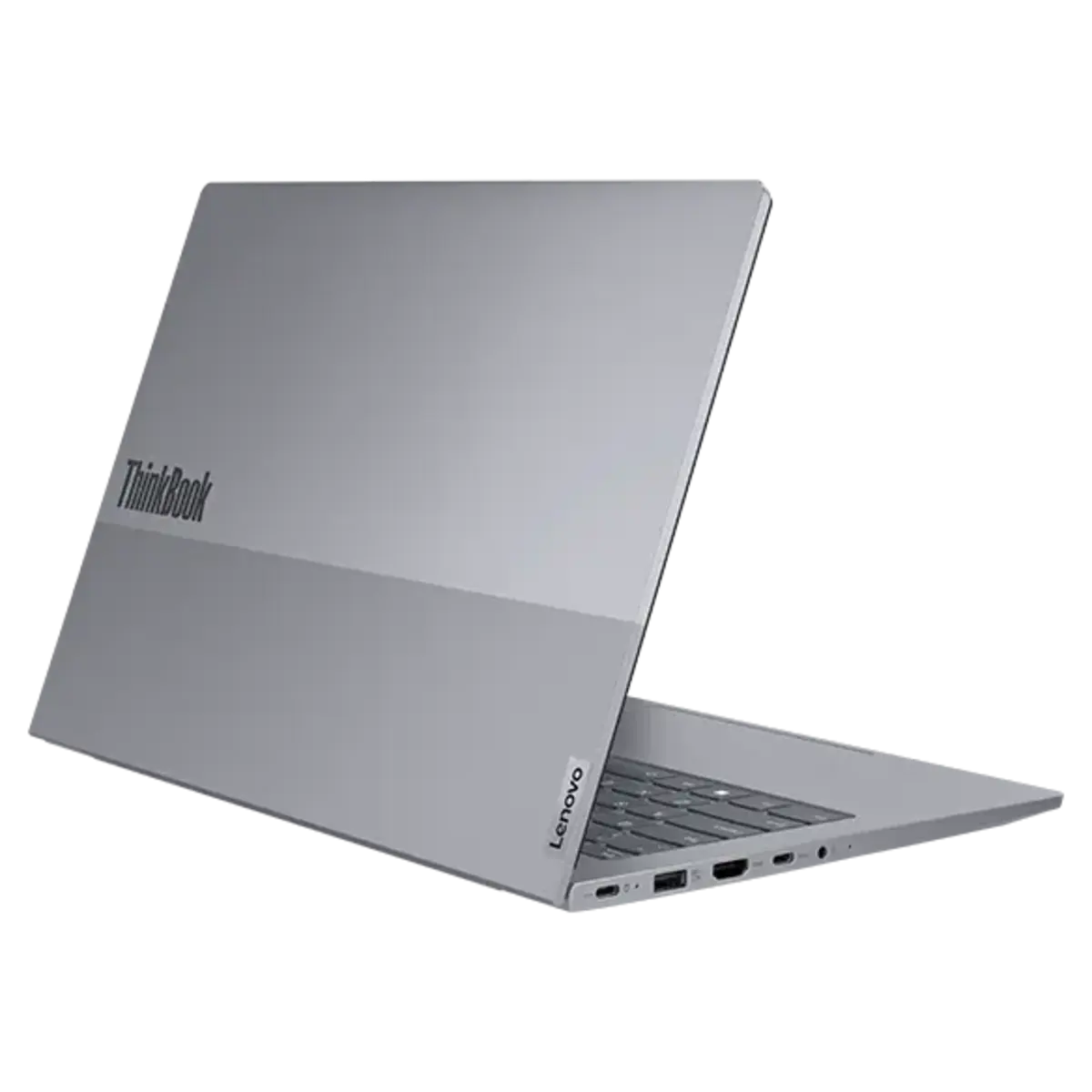
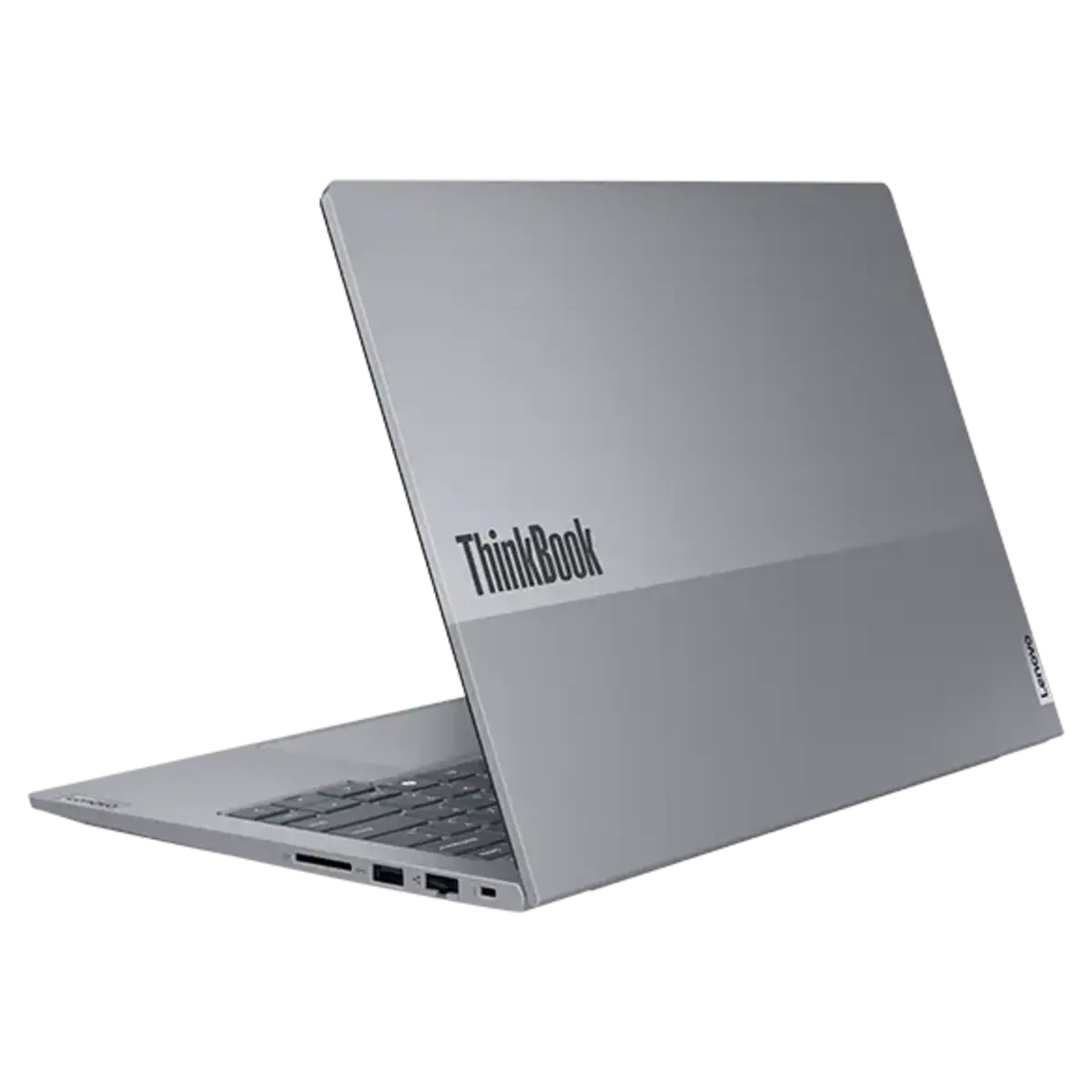
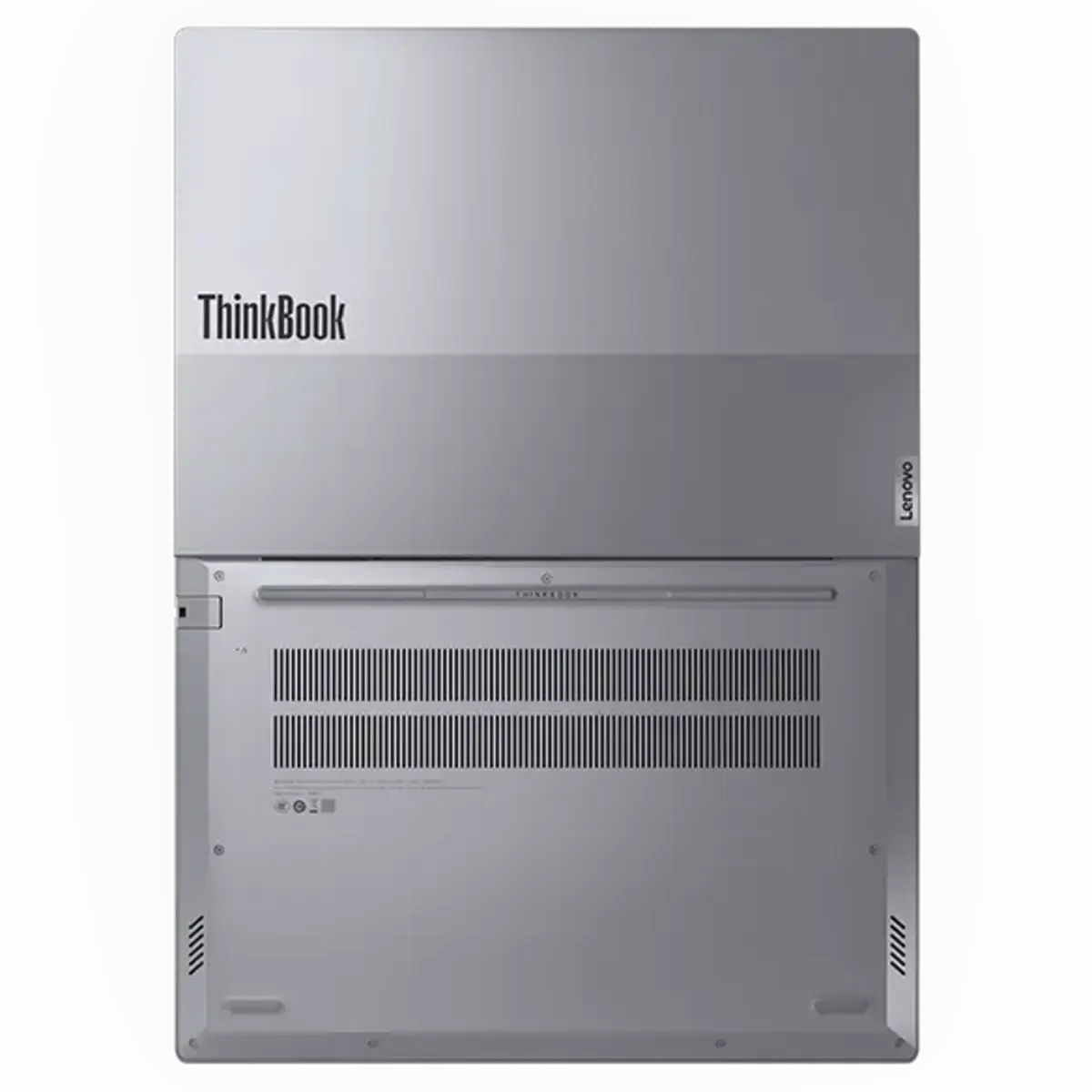


Descripción
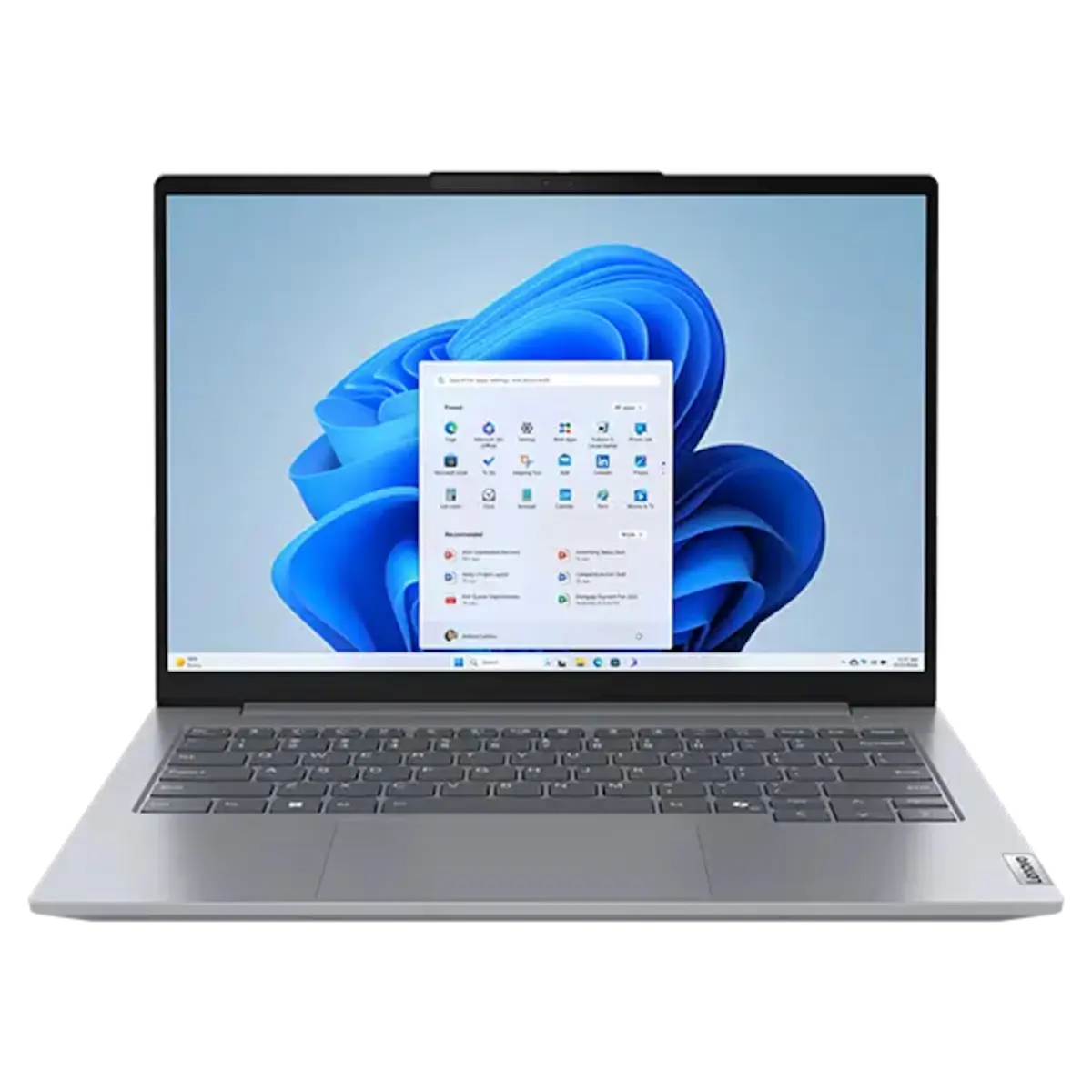
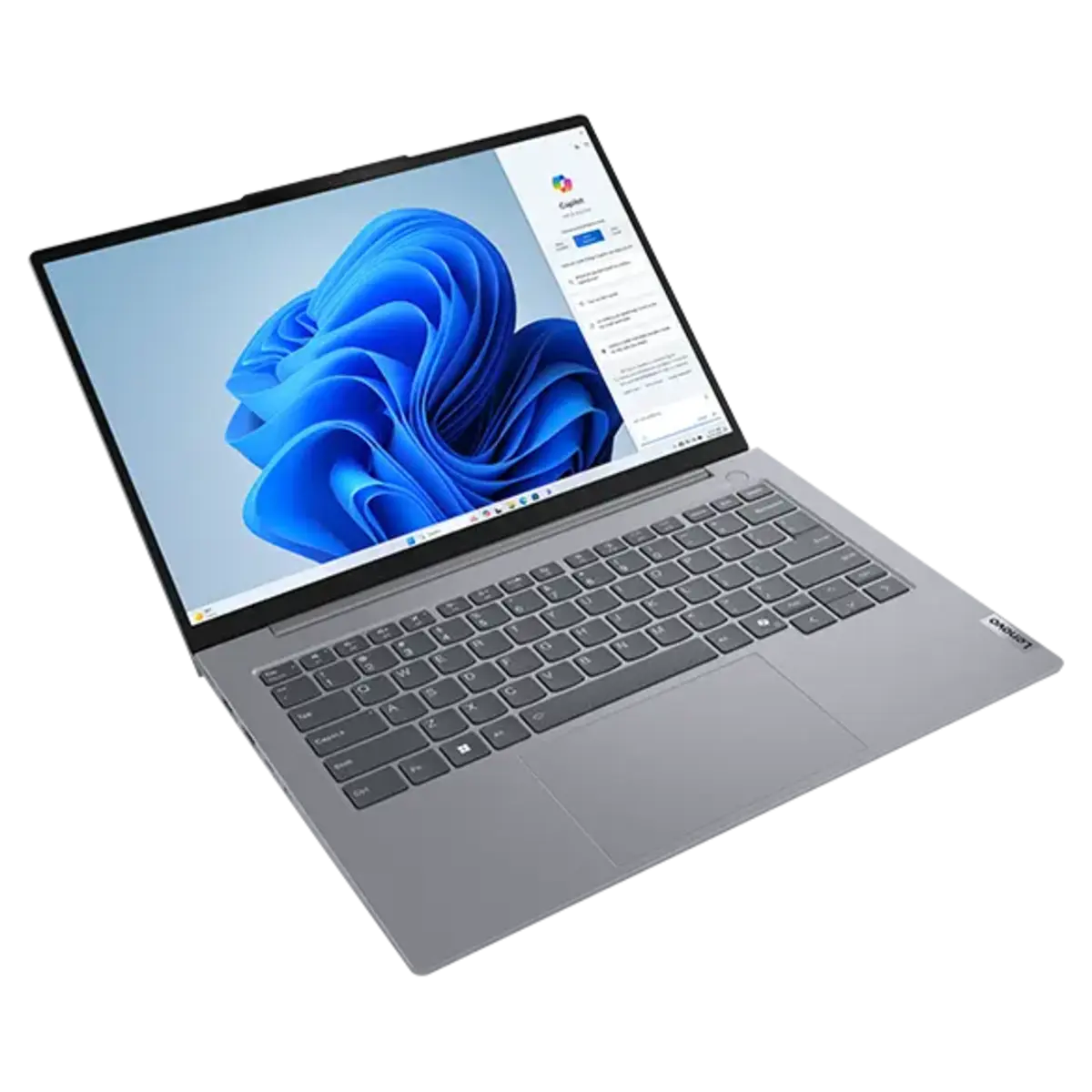
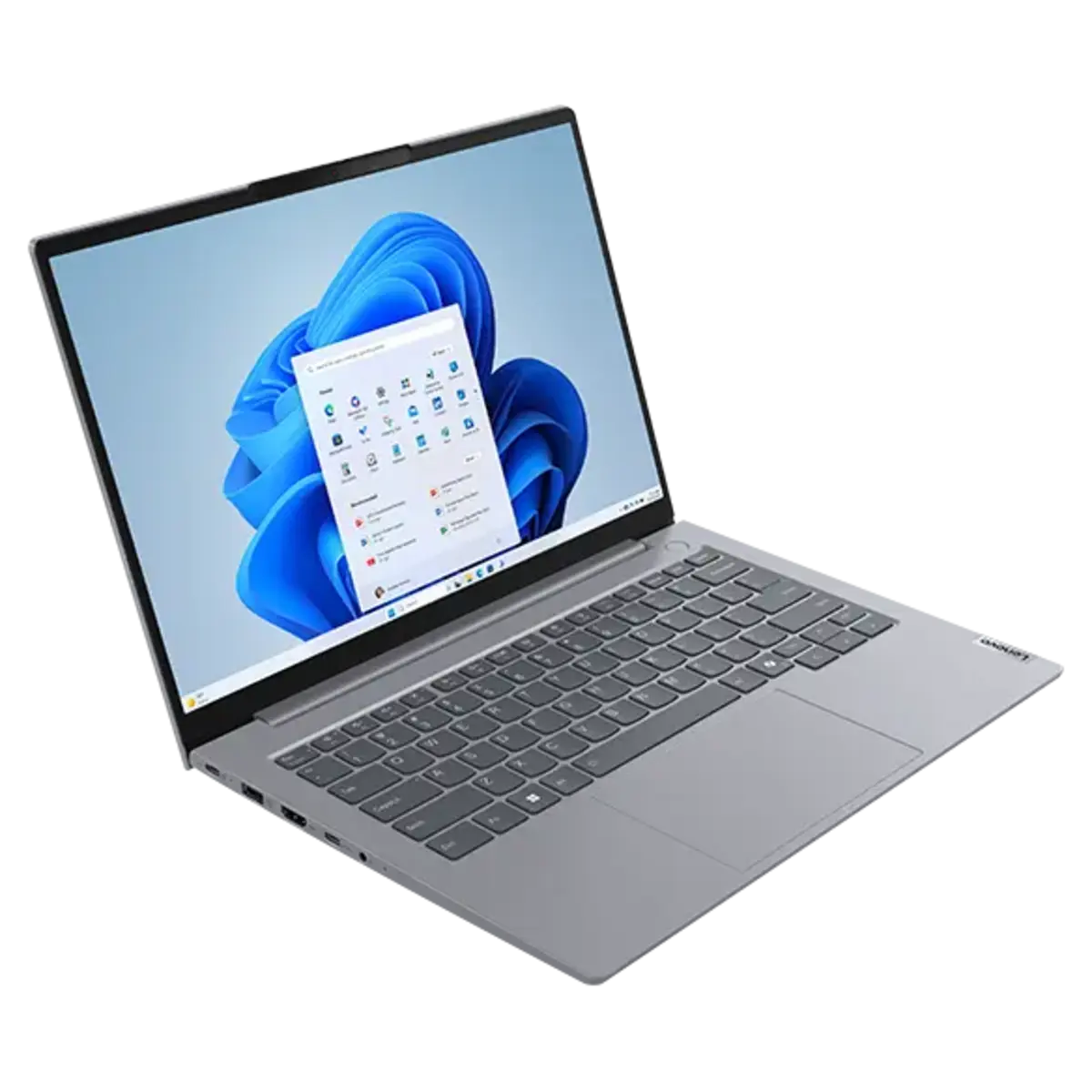
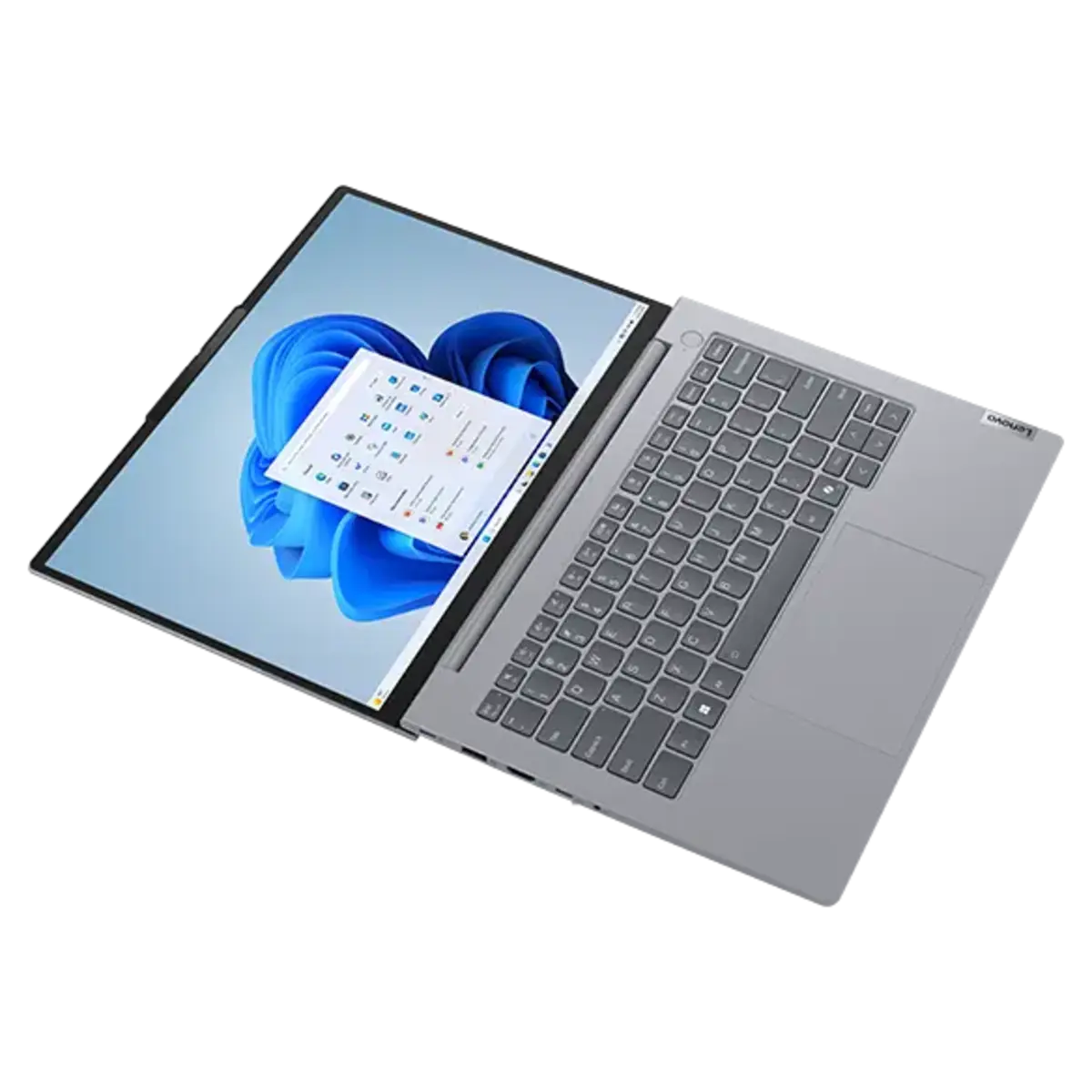
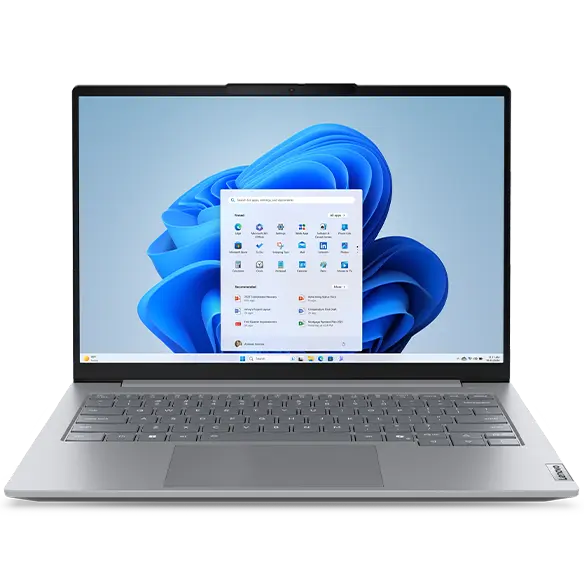
Lenovo ThinkBook 14 Gen 7 AMD Ryzen 5 | 7 Business Laptop | Upgradeable RAM & Dual SSD | Windows 11 Pro
Built for business professionals who need performance today and upgrade flexibility tomorrow.
The Lenovo ThinkBook 14 Gen 7 AMD combines the latest AMD Ryzen™ 5 | 7 processor with a durable business-class design, making it an excellent choice for office productivity, remote work, accounting, programming, software development, engineering applications, and small business environments.
Unlike many thin-and-light laptops with soldered memory, this model features upgradeable DDR5 memory and dual M.2 NVMe SSD slots, allowing future expansion as your storage and performance requirements grow.
Key Features
- Windows 11 Pro
- AMD Ryzen™ 5 150 (6C / 12T, 3.3 / 4.55GHz, 3MB L2 / 16MB L3)
- AMD Ryzen™ 7 170 (8C / 16T, 3.2 / 4.75GHz, 4MB L2 / 16MB L3)
- 14-inch WUXGA (1920 × 1200) Anti-Glare Display
- 8GB DDR5 Memory (Upgradeable up to 64GB)
- 512GB PCIe Gen4 NVMe SSD
- Additional M.2 SSD Slot Available
- Wi-Fi 6E & Bluetooth
- USB-C with DisplayPort™ Alt Mode
- Compatible with USB-C Docking Stations
- HD Webcam with Privacy Shutter
- Fingerprint Reader
- 3-Year Lenovo Premier Support
Upgrade-Friendly Design
One of the biggest advantages of the ThinkBook 14 Gen 7 AMD is its serviceability.
- Supports up to 64GB DDR5 RAM
- Two SO-DIMM memory slots
- Factory SSD can be retained
- Additional M.2 NVMe SSD can be installed
- Ideal for future upgrades without replacing existing storage
Perfect for organizations planning to extend the laptop's service life.
Recommended For
- Business Professionals
- Remote Employees
- Accounting & Finance
- Software Developers
- Engineers
- Office Productivity
- Microsoft Office
- ERP Systems
- CRM Applications
- Virtual Meetings
- Multi-monitor Workstations
Benson Computers Value-Added Services
Every laptop may be professionally upgraded, tested, and verified before shipment.
Optional services include:
- Memory upgrades
- Additional SSD installation
- Burn-in testing
- Windows updates
- Asset tagging
- Autopilot hardware hash generation (upon request)
Lenovo ThinkBook 14 G7 AMD Ryzen 5 8GB DDR5 4800 SoDIMM 512GB SSD M.2 2242 G4 TLC 14in WUXGA AG 300N 3Cell 45Wh 65W USB-C WLAN 2x2ax 6E+BT Win11 Pro 64bit 3-Year Premier Support 3/3/3 21MV00FWPH
Model Configurations
| PERFORMANCE | |
| Processor |
AMD Ryzen™ 5 150 (6C / 12T, 3.3 / 4.55GHz, 3MB L2 / 16MB L3)
|
| Graphics |
Integrated AMD Radeon™ 660M Graphics
|
| Chipset |
AMD SoC Platform
|
| Memory |
1x 8GB SODIMM DDR5-4800
|
| Memory Slots |
Two DDR5 SODIMM slots, dual-channel capable
|
| Max Memory |
Up to 64GB DDR5-4800
|
| Storage |
512GB SSD M.2 2242 PCIe® 4.0x4 NVMe®
|
| Storage Slot |
Two M.2 2280 PCIe® 4.0 x4 slots
|
| Max Storage Support |
Up to two drives, 2x M.2 SSD • M.2 2280 SSD up to 2TB each
|
| Optical |
None
|
| Card Reader |
SD Card Reader
|
| Audio Chip |
High Definition (HD) Audio, Realtek® ALC3287 codec
|
| Speakers |
Stereo speakers, 2W x2, Dolby Audio™
|
| Microphone |
2x, Array
|
| Camera |
FHD 1080p with Privacy Shutter
|
| Battery |
45Wh
|
| Power Adapter |
65W USB-C® (3-pin)
|
| Special Features |
Modern Standby
|
| DESIGN | |
| Display |
14" WUXGA (1920x1200) IPS 300nits Anti-glare, 45% NTSC
|
| Touchscreen |
None
|
| Screen-to-Body Ratio |
90%
|
| Pen |
Pen Not Supported
|
| Keyboard |
Backlit, English
|
| Touchpad |
Buttonless Mylar® surface multi-touch touchpad, supports Precision TouchPad (PTP), 75 x 120 mm (2.95 x 4.72 inches)
|
| Dimensions (WxDxH) |
313.5 x 224 x 17.6 mm (12.34 x 8.82 x 0.69 inches)
|
| Weight |
Starting at 1.36 kg (2.99 lbs)
|
| Case Color |
Arctic Grey
|
| Case Material |
Aluminium (Top), PC-ABS (Bottom)
|
| Surface Treatment |
Anodizing Sandblasting
|
| SOFTWARE | |
| Operating System |
Windows® 11 Pro, English
|
| Bundled Software |
Office Trial
|
| CONNECTIVITY | |
| WLAN + Bluetooth |
Wi-Fi® 6E, 802.11ax 2x2 + BT5.3
|
| WWAN |
WWAN Not Supported
|
| Ethernet |
100/1000M (RJ-45)
|
| Standard Ports |
|
| Docking |
Various docking solutions supported via USB-C®. For more compatible docking solutions, please visit Docking for ThinkBook® 14 G7 ARP
|
| SECURITY & PRIVACY | |
| Security Chip |
Firmware TPM 2.0 Enabled
|
| Physical Locks |
Kensington Nano Security Slot™, 2.5 x 6 mm
|
| Fingerprint Reader |
Touch Style, Match-on-Chip, Integrated in Power Button
|
| Other Security |
Camera privacy shutter
|
| SERVICE | |
| Base Warranty |
1-year, Courier or Carry-in
|
| Included Upgrade |
3Y Premier Support Upgrade from 1Y Courier/Carry-in
|
| ACCESSORIES | |
| Bundled Accessories |
None
|
| CERTIFICATIONS | |
| Green Certifications |
|
| Mil-Spec Test |
MIL-STD-810H military test passed
|
| Other Certifications |
TÜV Rheinland® Low Blue Light (Software Solution)
|
| MODEL INFORMATION | |
| Model |
21MV00FWPH
|
| Machine Type |
21MV
|
| Region |
ASEAN
|
| Country/Region |
Philippines
|
| TopSeller |
Yes
|
| EAN / UPC / JAN |
199273656394
|
| Announce Date |
2026-02-08
|
| End of Support |
2030-10-28
|
Lenovo ThinkBook 14 G7 AMD Ryzen 7 8GB DDR5 4800 SoDIMM 512GB SSD M.2 2242 G4 TLC 14in WUXGA AG 300N 3Cell 45Wh 65W USB-C WLAN 2x2ax 6E+BT Win11 Pro 64bit 3-Year Premier Support 3/3/3 21MV00G0PH
Model Configurations
| PERFORMANCE | |
| Processor |
AMD Ryzen™ 7 170 (8C / 16T, 3.2 / 4.75GHz, 4MB L2 / 16MB L3)
|
| Graphics |
Integrated AMD Radeon™ 680M Graphics
|
| Chipset |
AMD SoC Platform
|
| Memory |
1x 8GB SODIMM DDR5-4800
|
| Memory Slots |
Two DDR5 SODIMM slots, dual-channel capable
|
| Max Memory |
Up to 64GB DDR5-4800
|
| Storage |
512GB SSD M.2 2242 PCIe® 4.0x4 NVMe®
|
| Storage Slot |
Two M.2 2280 PCIe® 4.0 x4 slots
|
| Max Storage Support |
Up to two drives, 2x M.2 SSD • M.2 2280 SSD up to 2TB each
|
| Optical |
None
|
| Card Reader |
SD Card Reader
|
| Audio Chip |
High Definition (HD) Audio, Realtek® ALC3287 codec
|
| Speakers |
Stereo speakers, 2W x2, Dolby Audio™
|
| Microphone |
2x, Array
|
| Camera |
FHD 1080p with Privacy Shutter
|
| Battery |
45Wh
|
| Power Adapter |
65W USB-C® (3-pin)
|
| Special Features |
Modern Standby
|
| DESIGN | |
| Display |
14" WUXGA (1920x1200) IPS 300nits Anti-glare, 45% NTSC
|
| Touchscreen |
None
|
| Screen-to-Body Ratio |
90%
|
| Pen |
Pen Not Supported
|
| Keyboard |
Backlit, English
|
| Touchpad |
Buttonless Mylar® surface multi-touch touchpad, supports Precision TouchPad (PTP), 75 x 120 mm (2.95 x 4.72 inches)
|
| Dimensions (WxDxH) |
313.5 x 224 x 17.6 mm (12.34 x 8.82 x 0.69 inches)
|
| Weight |
Starting at 1.36 kg (2.99 lbs)
|
| Case Color |
Arctic Grey
|
| Case Material |
Aluminium (Top), PC-ABS (Bottom)
|
| Surface Treatment |
Anodizing Sandblasting
|
| SOFTWARE | |
| Operating System |
Windows® 11 Pro, English
|
| Bundled Software |
Office Trial
|
| CONNECTIVITY | |
| WLAN + Bluetooth |
Wi-Fi® 6E, 802.11ax 2x2 + BT5.3
|
| WWAN |
WWAN Not Supported
|
| Ethernet |
100/1000M (RJ-45)
|
| Standard Ports |
|
| Docking |
Various docking solutions supported via USB-C®. For more compatible docking solutions, please visit Docking for ThinkBook® 14 G7 ARP
|
| SECURITY & PRIVACY | |
| Security Chip |
Firmware TPM 2.0 Enabled
|
| Physical Locks |
Kensington Nano Security Slot™, 2.5 x 6 mm
|
| Fingerprint Reader |
Touch Style, Match-on-Chip, Integrated in Power Button
|
| Other Security |
Camera privacy shutter
|
| SERVICE | |
| Base Warranty |
1-year, Courier or Carry-in
|
| Included Upgrade |
3Y Premier Support Upgrade from 1Y Courier/Carry-in
|
| ACCESSORIES | |
| Bundled Accessories |
None
|
| CERTIFICATIONS | |
| Green Certifications |
|
| Mil-Spec Test |
MIL-STD-810H military test passed
|
| Other Certifications |
TÜV Rheinland® Low Blue Light (Software Solution)
|
| MODEL INFORMATION | |
| Model |
21MV00G0PH
|
| Machine Type |
21MV
|
| Region |
ASEAN
|
| Country/Region |
Philippines
|
| TopSeller |
Yes
|
| EAN / UPC / JAN |
199273656424
|
| Announce Date |
2026-02-08
|
| End of Support |
2030-10-28
|
- Please refer to the official Lenovo store website or contact a local Lenovo sales representative or authorized business partner for current inventory and purchase options.
- Lenovo reserves the right to change specifications or other product information without notice.
- The product images are for illustration purposes only. The actual product appearance, ports, keyboard layout, and accessories may vary between models.
- Actual port transfer speeds will vary and may be slower than the theoretical speed depending on many factors such as the processing speed of the host device, file attributes, and other factors related to your system configuration and operating environment.
Built for Productivity, Everywhere
14″ SMB lightweight laptop with ergonomic, spill-resistant keyboard
Handles multitasking with ease thanks to superfast memory & storage
Advanced thermal design keeps everything running smoothly
Enables seamless video calls with rich visuals & noise-cancelling audio
Ideal for on-the-go professionals with demanding workload
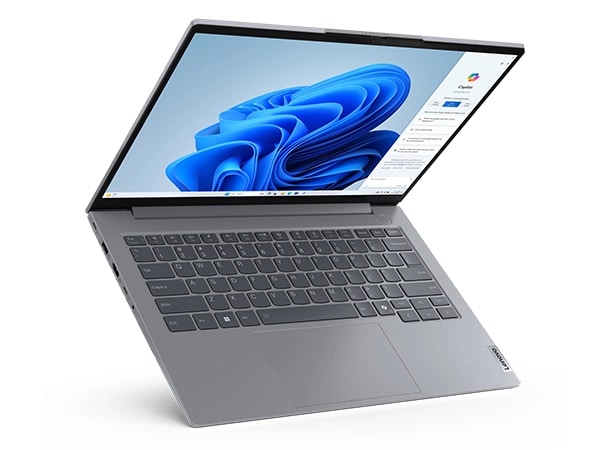
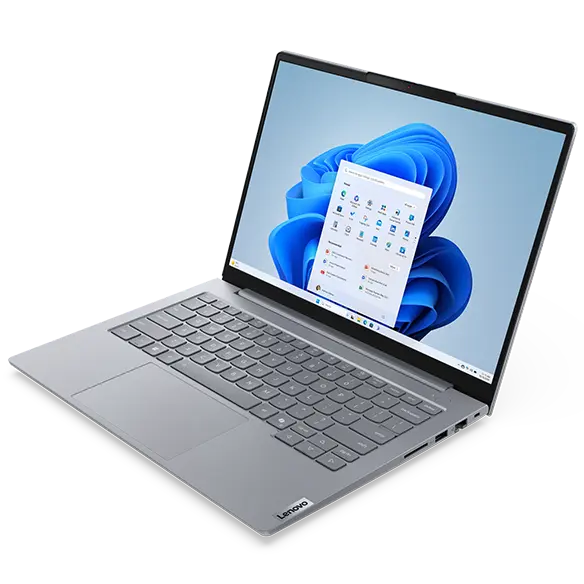
Portable and energy efficient, the Lenovo ThinkBook 14 Gen 7 (14″ AMD) laptop boasts the potential to significantly boost your productivity. With AMD Ryzen™ 7000 Series processors combined with Windows 11, you’ll enjoy speedy performance, improved efficiency, and enhanced features that cater to demanding workloads and modern workstyles. What’s more, with dual memory and dual SSD slots, your device can easily be expanded as your needs grow.
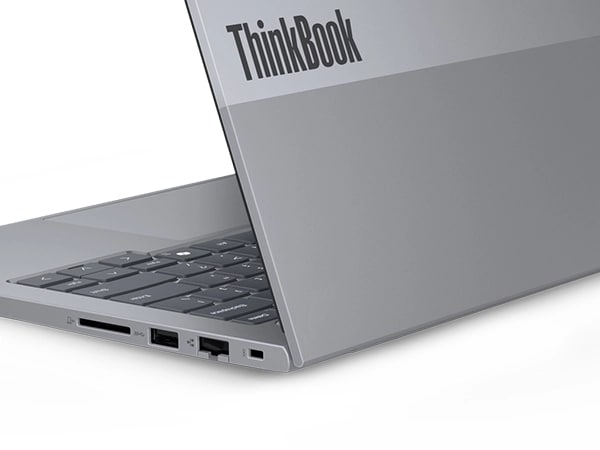
Seamless Security That Works for You
Equipped with advanced security features, the ThinkBook 14 Gen 7 laptop offers comprehensive data-device protection. Its optional match-on-chip fingerprint reader integrated on the power button allows secure login and instantaneous bootup, while its Trusted Platform Module (TPM) encrypts crucial data. Plus, it comes with a Kensington Nano Security Slot™ that provides defense against physical theft. And, for extra privacy, there’s a webcam privacy shutter that can be toggled off for convenience.
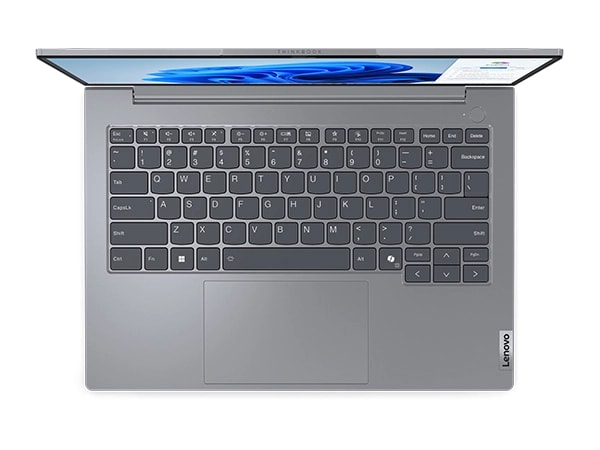
Exuding elegance and professionalism, the ThinkBook 14 Gen 7 laptop features a silky aluminum chassis in a modern Arctic Grey color. We’ve designed the keyboard for comfort and accuracy with curved keycaps that align perfectly with the shape of your fingers for a more natural, ergonomic typing experience. LED-status lights on the speaker and microphone keys make it easy to control your audio settings and ensure you’ll be heard when you speak.
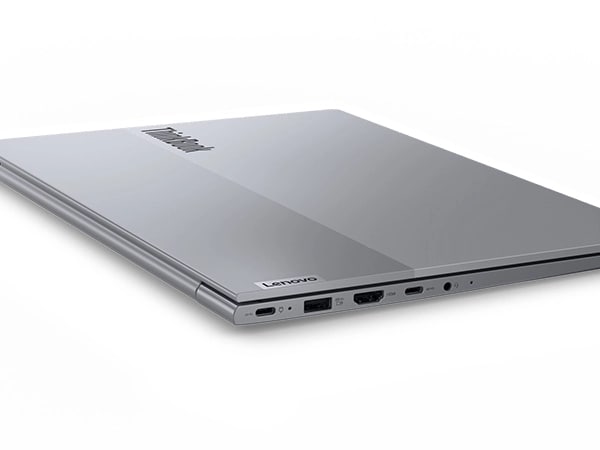
Keeps You Well-Connected
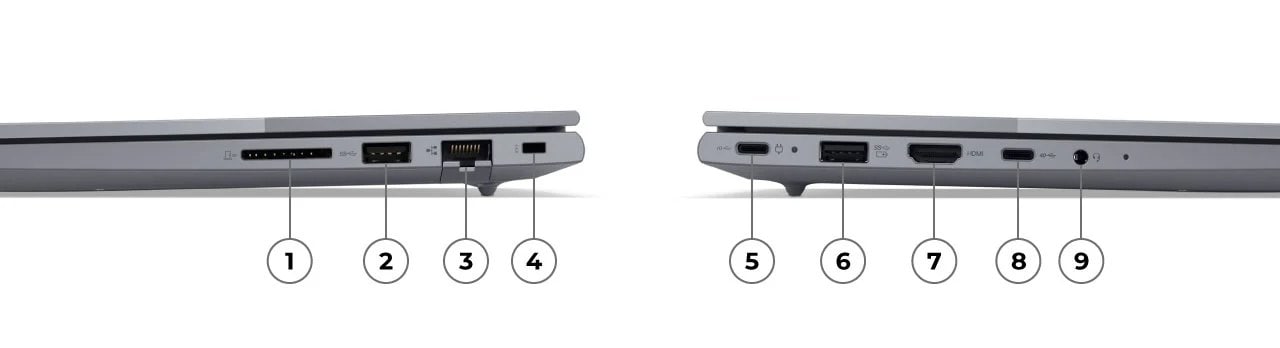
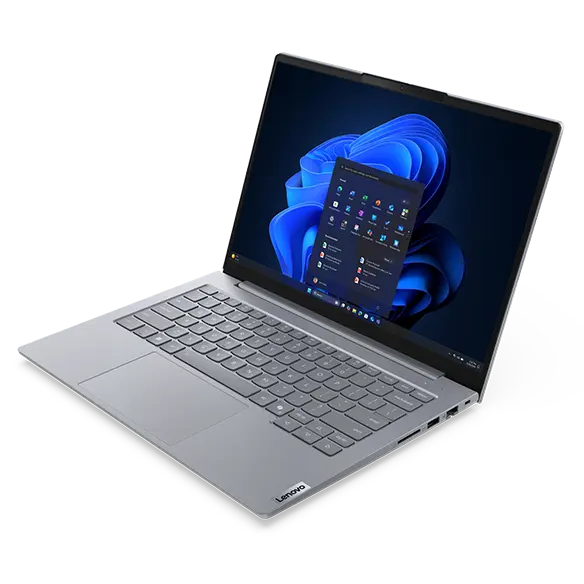
Whether you’re in the office, on the go, or working from home, the ThinkBook 14 Gen 7 laptop keeps you connected. WiFi options keep you online without lag time, even on crowded public platforms when you’re out and about. The wide array of ports — including USB-C® 4 — offers the best in high-speed file transfer and connection to all your periferals. An HDMI port lets you hook up a monitor with ease, while the SD card reader provides multiple ways to access files. No matter where your work takes you, you can trust business to continue as usual.
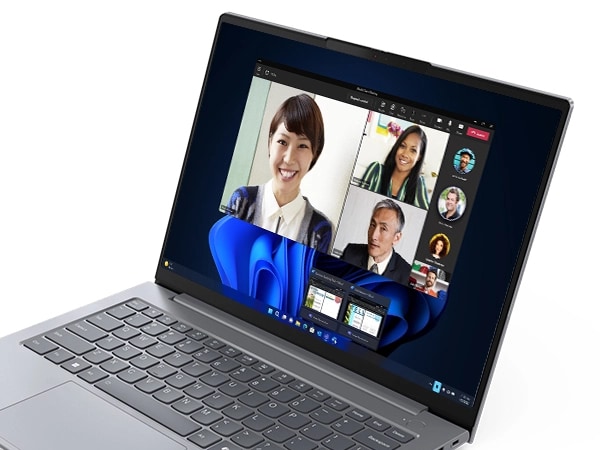
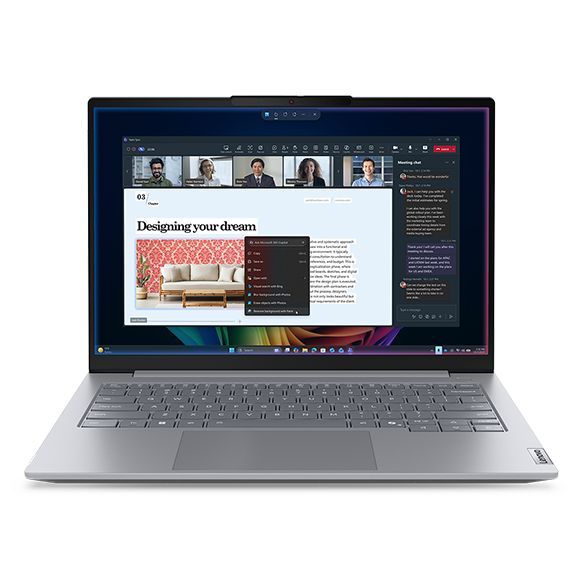
With its smart time-saving technology, the ThinkBook 14 Gen 7 laptop helps keep you focused and more productive. Dual-array mics and speakers with Dolby Audio™ along with Lenovo Smart Meeting mean you’ll enjoy noise-canceling audio that enables crystal-clear calls without background distractions. Additionally, eye-contact correction, auto-framing, and background blurring, as well as a choice of cameras keep you looking your best on video conference calls. It’s never been so easy to collaborate virtually!
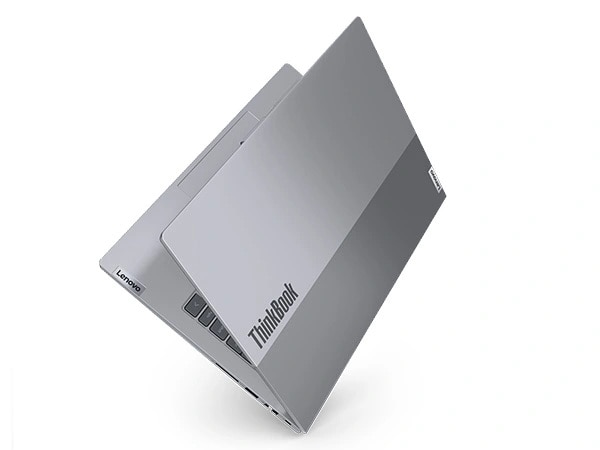
Reliable as the Day Is Long
We use the US Department of Defense's MIL-STD 810H to create a balance of reliability and durability for ThinkBook laptops. Meeting or exceeding 12 standards, 26 procedures, and 200+ quality checks ensure that these devices run in extreme conditions, including harsh variables like Arctic wilderness, desert dust storms, extreme temps, pressure, humidity, vibration, and more. What’s more, we’ve a re-engineered keyboard ensures spill resistance up to 60ccs, while also improving thermal performance, so your laptop stays cooler to the touch.
Specifications may vary depending upon region / model.
Ports & Slots
Reviews
Average Customer Ratings
Filter Reviews
-
performance
-
price
-
purchase
-
satisfaction
-
quality
-
display
-
product features
-
value
Performance packed at a very affordable price!
Yes, I recommend this product.

Originally posted on lenovo.com
Disappointed
No, I do not recommend this product.

Originally posted on lenovo.com
Decent specs but lacking build quality
No, I do not recommend this product.

Originally posted on lenovo.com
Just what I needed
Yes, I recommend this product.
Originally posted on lenovo.com
Great Product with Good Value for Money
Originally posted on lenovo.com
ThinkBook14 - Definitely Recommended
Yes, I recommend this product.
Originally posted on lenovo.com
Much nicer than my old IdeaPad
Yes, I recommend this product.
Originally posted on lenovo.com
Thinkbook 14 Gen 7
Yes, I recommend this product.
Originally posted on lenovo.com