
Price Disclaimer and Key Notes
Please note that prices and availability of our products are subject to change without prior notice. Despite our best efforts to maintain accuracy, occasional errors may occur. In such cases, where a pricing discrepancy is identified, we will promptly notify you via chat, email, or phone. You will then have the option to accept the amended price or cancel your order.
We highly recommend verifying stock availability and prices before proceeding with your payment. For credit card payments, please allow approximately six to eight business days for processing and clearance. Your understanding and cooperation in these matters are greatly appreciated. Shipment will occur within two to five business days following the clearance of payment. Please be aware that our primary focus is on Dell, HP & Lenovo business computers and servers. Accessories are typically available for purchase as part of a bundle or may be offered in larger quantities.
We're sorry to convey that we do not participate in government bids and won't be providing quotation requests.




Descripción
Tech Specs
- MAC address pass-through
- PXE Boot
- Dock Power Button Sync
- Wake-On-LAN
- WLAN to LAN switch
- Kernel Direct Memory Access (DMA) protection
- Remote firmware updates without a PC
- Host PC based firmware updates
- Firmware update on disconnect
- Port Disablement independent of PC
- 4 x WQHD (3440 x 1440) @ 60Hz
- 3 x WQHD (3440 x 1440) @ 60Hz
- 2 x 5K (5120 x 2160) @ 60Hz
- 1 x 6K (6144 x 3456) @ 60Hz
- 4 x HD (1280x720) @ 60Hz
- 3 x FHD (1920x1080) @ 60Hz
- 2 x QHD (2560x1440) @ 60Hz
- 1 x 4K (3840 x 2160) @ 60Hz
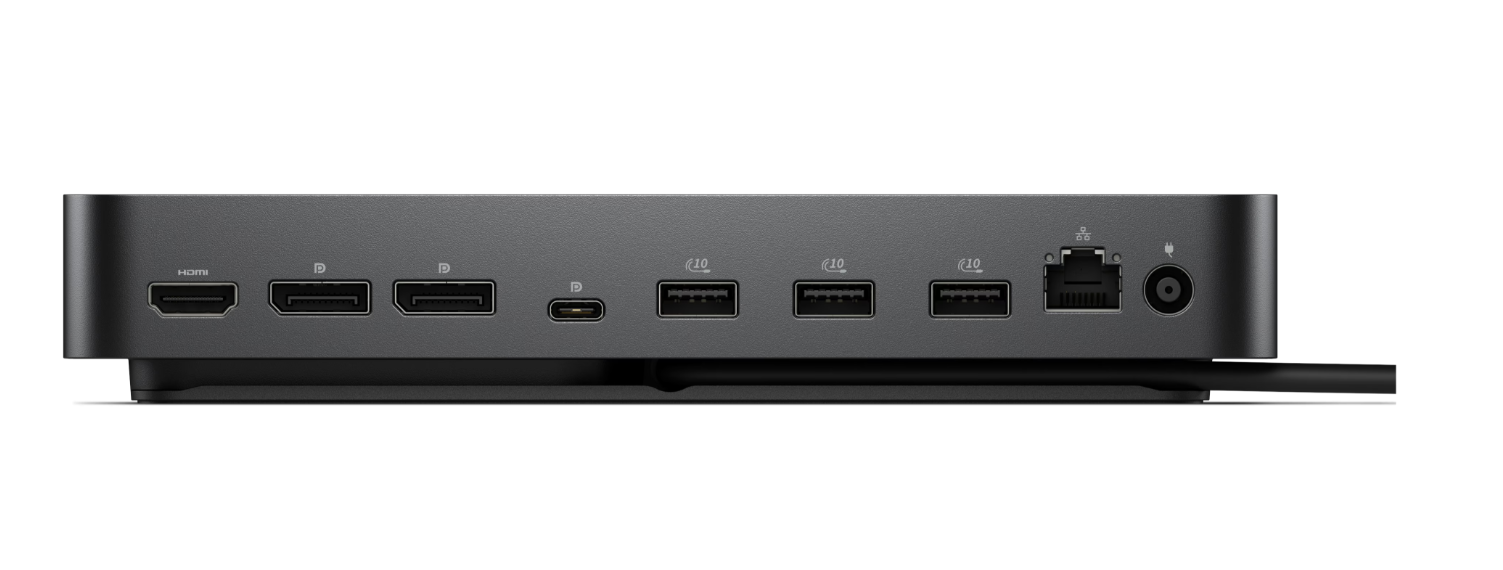
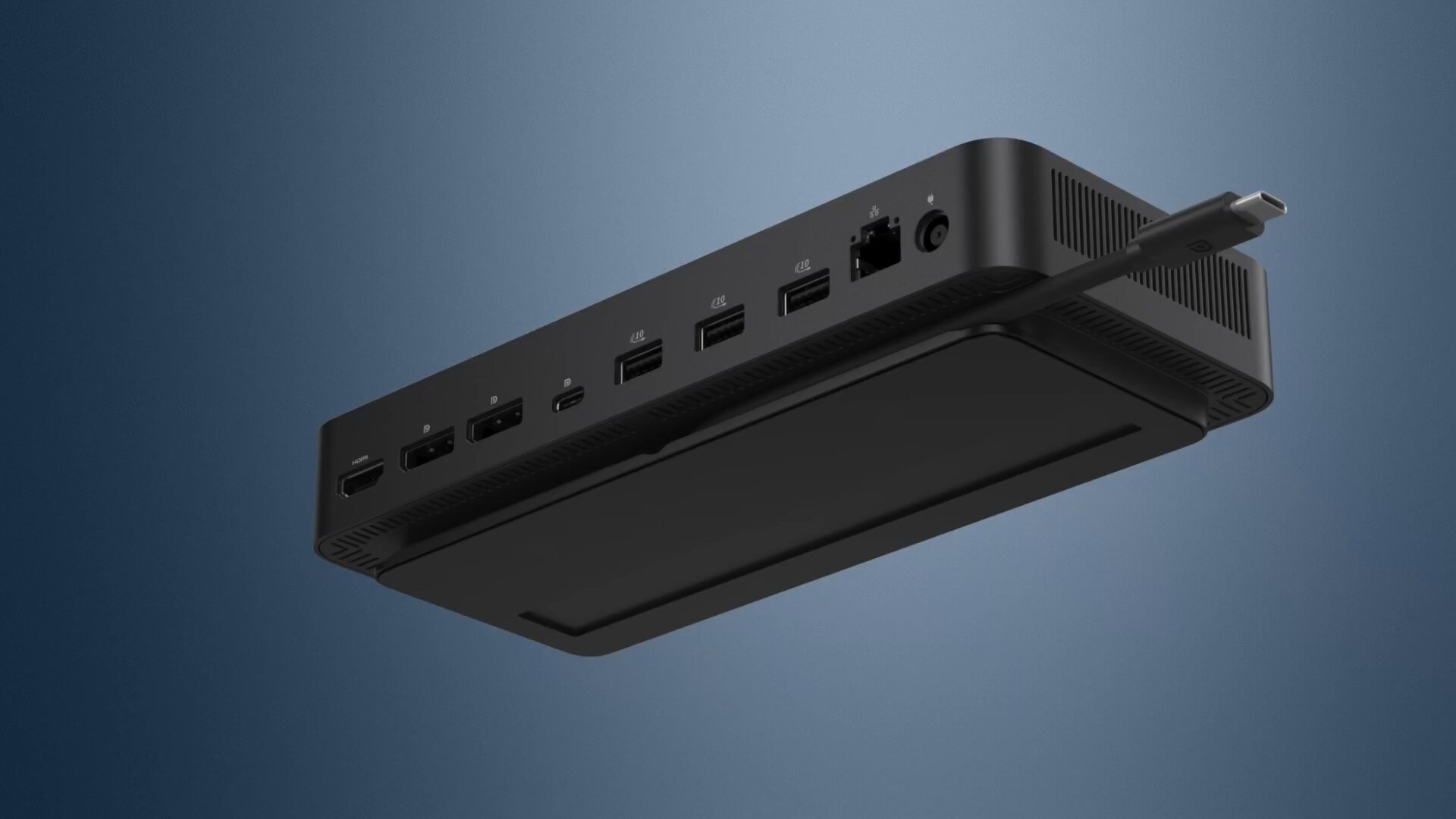
- 2 x DP1.4
- 1 x HDMI 2.1
- 1 x USB-C 3.2 Gen 2 Multi-function DisplayPort 1.4
- 4 x USB-A 3.2 Gen 2 (10 Gbps)
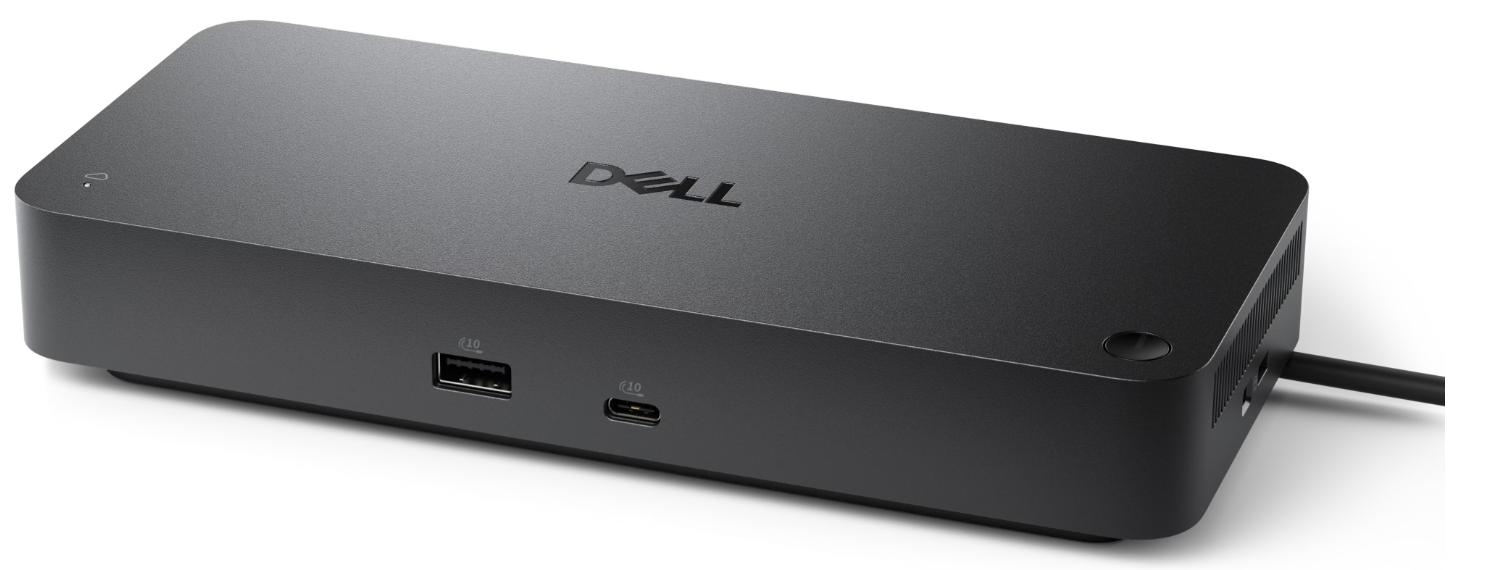
- 1 x USB-C 3.2 Gen 2 (10 Gbps)
- 4 x USB-A 3.2 Gen 2 (4.5W each)
- 1 x USB-C 3.2 Gen 2 (15W)
- 1 x USB-C Multi-function DisplayPort (7.5W)
- All deliver power with or without PC
- 130W (Dell systems)
- 96W (non-Dell systems)
- Windows 10
- Windows 11
- Ubuntu
- Red Hat Enterprise Linux
- ChromeOS
- Docking Station
- Power Adapter and Power Cord
- Documentation (Quick Start Guide, Safety, Environmental, and Regulatory Information)
- 3-Year Limited Hardware Warranty with Advanced Exchange
- Additional 4- & 5-year warranty optional
Connect your way

Ports and slots

How easy is it to learn about this product?Rating is from 1-7, 1 being Very Difficult and 7 being Very Easy
Reviews
Verified
Dell Promotion
The ordering process was seamless. I was informed every step enroute and when then arrived. Delivered fast & in mint condition our staff is happy as we were in desperate need of these Dell Pro smart docks for work efficiency.
Response from Dell
Dear Valued Customer, Thank you for sharing your feedback on the Dell Pro Smart Dock SD25. We’re pleased to hear the seamless ordering process and fast delivery helped your team quickly improve work efficiency. This dock is designed to simplify IT management while offering reliable connectivity for busy office environments. If you ever need assistance or want to explore more ways to get the most out of your Dell accessories, our Dell US Technical Support team is always here to help: https://url.dell.com/9b5810. Thank you for trusting Dell to support your staff. -Surabhi
Verified
Dell Promotion
Easy setup. Multiple ports. Everything you expect with a name like Dell
Response from Dell
Dear Valued Customer, Thank you for sharing your experience with the Dell Pro Smart Dock SD25. We’re glad to hear the easy setup and multiple ports meet your home office expectations. This dock is designed to bring convenience and connectivity together, helping streamline your workspace with a single reliable solution. If you ever need assistance or want to explore more ways to get the most out of your Dell accessories, our Dell US Technical Support team is always here to help: https://url.dell.com/9b5810. Thank you for choosing Dell to power your workspace. -Surabhi
Verified
Dell Promotion
I bought this dock for my home office. It performs perfectly for everything I need it to do. More than enough inputs for monitors/video, USB of all types and the like. It was very easy to set up. All in all I am very happy with this purchase! #sweepstakes
Response from Dell
Dear Valued Customer, Thank you for your enthusiastic feedback on the Dell Pro Smart Dock SD25. We are thrilled to hear how easily it integrated into your home office and met your connectivity needs. With abundant ports and simple setup, this dock is designed to create an efficient and clutter‑free workspace. It is great to know it exceeded your expectations. If you ever need assistance or want to explore more ways to get the most out of your Dell accessories, our Dell US Technical support team is always here to help: https://url.dell.com/9b5810. Thank you for enhancing your workspace with Dell solutions. -Surabhi
Verified
Dell Promotion
I love the new docks. They work great!!
Response from Dell
Dear Valued Customer, Thank you for your review on the Dell Pro Smart Dock. We’re glad you love how well it works. This dock is designed to simplify connectivity and enhance your workspace efficiency. If you ever need assistance or want to explore more ways to get the most out of your Dell accessories, our Dell US Technical support team is always here to help: https://url.dell.com/9b5810. We appreciate your trust in Dell and look forward to continuing to support your success. -Surabhi
Verified
Dell Promotion
Product arrived quickly and was easy to setup.
Response from Dell
Dear Valued Customer, Thank you for your feedback on the Dell Pro Smart Dock. We’re glad it arrived quickly and was easy to set up for your multi-monitor desk. This dock is designed to simplify connectivity and enhance productivity. If you ever need assistance or want to explore more ways to get the most out of your Dell accessories, our Dell US Technical support team is always here to help: https://url.dell.com/9b5810. Thank you for being a part of the Dell community. -Surabhi
Verified
Dell Promotion
Nice small size and extra ports for usb and video
Response from Dell
Dear Valued Customer, Thank you for your review on the Dell Pro Smart Dock SD25. We’re glad you appreciate its compact size and extra ports for USB and video connectivity. This dock is designed to simplify your workspace and enhance productivity. If you ever need assistance or want to explore more ways to get the most out of your Dell accessories, our Dell US Technical support team is always here to help: https://url.dell.com/9b5810. Thank you for being a part of the Dell community. -Surabhi
Verified
Dell Promotion
I've been using the Dell SD25 dock for a bit now, and honestly, it's been great. It's one of those gadgets you plug in once and then kinda forget about because it just works. I can hook up multiple monitors, charge my laptop, and keep all my accessories connected without having a spaghetti mess of cables all over my desk. The power delivery is strong, everything stays stable, and I haven't had any random disconnects or weird glitches. Plus, the dock itself feels sturdy and well-built—like it can handle daily use without falling apart. If you just want a reliable, no‑nonsense dock that keeps your setup clean and your laptop happy, the SD25 is a great pick. I'd definitely recommend it.
Response from Dell
Dear Valued Customer, Thank you for your feedback on the Dell Pro Smart Dock - SD25! We’re thrilled it provides seamless connectivity and keeps your setup clean and organized. This dock is built for convenience and durability. If you ever need assistance or want to explore more ways to get the most out of your Dell accessories, our Dell US Technical support team is always here to help: https://url.dell.com/9b5810. Thank you for being a part of the Dell community. -Surabhi
Verified
Dell Promotion
Works great
Response from Dell
Dear Valued Customer, Thank you for sharing your feedback! We’re glad to hear that the Dell Pro Smart Dock – SD25 works great and meets your expectations. This dock was designed to provide seamless connectivity and enhance productivity for modern workspaces. If you ever need assistance or want to explore more features, our Dell US Technical support team is always here to help: https://url.dell.com/9b5810. We appreciate your trust in Dell and thank you for being part of our community! -Joanna
Verified
Dell Promotion
Nothing to do. Install and plug in ur pc.
Response from Dell
Dear Valued Customer, Thank you for your review on the Dell Pro Smart Dock SD25! We’re glad it worked perfectly right out of the box—plug-and-play convenience is what this accessory is all about. If you ever need assistance or want to explore more ways to get the most out of your Dell accessories, our Dell US Technical Support team is always here to help: https://url.dell.com/9b5810. Thank you for choosing Dell—we appreciate your trust! –Surabhi
Verified
Dell Promotion
Recommendation from sales rep with very helpful. Arrived quickly and setup was a snap. Using it to transfer data between external drives. Works very well. Will attach monitors at a later date. Thank You
Response from Dell
Dear Valued Customer, Thank you for your great review on the Dell Pro Smart Dock SD25! We’re thrilled to hear setup was a breeze and that it’s working perfectly for your data transfers. Adding monitors later will make your setup even more powerful! If you ever need assistance or want to explore more ways to get the most out of your Dell accessories, our Dell US Technical Support team is always here to help: https://url.dell.com/9b5810. We appreciate your trust in Dell and your thoughtful feedback. –Surabhi

Drivers, Manuals & Support
Dell SupportFrom drivers and manuals to diagnostic tools and replacement parts, Dell Product Support has you covered!