Direkt zum Inhalt

Ship direct to your remote teams in the Philippines. UK, EU, USA, Canada, NZ & Australia—we’ve got you. Overseas companies are our top priority. Get started today.

Price Disclaimer and Key Notes

Please note that prices and availability of our products are subject to change without prior notice. Despite our best efforts to maintain accuracy, occasional errors may occur. In such cases, where a pricing discrepancy is identified, we will promptly notify you via chat, email, or phone. You will then have the option to accept the amended price or cancel your order.

We highly recommend verifying stock availability and prices before proceeding with your payment. For credit card payments, please allow approximately six to eight business days for processing and clearance. Your understanding and cooperation in these matters are greatly appreciated. Shipment will occur within two to five business days following the clearance of payment.

Please be aware that our primary focus is on Dell business computers and servers. Accessories are typically available for purchase as part of a bundle or may be offered in larger quantities.

We're sorry to convey that we do not participate in government bids and won't be providing quotation requests.
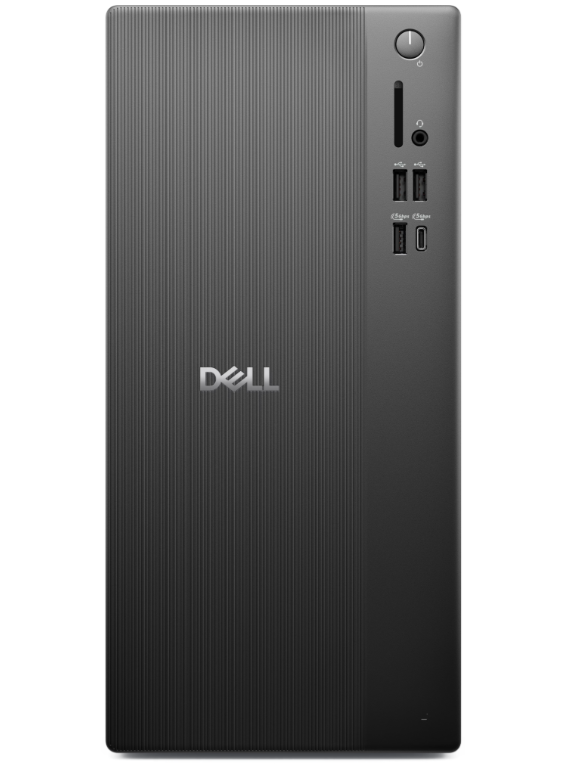
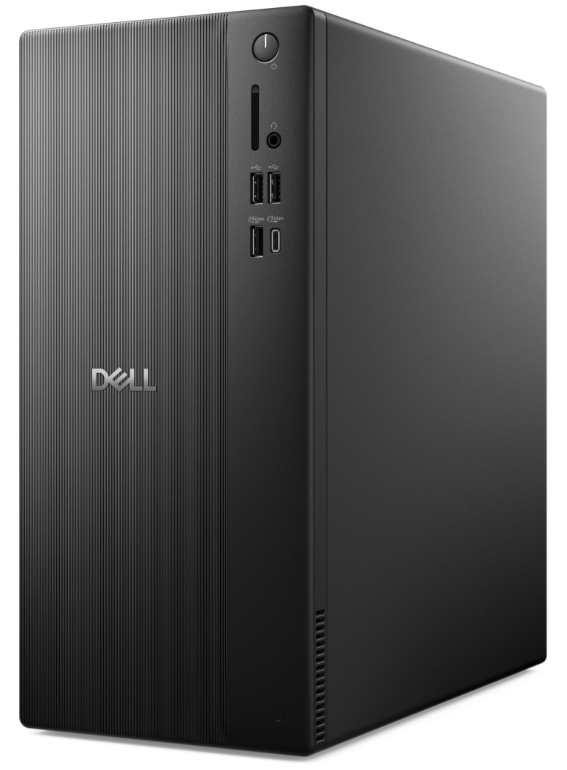
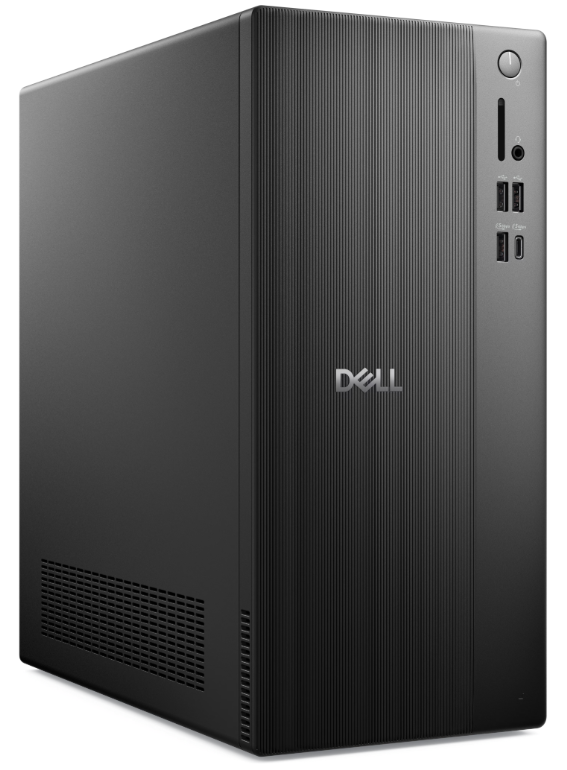
Dell Tower Desktop Model: ECT1250


Processor family: Intel® Core™ i5
Preis:
Sonderpreis₱65,000.00

Beschreibung


Option 1:
(NEW) Dell Tower ECT1250

 12.76 in (324.3 mm)
 6.06 in (154 mm)
 11.53 in (293 mm)
"(Minimum): 9.17 lb. (4.16 kg)
(Maximum): 15.12 lb. (6.86 kg)"
Intel(R) Core(TM)i5 14400 (20 MB cache, 10 Cores, 16 threads, up to 4.7 GHz)
No External ODD
Energy Star Label
8 GB: 1 x 8 GB, DDR5, up to 4800 MT/s, non-ECC  (Max: 64GB - 2x32GB DDR5) (2x Slots)
Intel(R) UHD Graphics 730 with shared graphics memory
512GB M.2 PCIe NVMe Solid State Drive
MediaTek Wi-Fi 6 MT7920, 2x2, 802.11ax, MU-MIMO, Bluetooth wireless card
Dell Optical Mouse - MS116 (Black)
Dell Wired Keyboard KB216
FRONT
"(2) USB 2.0 ports;
 (1) USB 3.2 Gen 1 Type-C® port;
 (1) USB 3.2 Gen 1 port;
(1) Global headset jack"
REAR
"(2) USB 2.0 with SmartPower On ports; (2) USB 3.2 Gen 1 ports;
(1) RJ45 Ethernet port (1 Gbps);
(1) HDMI 2.1 (TMDS) port;
(1) DisplayPort 1.4 port;
(1) Serial port (optional)"
Windows 11 Pro
Retail ProSupport: Next Business Day Onsite Service - 36 months


Option 2:
(NEW) Dell Tower ECT1250

 12.76 in (324.3 mm)
 6.06 in (154 mm)
 11.53 in (293 mm)
"(Minimum): 9.17 lb. (4.16 kg)
(Maximum): 15.12 lb. (6.86 kg)"
Intel(R) Core(TM) i7 14700 (33 MB cache, 20 Cores, 28 threads, up to 5.4 GHz)
No External ODD
Energy Star Label
16GB: 1 x 16GB, DDR5, up to 5600 MT/s, non-ECC  (Max: 64GB - 2x32GB DDR5) (2x Slots)
Intel(R) UHD Graphics 770 with shared graphics memory
1TB M.2 PCIe NVMe Solid State Drive
MediaTek Wi-Fi 6 MT7920, 2x2, 802.11ax, MU-MIMO, Bluetooth wireless card
Dell Optical Mouse - MS116 (Black)
Dell Wired Keyboard KB216
FRONT
"(2) USB 2.0 ports;
 (1) USB 3.2 Gen 1 Type-C® port;
 (1) USB 3.2 Gen 1 port;
(1) Global headset jack"
REAR
"(2) USB 2.0 with SmartPower On ports; (2) USB 3.2 Gen 1 ports;
(1) RJ45 Ethernet port (1 Gbps);
(1) HDMI 2.1 (TMDS) port;
(1) DisplayPort 1.4 port;
(1) Serial port (optional)"
Windows 11 Pro
Retail ProSupport: Next Business Day Onsite Service - 36 months


Speed up your tasks with AI

Unlock new levels of productivity and creativity by upgrading to Intel® Core™ Ultra processors with built-in AI. Your AI PC is designed to improve overall efficiency and save you time – all while keeping your system cool and quiet. 

The Dell Tower delivers up to 24% more CPU performance[1] and up to 66% better graphics performance[2] than the previous gen Inspiron Desktop.
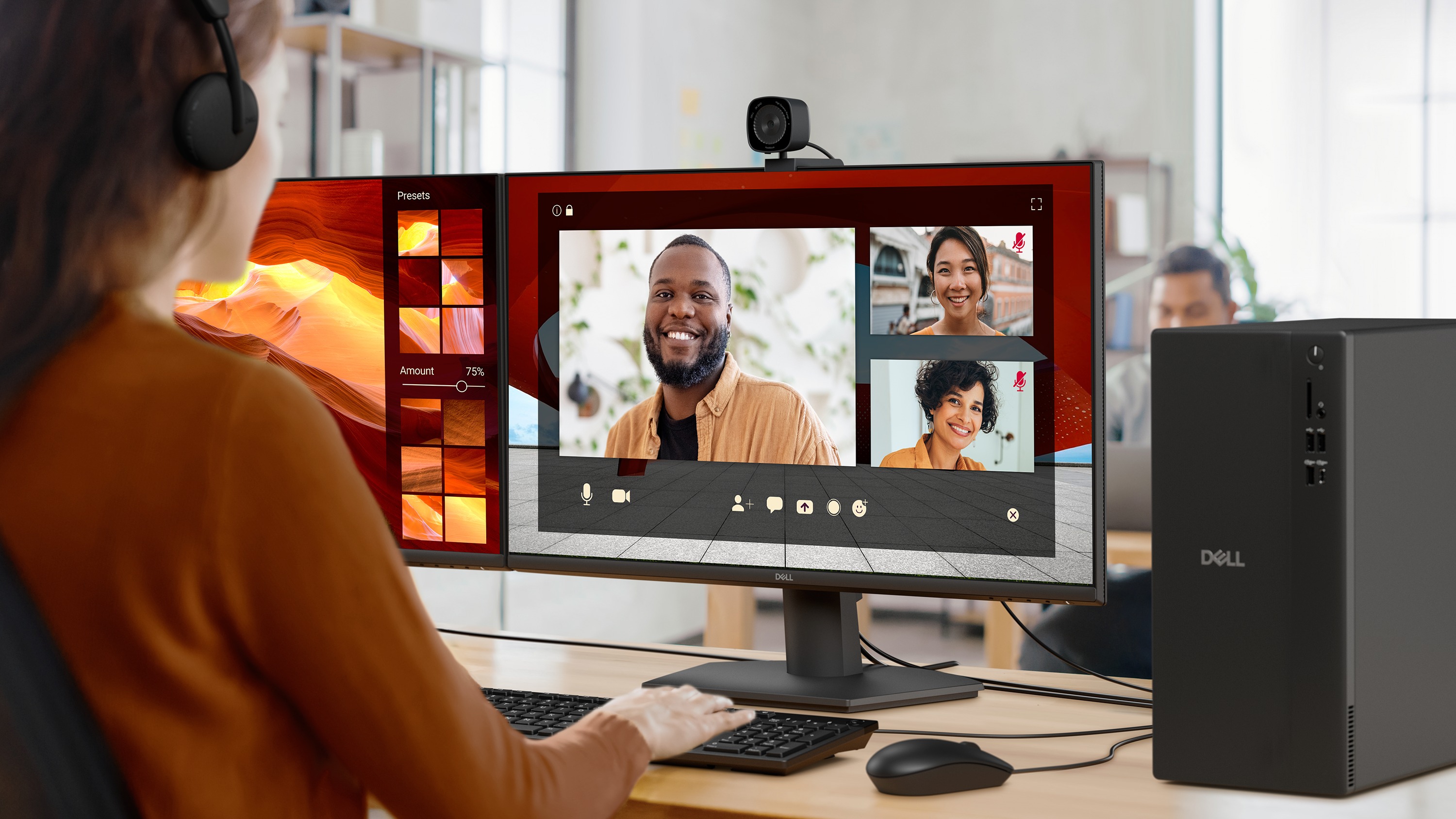
An office worker on a live web conference using a Dell Tower desktop computer, with multiple Dell monitors


A Dell Tower desktop computer

Seamless connectivity

Dell Tower delivers hassle-free connectivity options.

Supports multiple monitors: Connect up to four FHD monitors using DisplayPort™ 1.4 and Daisy Chaining[3]. Or connect two 4K displays using HDMI 2.1 port and DisplayPort 1.4.

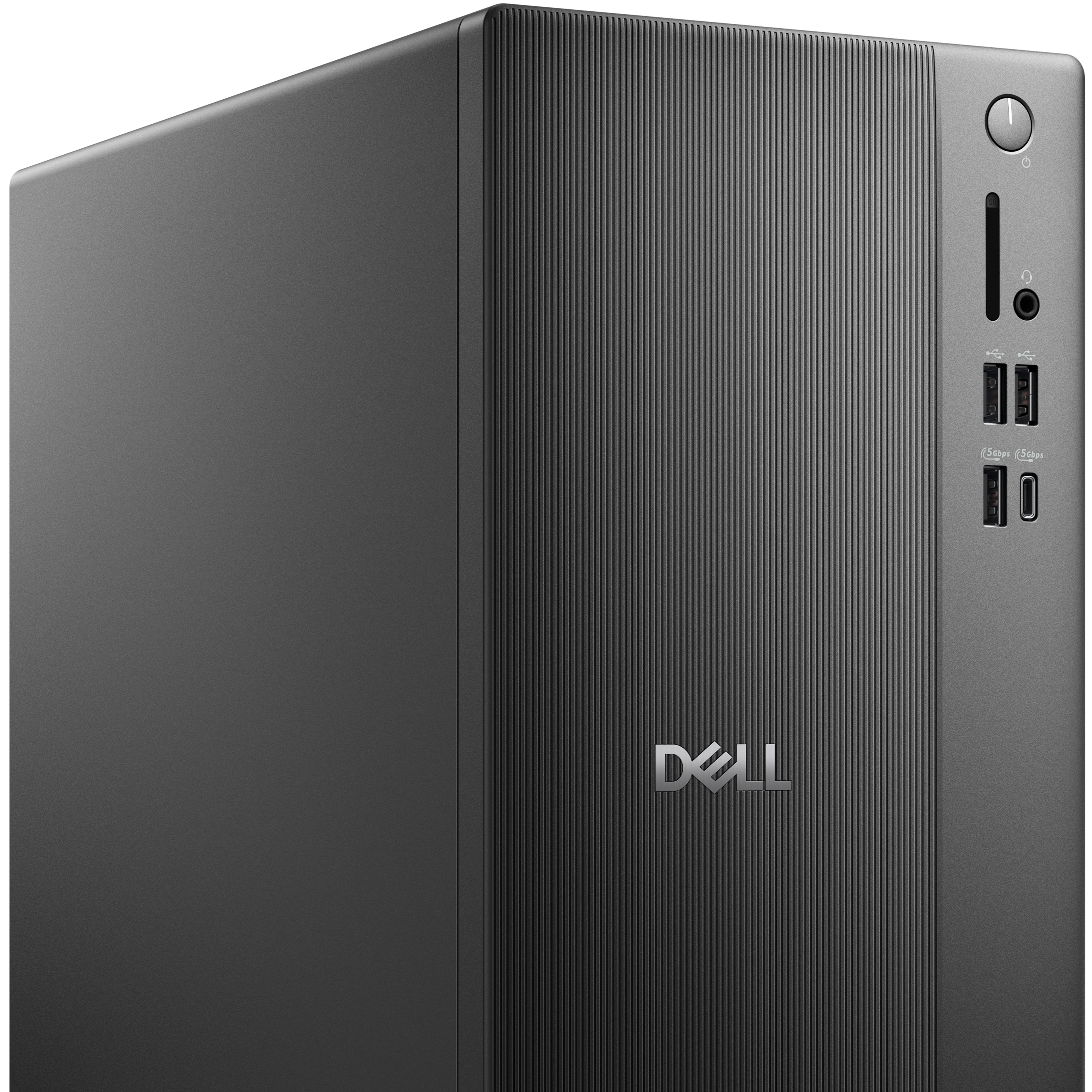
Connect all your devices: 8 total USB ports, including 4 convenient front-facing ports.

Faster photo imports: Quickly import RAW images from your camera with an SD card reader.

Wi-Fi 6: Avoid lag, buffering and congestion when working, video conferencing or streaming.
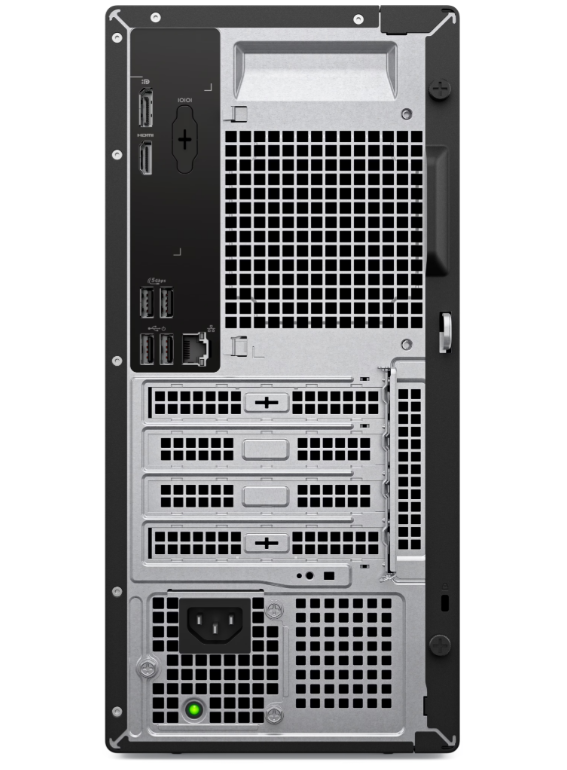
A rear view of a new compact Dell Slim desktop computer, showing multiple slots for memory and graphics cards

Future proof your PC

Impressive expandability options let your desktop evolve with you.

Effortless upgrades: The tool-less entry and removable side panel let you quickly access the internal components, making upgrades convenient and stress-free.

Maximize memory: With the capacity to support up to 64GB DDR5 memory across two DIMM slots, you have the flexibility to upgrade your RAM later to meet your needs[4].

Expand storage: Your desktop is designed to support up to 2TB SSD and 2TB HDD storage[5], giving you the option to upgrade storage in the future[6].

Room to grow: Add additional sound cards or network cards with three PCIe expansion slots.
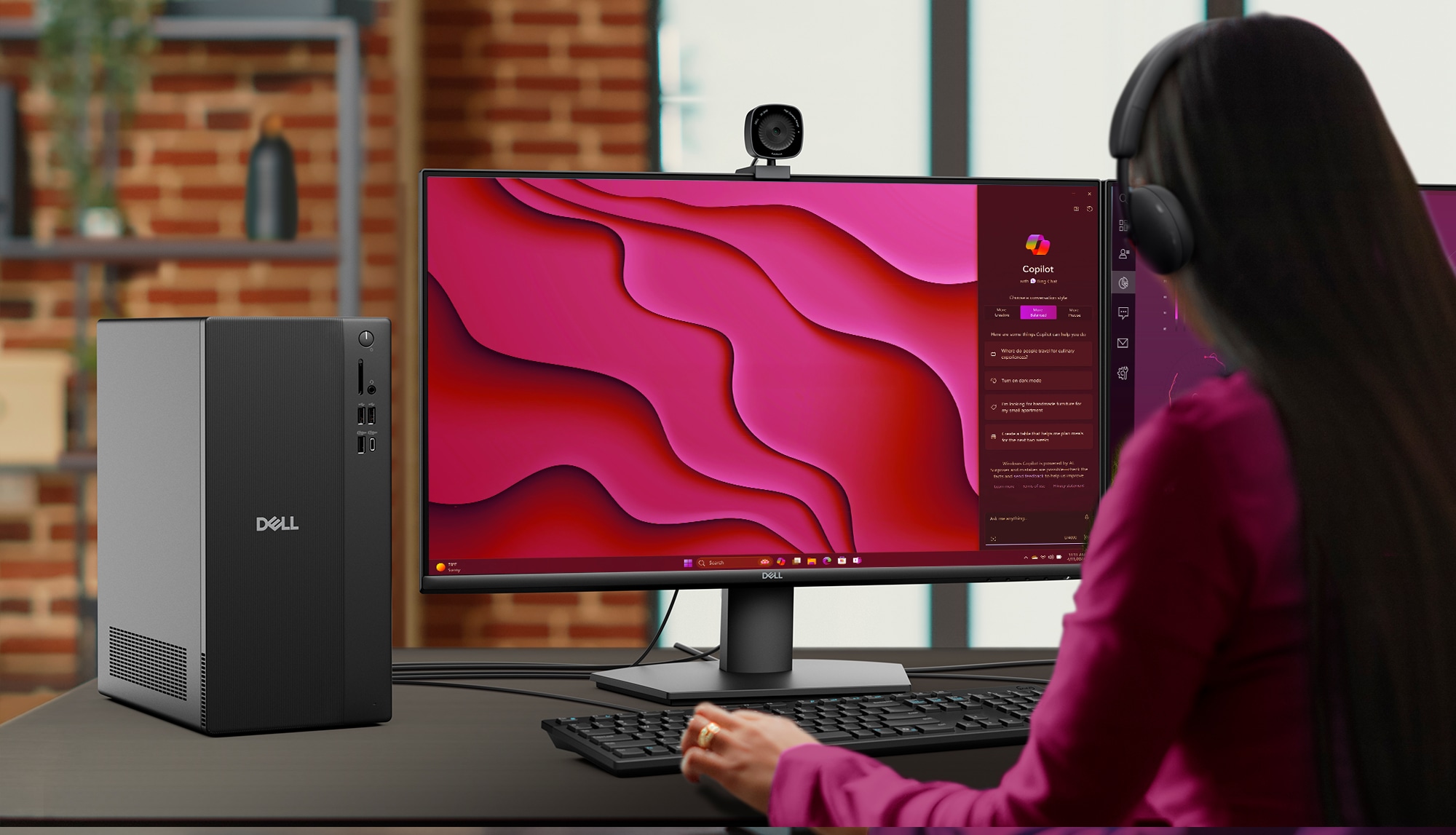
An office worker using some business software on a Dell Tower desktop computer, using multiple Dell monitors

Ready for business

Keep your data secure with a hardware TPM security chip. And when you need to step away from your desk, simply secure your desktop using the built-in lock slot or padlock loop.

Boost productivity with a single click. Select Dell keyboards have a dedicated Microsoft Copilot key for instant access to your personal AI assistant[7].

Choose ProSupport for PCs to save time on routine support tasks. Get 24x7 access to in-region tech support, next business day onsite repairs and AI-powered proactive monitoring.
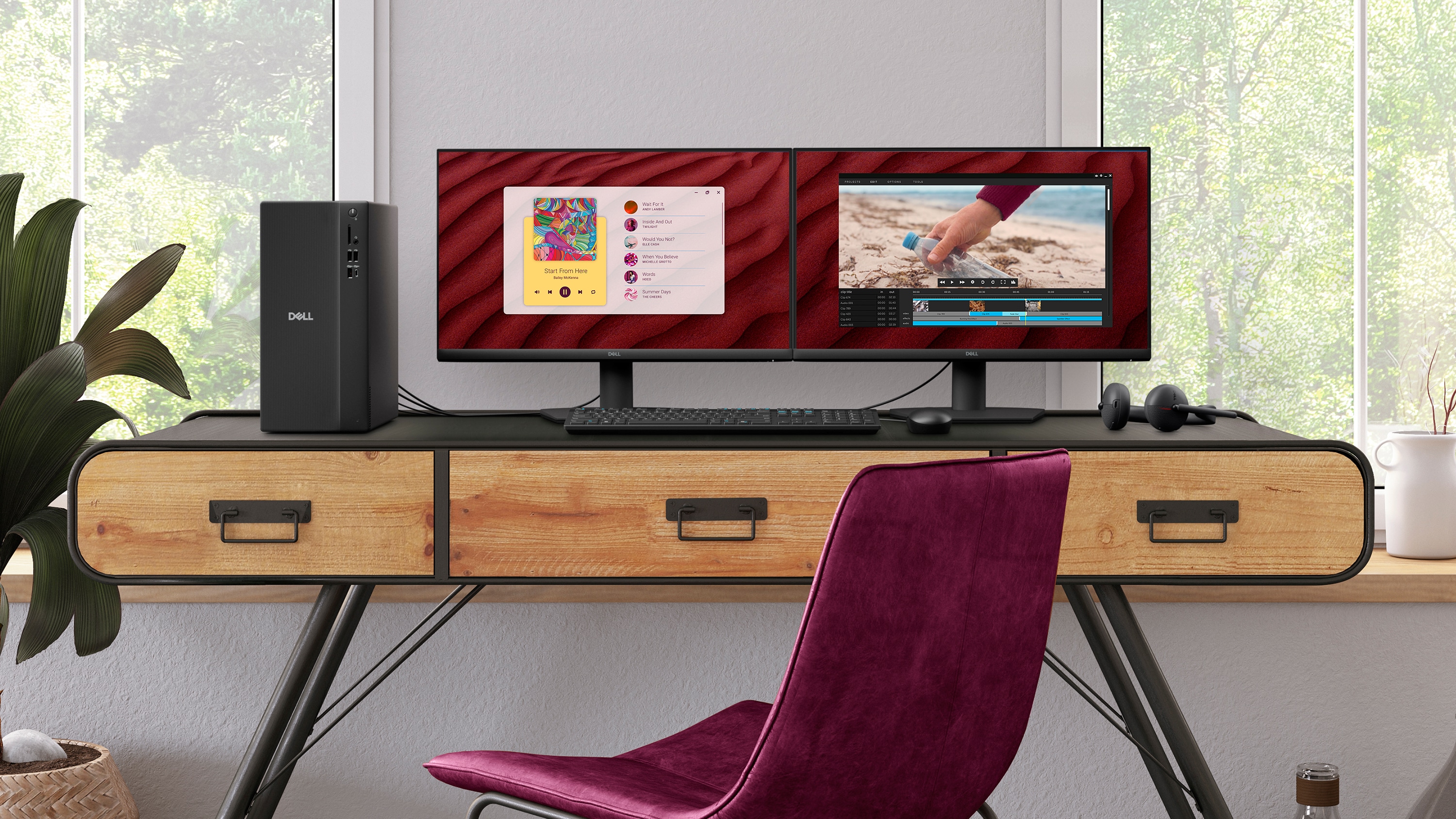
A neatly arranged desk with a Dell Tower desktop, along with two Dell monitors, a Dell wireless keyboard, mouse and headset

Style meets sustainability

Dell Tower Desktop seamlessly combines elegance with sustainability. Its sleek, modern design, crafted from recycled materials and featuring refined corners, makes it a stylish addition to any home or office. Dell Tower Desktop is registered EPEAT Silver with Climate+ and certified ENERGY STAR®[8].

43%

recycled plastic[9]

50%

recycled steel[10]

Up to 100%

recycled packaging[11]
Make everyday easier

Make everyday easier

Windows 11 comes with a modern design and multitasking tools to help you get it done faster, easier, and with style.
 
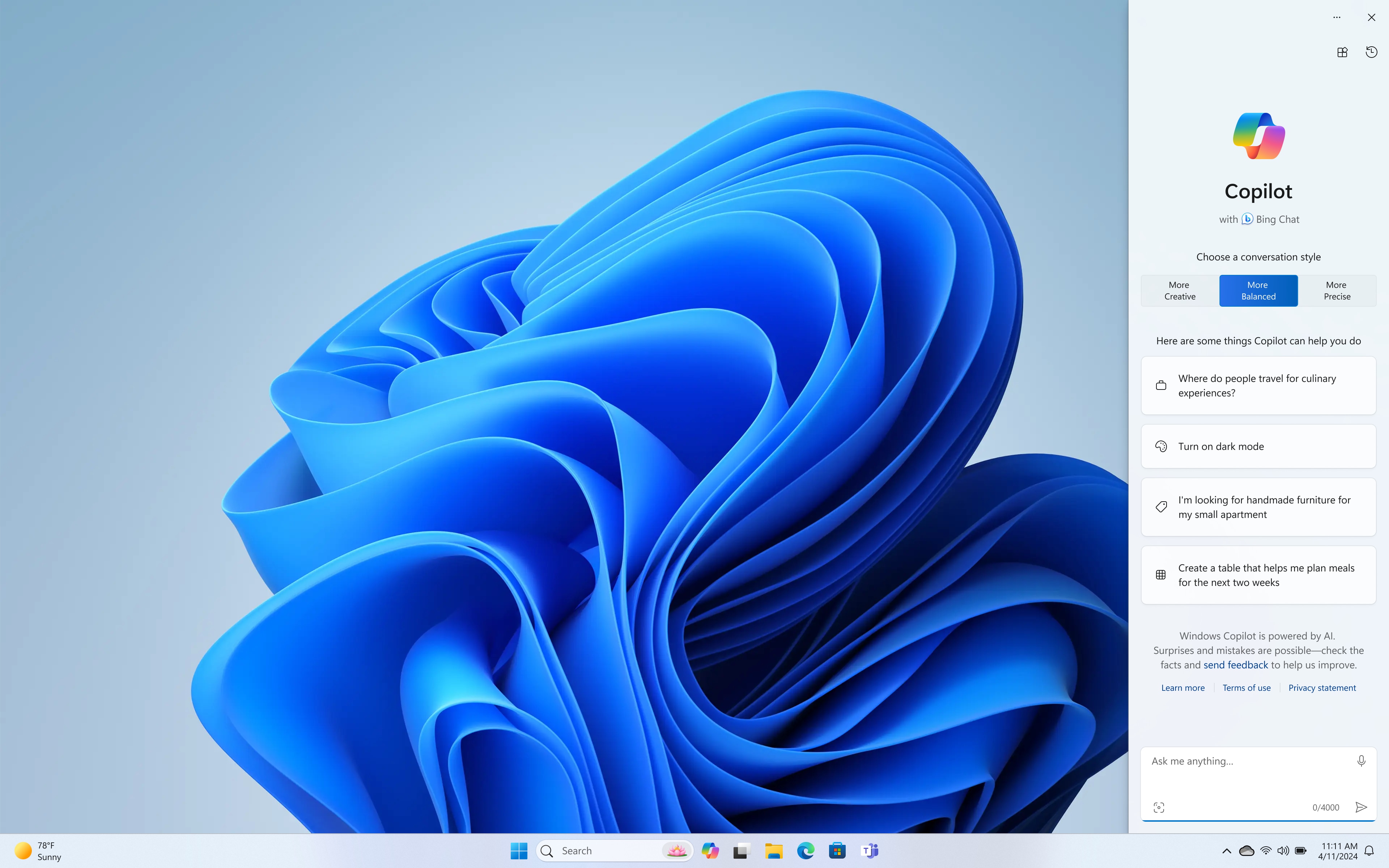
Your own personal AI assistant built right in to do the heavy-lifting so you can do the extraordinary. With Copilot in Windows get real answers, inspiration, and solutions for your questions, projects, and to-do-list[12].
 
Stay connected and do more with Microsoft Teams and Windows Studio Effects. Now you can eliminate distracting sights and sounds and elevate your video calls experience[13].

Ports and slots
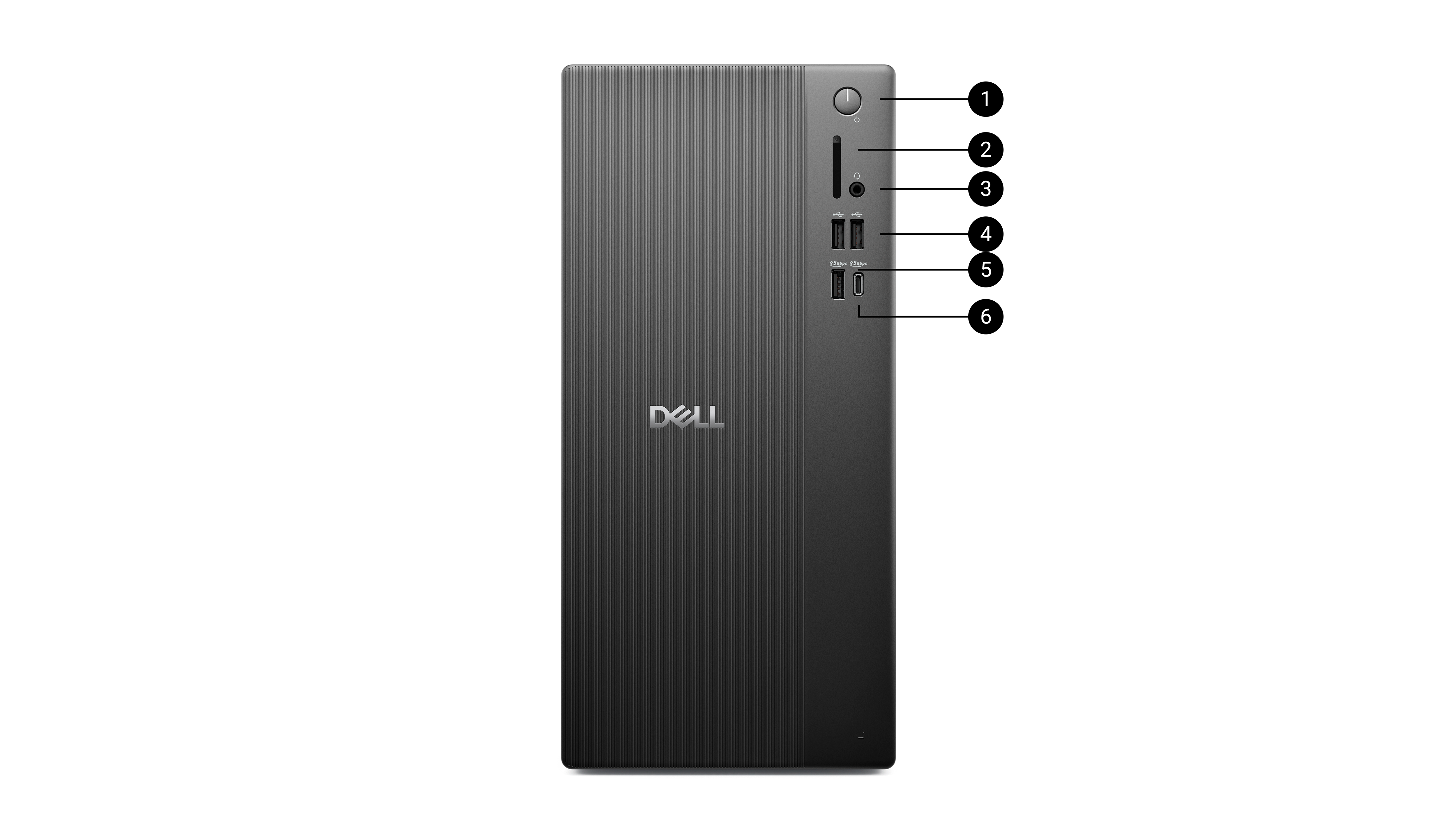
Front Facing


  1. Power Button
  2. Media Card Reader
  3. Headset Jack
  4. 2x USB 2.0 Type-A
  5. 1x USB 3.2 Type-A
  6. 1x USB 3.2 Type-C
Rear Facing


  1. DisplayPortTM 1.4 
  2. HDMI 2.1
  3. 2x USB 3.2 Type-A
  4. 2x USB 2.0 Type-A
  5. Expansion Slots
  6. Power Supply
  7. Power Indicator
  8. Padlock Loop
  9. RJ45 Ethernet port, 1GbE
  10. Kensington Slots

Dimensions and weight
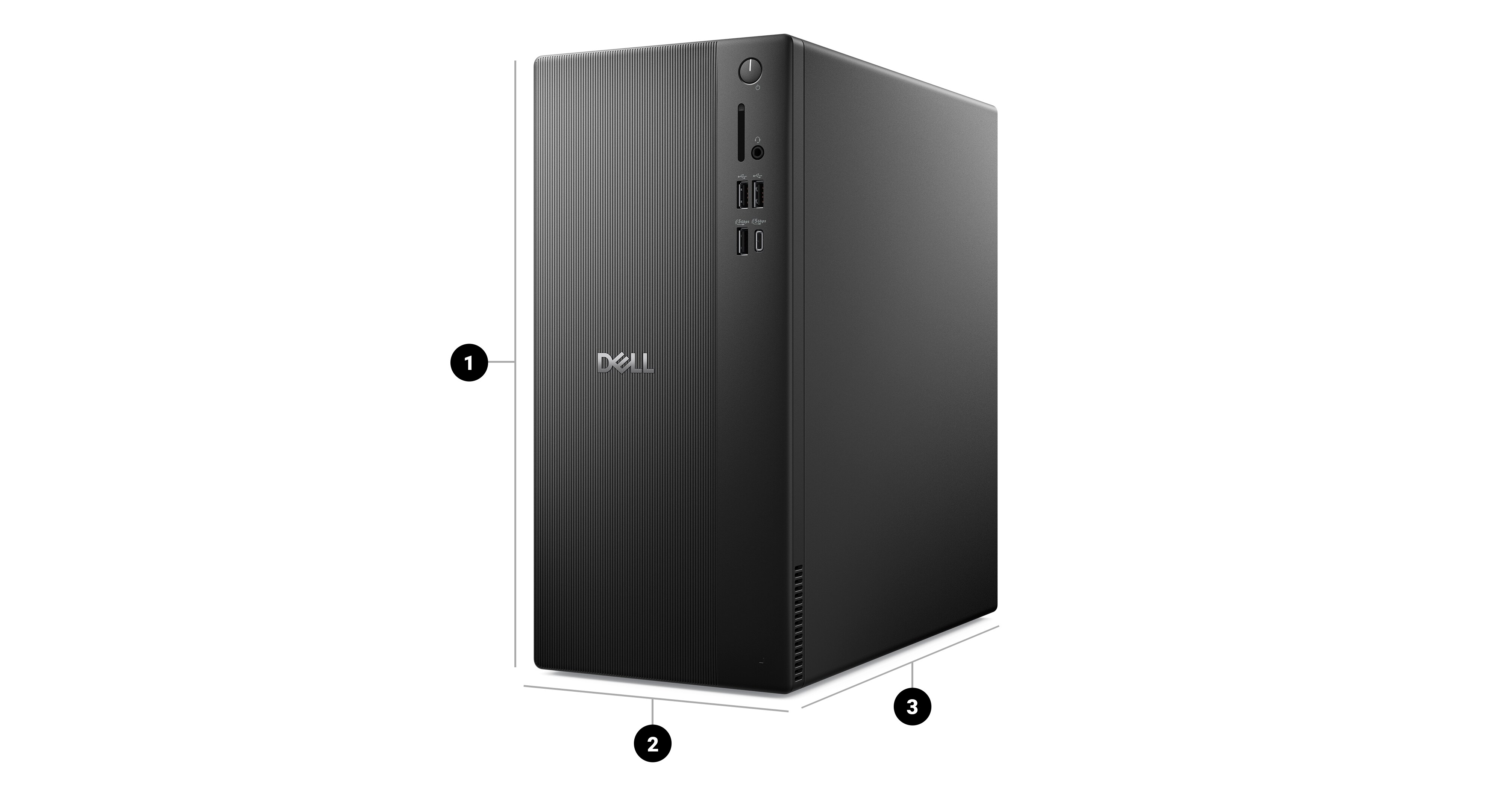
  1. Height: 12.76 in (324.3 mm)
  2. Width: 6.06 in. (154 mm)
  3. Depth: 11.53 in. (293 mm)


Starting weight: 9.17 lb. (4.16 kg)

The Ultimate PC Protection and Support

Whether for personal use or business, your PC is our priority with expert support at every step.

Dell Care Premium: Built for you, backed by us

Enjoy the best in personal PC care with 24/7 expert support for all your hardware and software needs. If we can't fix it remotely, a Dell technician will come to you[14]. SupportAssist predicts and resolves issues while keeping your PC fast, connected and stable[15]. You’ll also get data backup help, parental control setup, and repairs for accidents like drops and spills with no hidden fees or deductible[16]. Plus, stay connected with international travel support.

ProSupport Plus for PCs: Your business solution
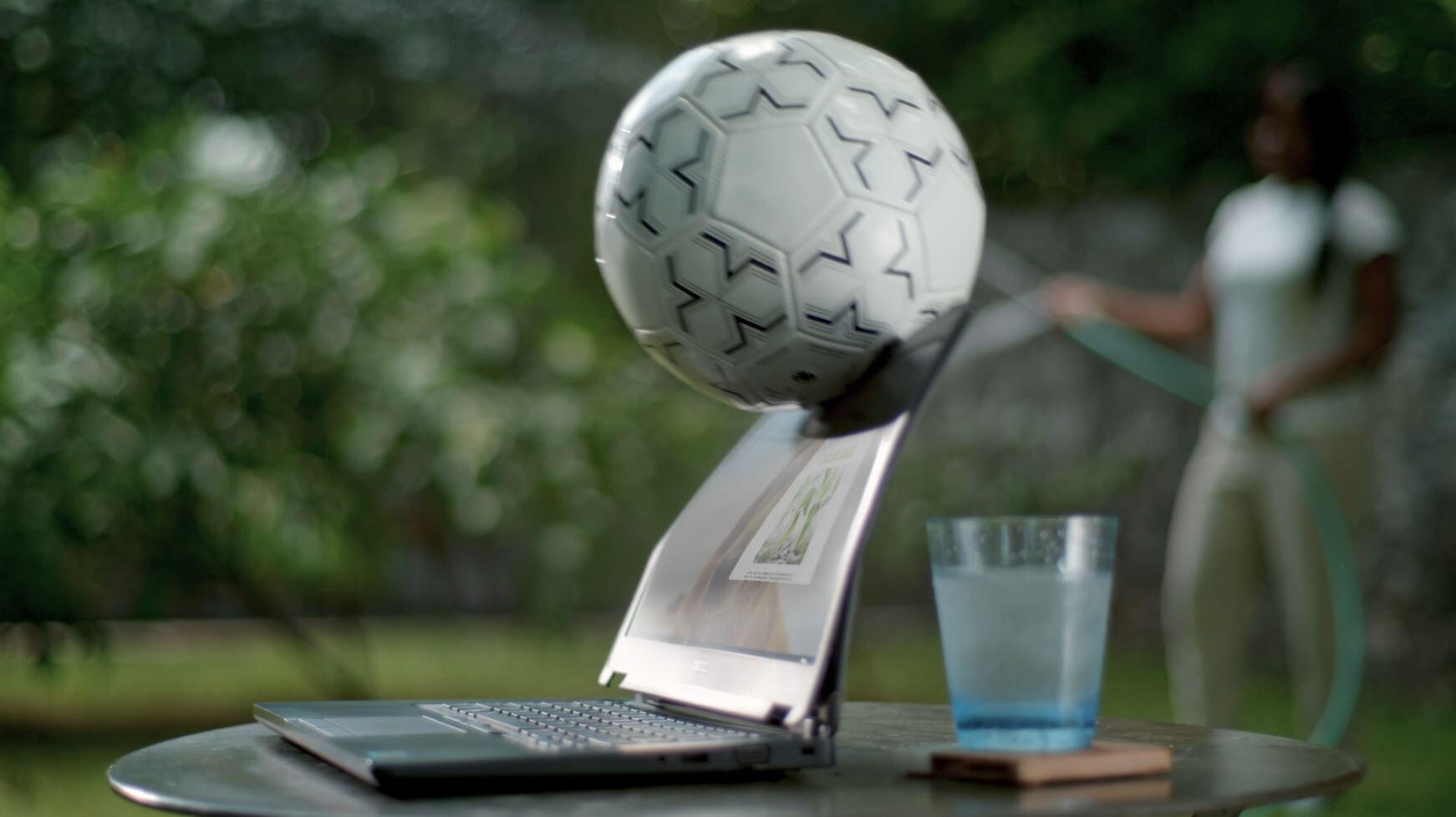
For Windows Pro OS, upgrade to ProSupport Plus for your business needs. Automate and customize support to eliminate downtime across your fleet. Get 24/7 priority access to in-region technical support, next business day onsite repairs and proactive monitoring. Plus, accidental damage coverage, self-healing automated remediation and more.

Accidental Damage Service

Stay worry-free with protection from accidental drops, spills and electrical surges. Access to repairs is easy, with support designed to keep you up and running at your best. Accidental Damage is included with Dell Care Premium and ProSupport Plus.

Reviews

Ratings & Reviews are provided by verified users through email, My Account, or at events.
Review Snapshot
4.5
2611 Star Ratings
87%
of respondents would recommend this to a friend


 What customers are saying
Customers praise the desktop's performance and compact size. They like its quiet operation and ease of setup. Some report issues with design and ports.
This AI-generated summary reflects customer review from the past two years and is updated weekly.
Was this helpful?  


Great desktop for the price.

3 days ago

IkeSkiVT

From New York

Verified

Dell Promotion

Very nice workstation with ample storage and RAM. Nice powerful machine.

Would you recommend this product to a friend? Yes

Dell

3 days ago

Dale

From Poway

Verified

Dell Promotion

Professional and courteous staff asked my questions. Ordering was easy online. Computer came quick.

Would you recommend this product to a friend? Yes

Have owned Dell computers and like them.

3 days ago

Dave

Verified

Dell Promotion

I pick up for my wife . Her older computer was giving her problems. I hope the new one will work fine for her.

Would you recommend this product to a friend? Yes

dell tower ECT-1250

3 days ago

Stan

From Pennsylvania

Verified

Dell Promotion

Tower was easy to install only had 1 setback my monitor i tried to save from my windows 10 did not have a HDMI input so I had to buy a new monitor setup was easy and I am 71 and not that computer smart and was able to do it.

Would you recommend this product to a friend? Yes

Why I bought a Dell

3 days ago

Happy Camper

From Katy, TX

Verified

Dell Promotion

I had needed a new desktop for quite a while and finally pulled the trigger when I found the deal on Dell.com. When buying a Dell there were inherent guarantees. The desktop would work as promised without fail. The shipping would be fast and careful. The service would be there to stand behind its product. Setup and adding apps and software would be smooth and intuitive. Everything was 100% spot on. Thank you. #Sweepstakes

Would you recommend this product to a friend? Yes

Perfect for Home Office

4 days ago

Larry C

From Crowley LA

Verified

Dell Promotion

Quiet and efficient. Compact enough to fit in small spaces. Extremely pleased.

Would you recommend this product to a friend? Yes

Exactly the performance and cost that I needed

4 days ago

Old engineer

From Huntsville, Al

Verified

Dell Promotion

I needed a tower that I could add a graphics card for cad software. Everything for start up and installation went great except the manual was not clear installing the card and locking it in place.

Would you recommend this product to a friend? Yes

Works Great So Far

4 days ago

jimg9453

From New Freedom, PA

Verified

Dell Promotion

We replaced two Dell XPS computers with two Dell Tower ECT1250 computers. The XPS computers were still working after fine after 11 years but we wanted to upgrade to Windows 11 from Windows 10. The ECT1250 computers are faster, quieter, smaller, and less expensive than the old XPS computers. Win11 appears to have more user friendly features than Win10 and started up seamlessly. I did have a problem with the dp connector on one computer but Dell service took care of the problem within a week. I did have to purchase a dp to HDMI adapter in order to connect my second monitor which only had HDMI connectors. So far, we have not experienced any of the Win11 bugs that have been reported for older computers. The new computers have a 30 day trial version of Office 365 which requires a yearly subscription. I really don't like having to pay a yearly fee for the new Outlook, Excel & Word apps that aren't as good and have fewer features than my old Office apps.

Would you recommend this product to a friend? Yes

I love my new Dell desktop

4 days ago

Greg

Verified

Dell Promotion

I use this PC for personal use at home, it was fairly easy to setup. I have had to go out and purchase some new accessories as the connections didn't work on the new Dell from my old Dell.

Would you recommend this product to a friend? Yes

Smooth

4 days ago

Wardog

From Boca Raton, FL

Verified

Dell Promotion

The transition to a new computer was very smooth. My new Dell runs much quicker than the old one and I was able to get everything I wanted in a new machine.

Would you recommend this product to a friend? Yes

Support

test

Dell Support

From drivers and manuals to diagnostic tools and replacement parts, Dell Product Support has you covered!

  1. Comparison based on internal testing, February 2025. Based on testing using Cinebench R23 multi-core on the Dell Tower (ECT1250) tested with Intel Core Ultra 5 255, 16GB DDR5 RAM, 1TB SSD, 180W PSU and UMA graphics vs. Inspiron Desktop (3030) tested with 14th gen Intel Core i5-14400, 16GB DDR5 RAM, 1TB SSD, 180W PSU and UMA graphics. [ ↑ ]
  2. Comparison based on internal testing, February 2025. Based on testing using 3DMark Time Spy Graphics on the Dell Tower (ECT1250) tested with Intel Core Ultra 5 255, 16GB DDR5 RAM, 1TB SSD, 180W PSU and UMA graphics vs. Inspiron Desktop (3030) tested with 14th gen Intel Core i5-14400, 16GB DDR5 RAM, 1TB SSD, 180W PSU and UMA graphics. [ ↑ ]
  3. DisplayPort can support up to one 4K or four FHD monitors if displays are equipped with daisy chain functionality. [ ↑ ]
  4. Additional memory must be purchased separately. [ ↑ ]
  5. To add HDD on this system, the rotation bay must be prepared separately. [ ↑ ]
  6. Additional storage must be purchased separately. [ ↑ ]
  7. Product availability may vary by region due to regulatory requirements, licensing agreements, or logistical constraints. Requires Microsoft account sign in. [ ↑ ]
  8. Based on internal analysis, January 2025.EPEAT registered where applicable. EPEAT registration varies by country. See www.epeat.net for registration status by country. [ ↑ ]
  9. Based on internal analysis, January 2025. Up to 5% closed loop plastic and up to 38% post-consumer recycled plastic. 50% recycled steel in select chassis part. [ ↑ ]
  10. Based on internal analysis, January 2025. Up to 5% closed loop plastic and up to 38% post-consumer recycled plastic. 50% recycled steel in select chassis part. [ ↑ ]
  11. [ ↑ ]
  12. Timing of feature delivery varies by device. Feature availability varies by market. Requires Microsoft account sign in. [ ↑ ]
  13. Windows Studio Effects (background blur, eye contact, voice focus, and automatic framing) are hardware dependent and require a qualified Neural Processing Unit (NPU). [ ↑ ]
  14. Onsite service after remote diagnosis (a) Onsite Service after remote diagnosis is determined by the online or phone technician, and may involve customer access to the inside of the system and multiple extended sessions. If the issue is covered by the Limited Hardware Warranty and cannot be resolved remotely, the technician and/or replacement part will be dispatched, usually in 1 or 2 business days, following the completion of the remote diagnosis. The customer must return the original hardware to Dell according to the rules specified. On-site service is provided by Dell Marketing L.P; Availability varies. Other conditions apply. (b) Advanced Exchange Service replaces hardware after remote diagnosis. The customer must return the original hardware to Dell according to the rules specified. Advanced Exchange Service is subject to country availability. (c) For complete details about On-site Service or Advanced Exchange Service, see dell.com/servicecontracts. [ ↑ ]
  15. For supported systems and requirements, please refer to our user guide (SupportAssist for Home PCs version for personal use) or administrator guide (SupportAssist for Business PCs version for PC fleet management) and click "supported PCs". Proactive and predictive capabilities depend upon your active service plan and Dell Technologies business rules. For ProSupport Suite for PCs capabilities, view our administrator guide and click "Connect and manage capabilities and Dell service plans". For Dell Care Suite, Premium Support Suite, or Alienware Care Suite for PCs capabilities, view the user guide and click "SupportAssist capabilities and Dell Services plans". [ ↑ ]
  16. Accidental damage coverage excludes theft, loss, and damage due to fire, flood, or other acts of nature, or intentional damage. Customer must return damaged unit. Limit of 1 qualified incident per contract year. [ ↑ ]


You may also like

Recently viewed